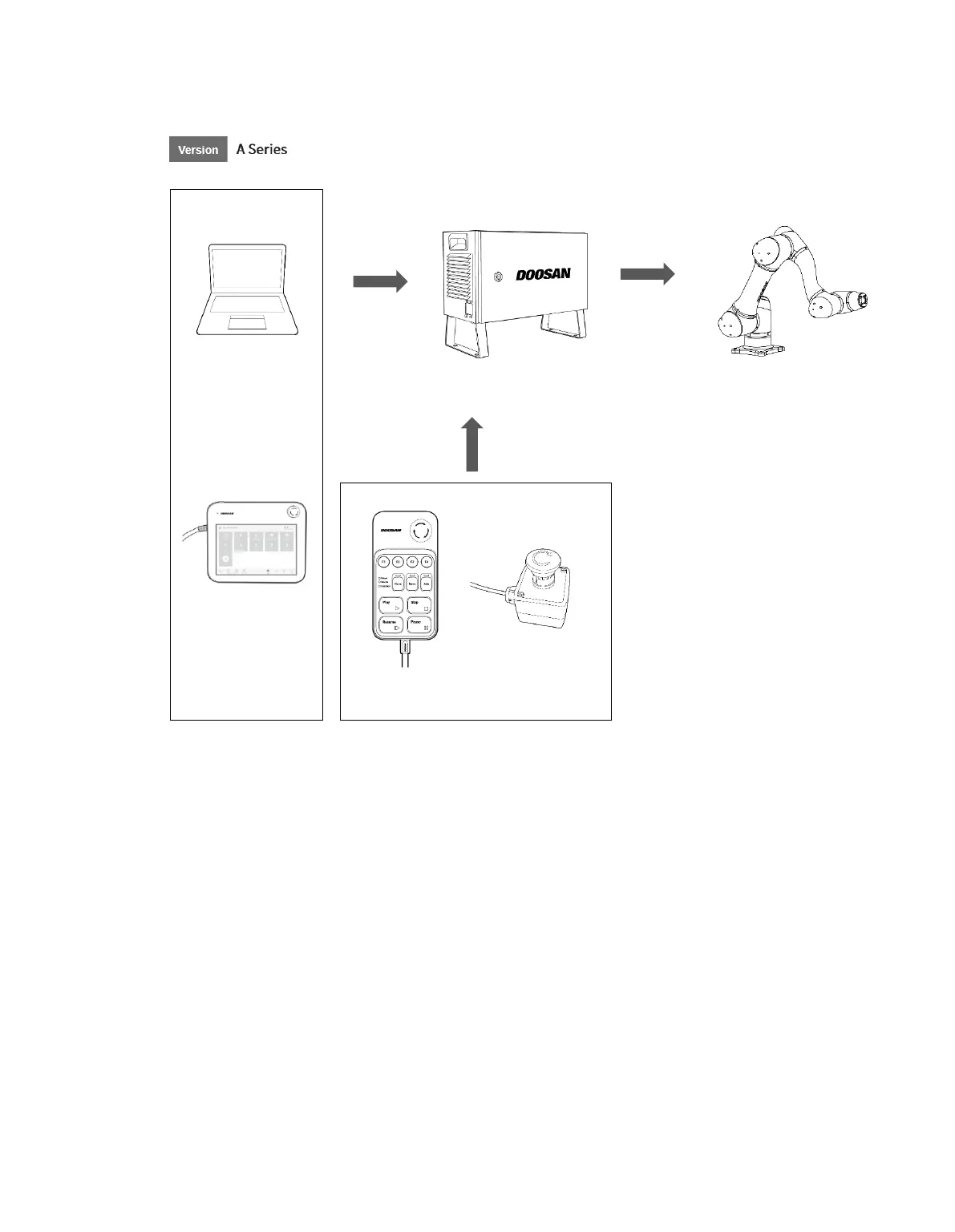
• Laptop: After installing the DART Platform, a work environment identical to the teach pendant
can be set up.
• Teach Pendant**: This is a device that manages the overall system, and it is capable of
teaching the robot specific poses and setting the robot and items related to the installation of the
controller and robot. (purchased separately as an option)
• Controller: It controls the robot’s movement according to the pose or movement set by the
teach pendant. It features various I/O ports that allow the connection and use of various
equipment and devices.
• Smart Pendant**: The robot can be easily controlled using a pendant capable of performing
simple functions such as turning on the servo ON/OFF or executing/closing preset programs.
(purchased separately as an option)
• Emergency Stop Button: If a laptop is used as part of the system, it acts as the emergency
stop button of the teach pendant.
• Robot: It is an industrial collaborative robot that can perform transport or assembly tasks with
various tools.



 To Next Page