Chapter 4
| Interface Configuration
Port Configuration
– 121 –
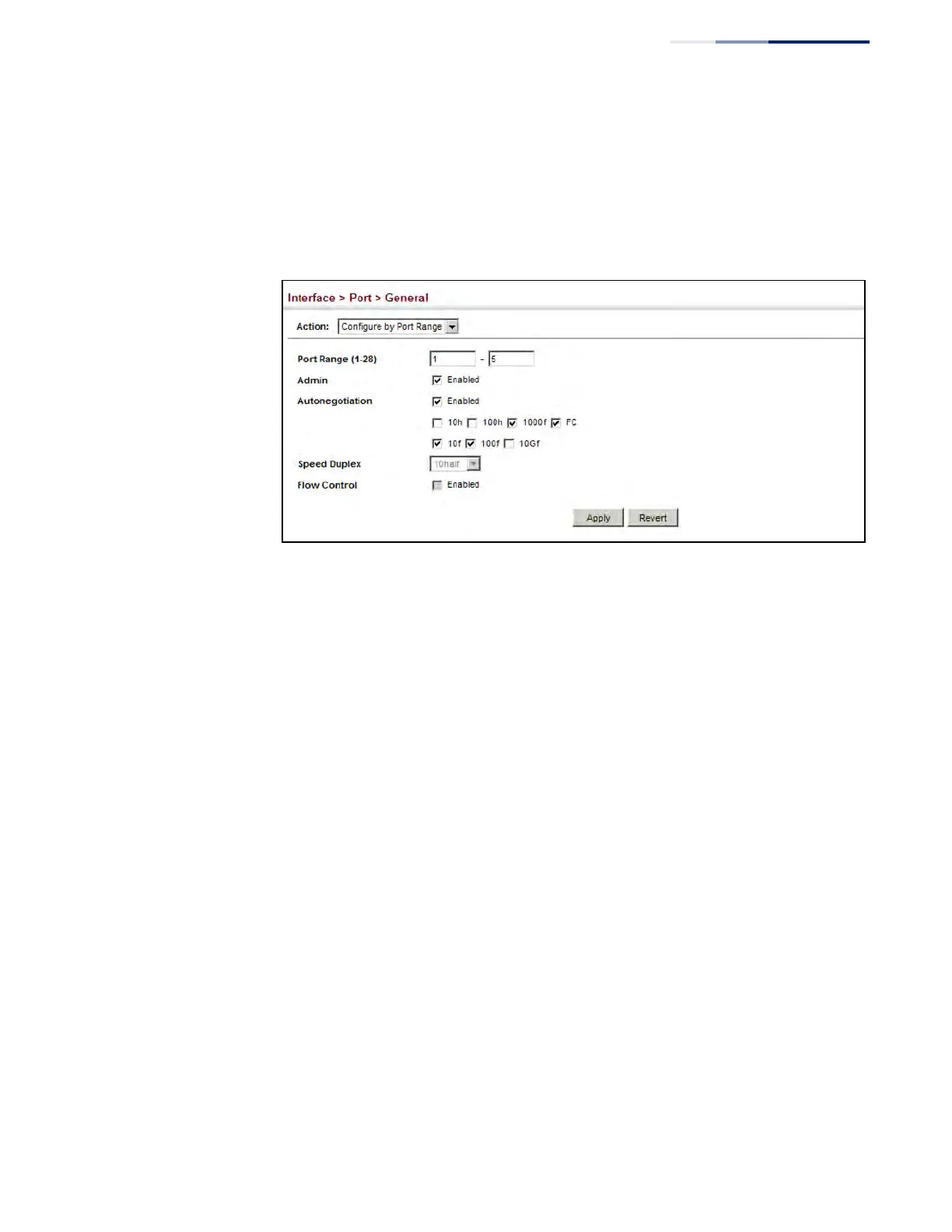
3. Enter a range of ports to which your configuration changes apply.
4. Modify the required interface settings.
5. Click Apply.
Figure 33: Configuring Connections by Port Range
Displaying
Connection Status
Use the Interface > Port > General (Show Information) page to display the current
connection status, including link state, speed/duplex mode, flow control, and auto-
negotiation.
Parameters
These parameters are displayed:
◆ Port – Port identifier.
◆ Type – Indicates the port type. (1000BASE-T, 10GBASE SFP+, or 1000BASE SFP
(used in the ECS4620-28F/28F-DC or when this transceiver type is used in an
SFP+ port).
◆ Name – Interface label.
◆ Admin – Shows if the port is enabled or disabled.
◆ Oper Status – Indicates if the link is Up or Down.
◆ Media Type – Shows the forced transceiver mode for SFP/SFP+ ports, or
forced/preferred port type for RJ-45/SFP combination ports used in the
ECS4620-28F/28F-DC.
◆ Autonegotiation – Shows if auto-negotiation is enabled or disabled.
◆ Oper Speed Duplex – Shows the current speed and duplex mode.











 To Next Page