Chapter 14
| Multicast Filtering
MLD Snooping (Snooping and Query for IPv6)
– 572 –
Web Interface
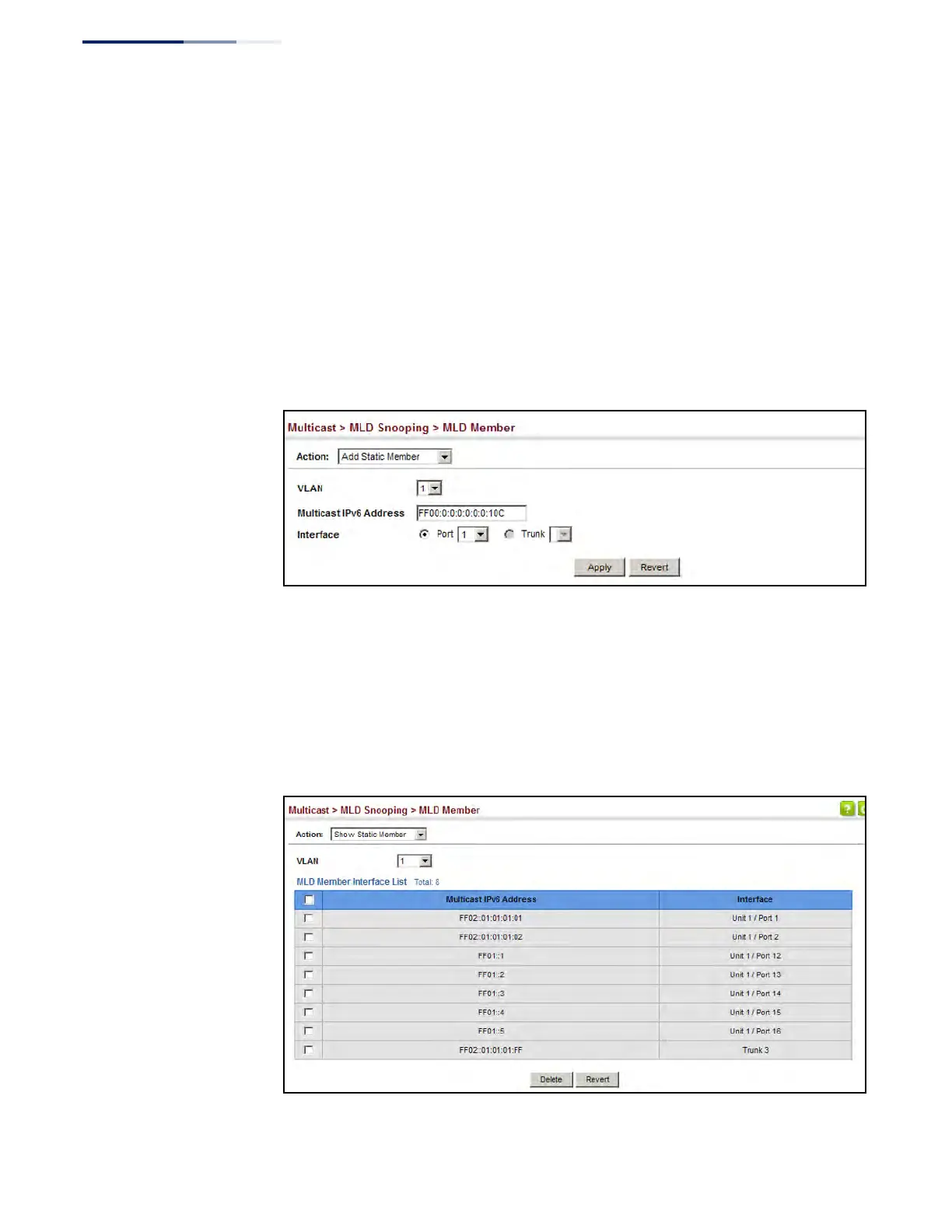
To statically assign an interface to an IPv6 multicast service:
1. Click Multicast, MLD Snooping, MLD Member.
2. Select Add Static Member from the Action list.
3. Select the VLAN that will propagate the multicast service, specify the interface
attached to a multicast service (through an MLD-enabled switch or multicast
router), and enter the multicast IP address.
4. Click Apply.
Figure 361: Assigning an Interface to an IPv6 Multicast Service
To show the static interfaces assigned to an IPv6 multicast service:
1. Click Multicast, MLD Snooping, MLD Member.
2. Select Show Static Member from the Action list.
3. Select the VLAN for which to display this information.
Figure 362: Showing Static Interfaces Assigned to an IPv6 Multicast Service











 To Next Page