Chapter 16
| IP Services
Dynamic Host Configuration Protocol
– 658 –
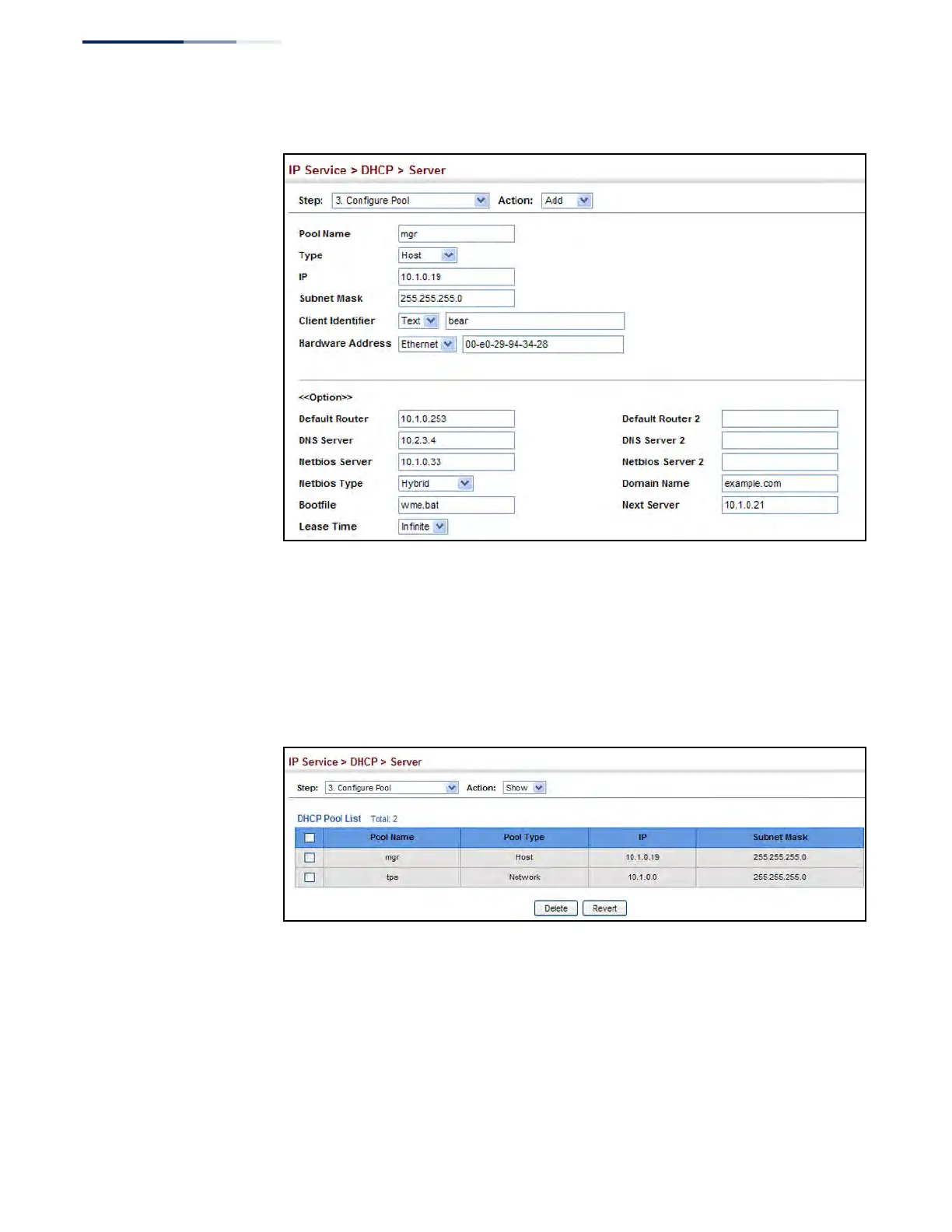
Figure 429: Configuring DHCP Server Address Pools (Host)
To show the configured DHCP address pools:
1. Click IP Service, DHCP, Server.
2. Select Configure Pool from the Step list.
3. Select Show from the Action list.
Figure 430: Showing Configured DHCP Server Address Pools
Displaying Address Bindings
Use the IP Service > DHCP > Server (Show IP Binding) page display the host devices
which have acquired an IP address from this switch’s DHCP server.
Parameters
These parameters are displayed:
◆ IP Address – IP address assigned to host.











 To Next Page