Chapter 14
| Multicast Filtering
Multicast VLAN Registration for IPv6
– 611 –
colon may be used in the address to indicate the appropriate number of zeros
required to fill the undefined fields. (Note that the IP address ff02::X is reserved.)
◆ The MVR6 VLAN cannot be specified as the receiver VLAN for static bindings.
Parameters
These parameters are displayed:
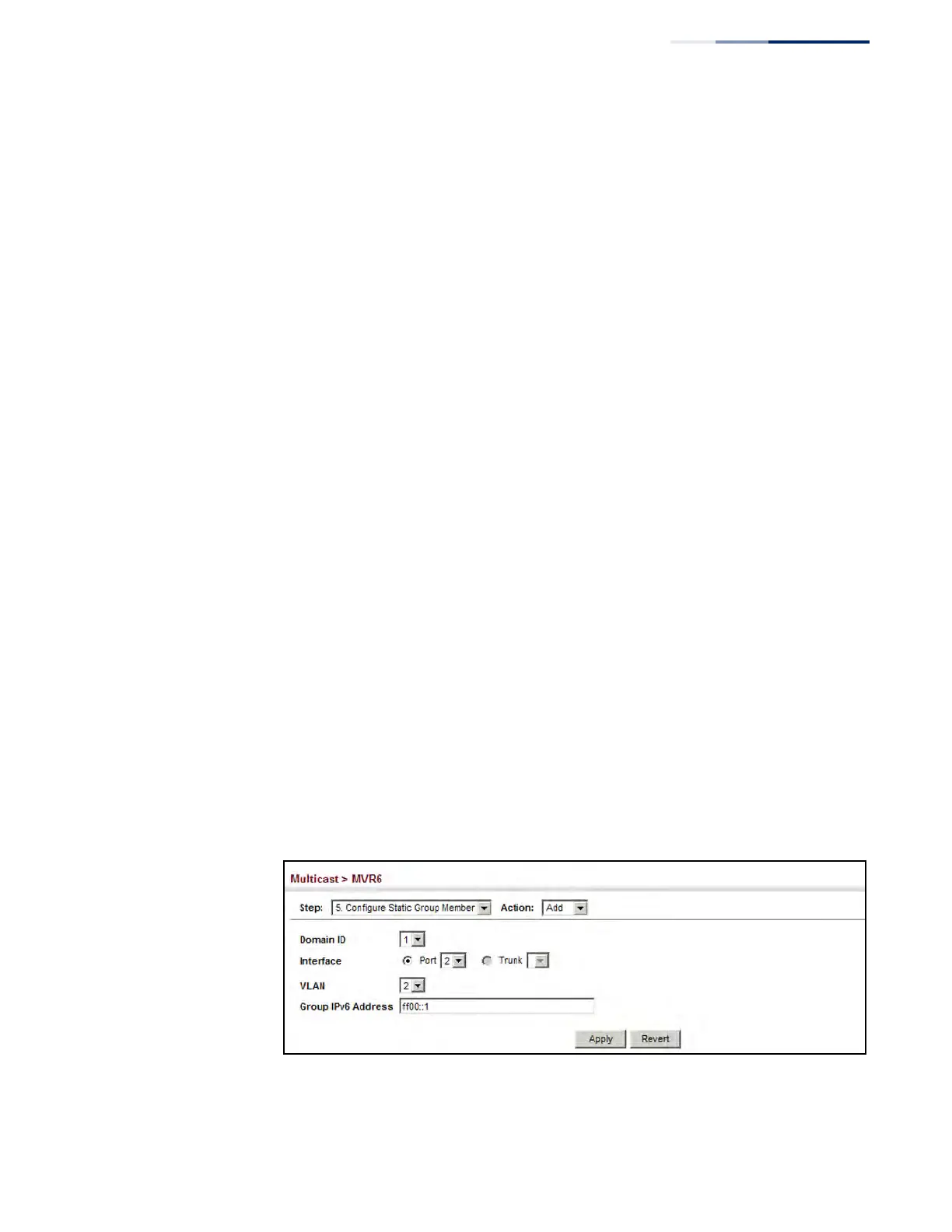
◆ Domain ID – An independent multicast domain. (Range: 1-5)
◆ Interface – Port or trunk identifier.
◆ VLAN – VLAN identifier. (Range: 1-4094)
◆ Group IPv6 Address – Defines a multicast service sent to the selected port.
Multicast groups must be assigned from the MVR6 group range configured on
the Configure General page.
Web Interface
To assign a static MVR6 group to an interface:
1. Click Multicast, MVR6.
2. Select Configure Static Group Member from the Step list.
3. Select Add from the Action list.
4. Select an MVR6 domain.
5. Select a VLAN and interface to receive the multicast stream, and then enter the
multicast group address.
6. Click Apply.
Figure 393: Assigning Static MVR6 Groups to a Port











 To Next Page