Chapter 19
| Unicast Routing
Configuring the Routing Information Protocol
– 714 –
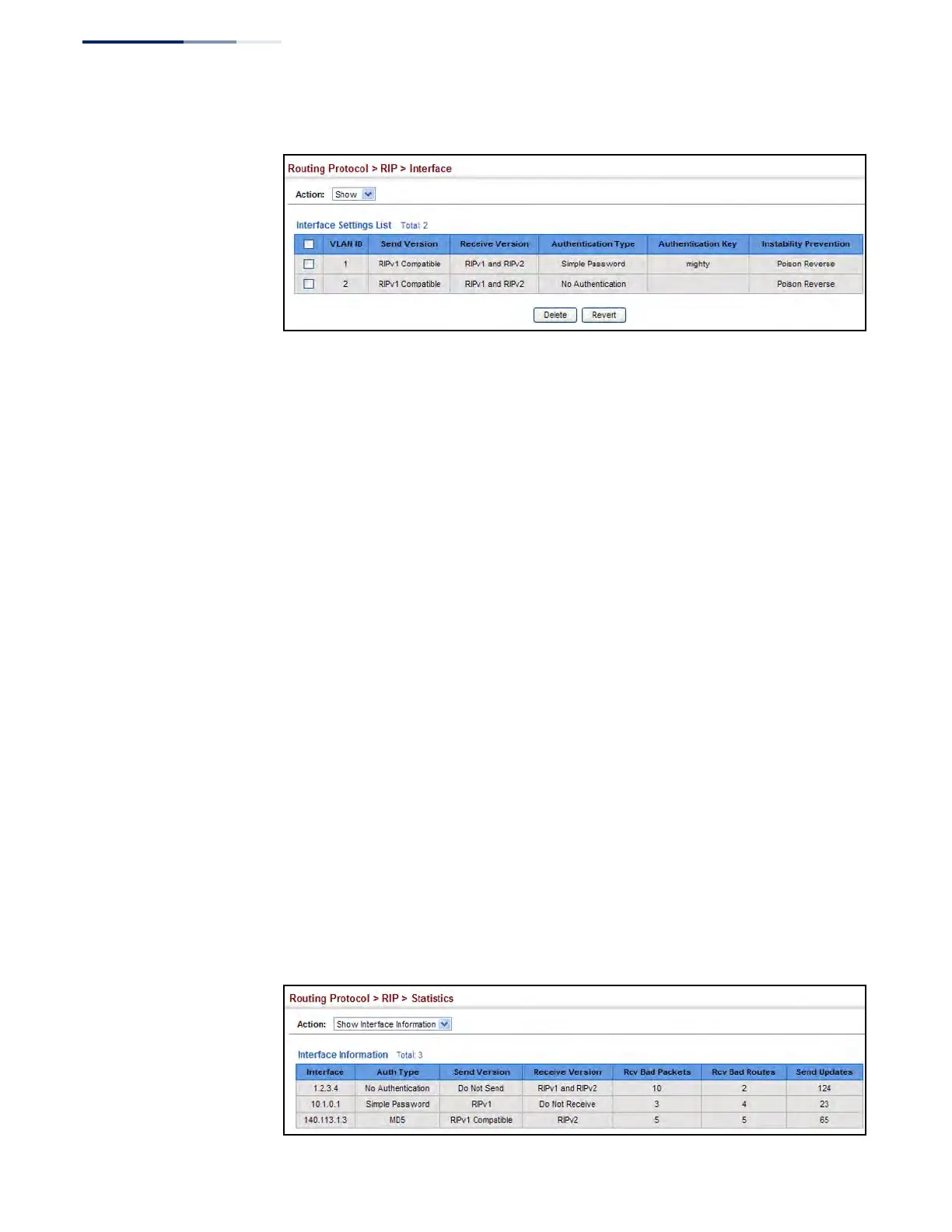
Figure 478: Showing RIP Network Interface Settings
Displaying RIP
Interface Settings
Use the Routing Protocol > RIP > Statistics (Show Interface Information) page to
display information about RIP interface configuration settings.
Parameters
These parameters are displayed:
◆ Interface – Source IP address of RIP router interface.
◆ Auth Type – The type of authentication used for exchanging RIPv2 protocol
messages.
◆ Send Version – The RIP version to sent on this interface.
◆ Receive Version – The RIP version accepted on this interface.
◆ Rcv Bad Packets – Number of bad RIP packets received.
◆ Rcv Bad Routes – Number of bad routes received.
◆ Send Updates – Number of route changes.
Web Interface
To display RIP interface configuration settings:
1. Click Routing Protocol, RIP, Statistics.
2. Select Show Interface Information from the Action list.
Figure 479: Showing RIP Interface Settings











 To Next Page