Chapter 3
| Basic Management Tasks
Managing System Files
– 92 –
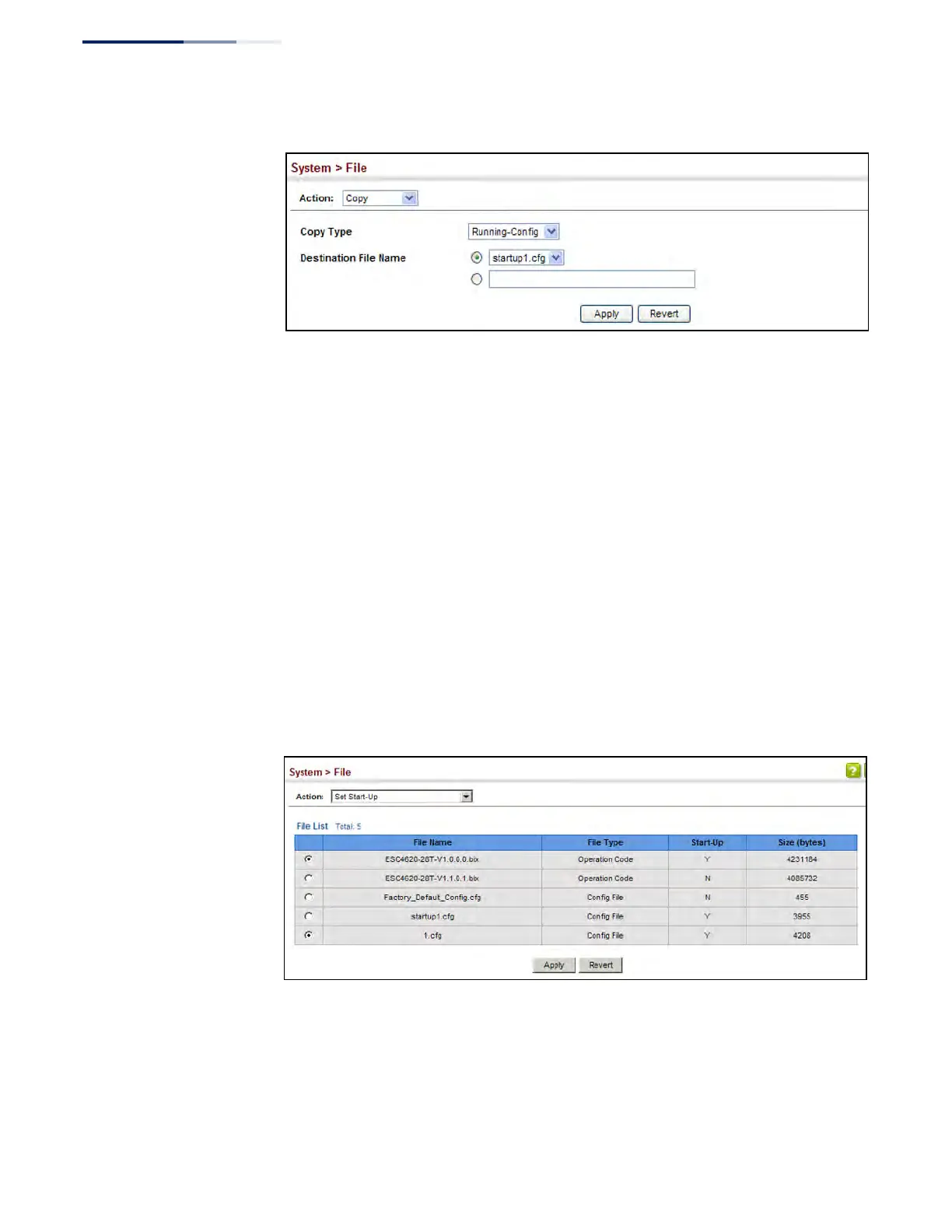
Figure 8: Saving the Running Configuration
If you replaced a file currently used for startup and want to start using the new file,
reboot the system via the System > Reset menu.
Setting the
Start-up File
Use the System > File (Set Start-Up) page to specify the firmware or configuration
file to use for system initialization.
Web Interface
To set a file to use for system initialization:
1. Click System, then File.
2. Select Set Start-Up from the Action list.
3. Mark the operation code or configuration file to be used at startup
4. Then click Apply.
Figure 9: Setting Start-Up Files
To start using the new firmware or configuration settings, reboot the system via the
System > Reset menu.











 To Next Page