EasyManua.ls Logo

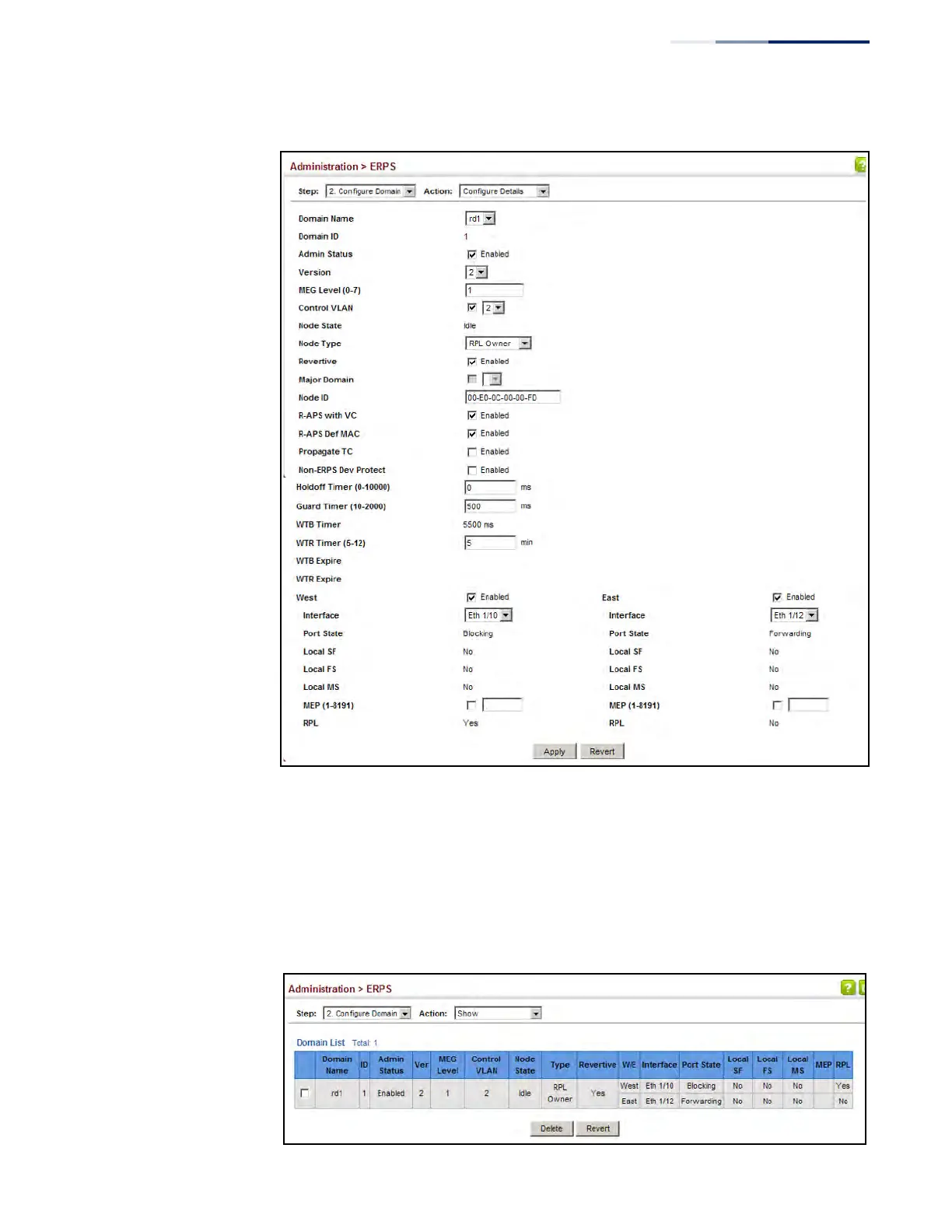
Edge-Core ECS4620-28F - Figure 299: Creating an ERPS Ring; Figure 300: Showing Configured ERPS Rings

Edge-Core ECS4620-28F
2143 pages
Print Icon
To Next Page IconTo Next Page
To Previous Page IconTo Previous Page
Loading...
Chapter 13
| Basic Administration Protocols
Ethernet Ring Protection Switching
– 483
Figure 299: Creating an ERPS Ring
To show the configured ERPS rings:
1. Click Administration, ERPS.
2. Select Configure Domain from the Step list.
3. Select Show from the Action list.
Figure 300: Showing Configured ERPS Rings


Table of Contents

Other manuals for Edge-Core ECS4620-28F

Related product manuals