Chapter 14
| Multicast Filtering
Layer 2 IGMP (Snooping and Query for IPv4)
– 549 –
ports attached to participating hosts to a common VLAN, and then assign the
multicast service to that VLAN group.
Command Usage
◆ Static multicast addresses are never aged out.
◆ When a multicast address is assigned to an interface in a specific VLAN, the
corresponding traffic can only be forwarded to ports within that VLAN.
Parameters
These parameters are displayed:
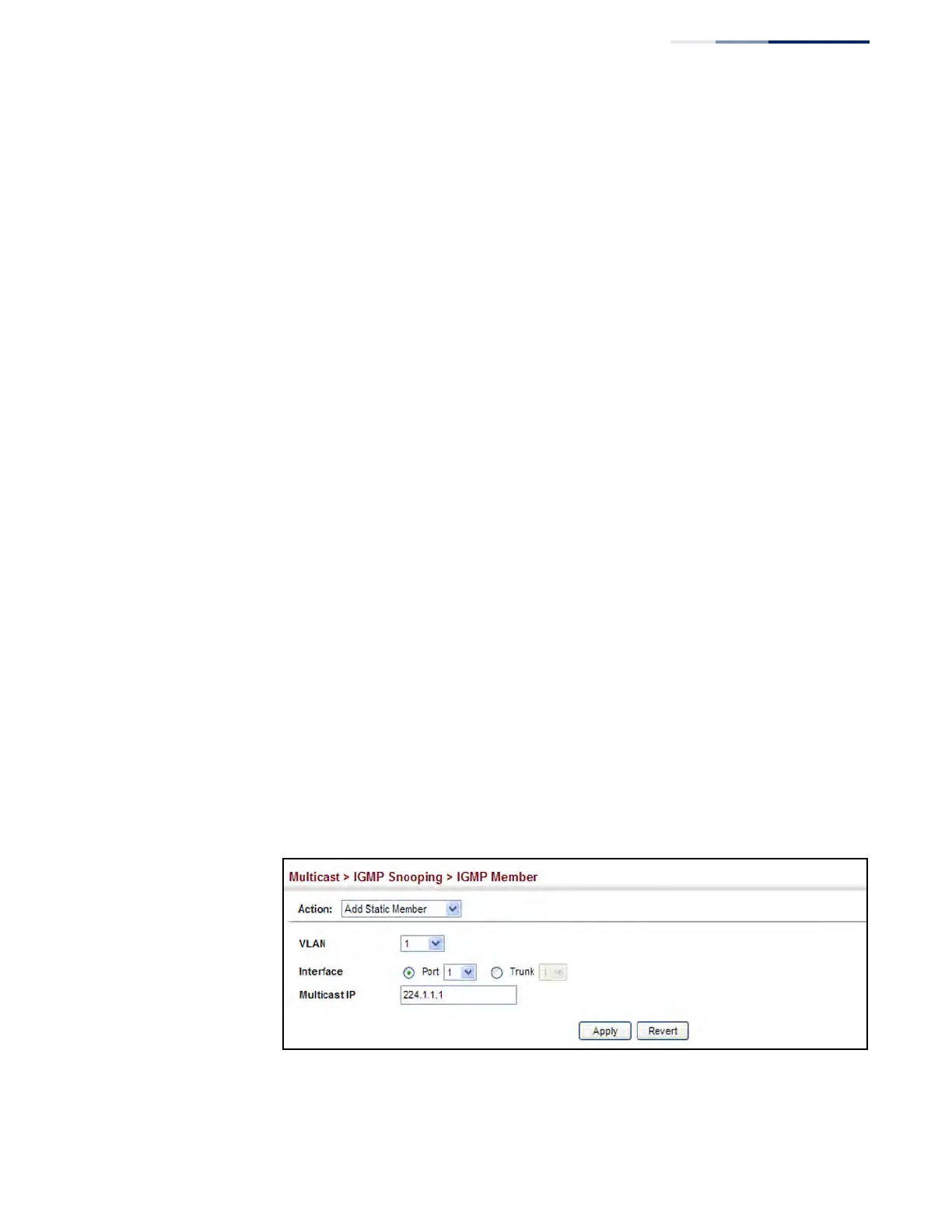
◆ VLAN – Specifies the VLAN which is to propagate the multicast service.
(Range: 1-4094)
◆ Interface – Activates the Port or Trunk scroll down list.
◆ Port or Trunk – Specifies the interface assigned to a multicast group.
◆ Multicast IP – The IP address for a specific multicast service.
Web Interface
To statically assign an interface to a multicast service:
1. Click Multicast, IGMP Snooping, IGMP Member.
2. Select Add Static Member from the Action list.
3. Select the VLAN that will propagate the multicast service, specify the interface
attached to a multicast service (through an IGMP-enabled switch or multicast
router), and enter the multicast IP address.
4. Click Apply.
Figure 341: Assigning an Interface to a Multicast Service











 To Next Page