Chapter 6
| Address Table Settings
Issuing MAC Address Traps
– 206 –
MAC authentication traps must be enabled at the global level for this attribute
to take effect.
Web Interface
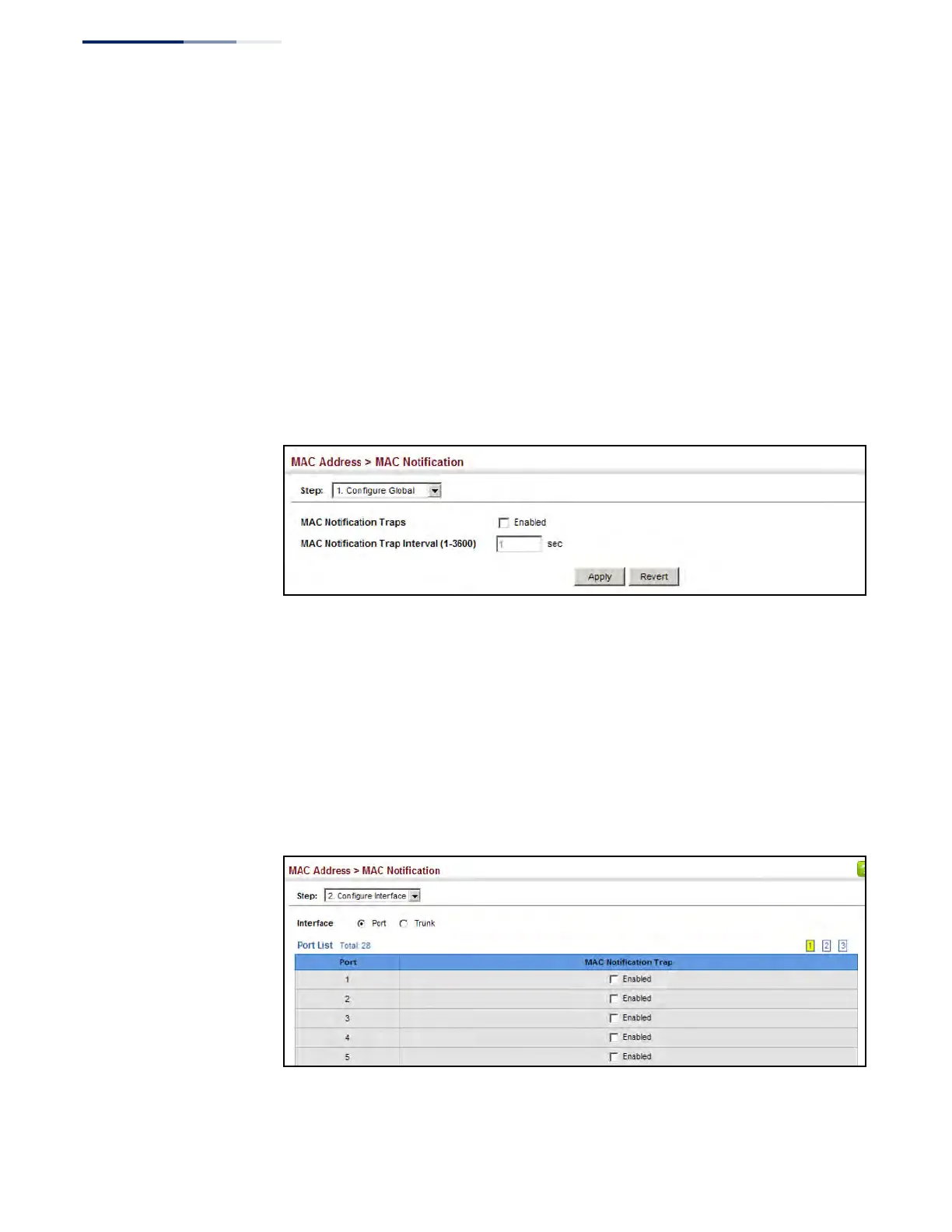
To enable MAC address traps at the global level:
1. Click MAC Address, MAC Notification.
2. Select Configure Global from the Step list.
3. Configure MAC notification traps and the transmission interval.
4. Click Apply.
Figure 107: Issuing MAC Address Traps (Global Configuration)
To enable MAC address traps at the interface level:
1. Click MAC Address, MAC Notification.
2. Select Configure Interface from the Step list.
3. Enable MAC notification traps for the required ports.
4. Click Apply.
Figure 108: Issuing MAC Address Traps (Interface Configuration)











 To Next Page