Chapter 16
| IP Services
Dynamic Host Configuration Protocol
– 654 –
Setting Excluded Addresses
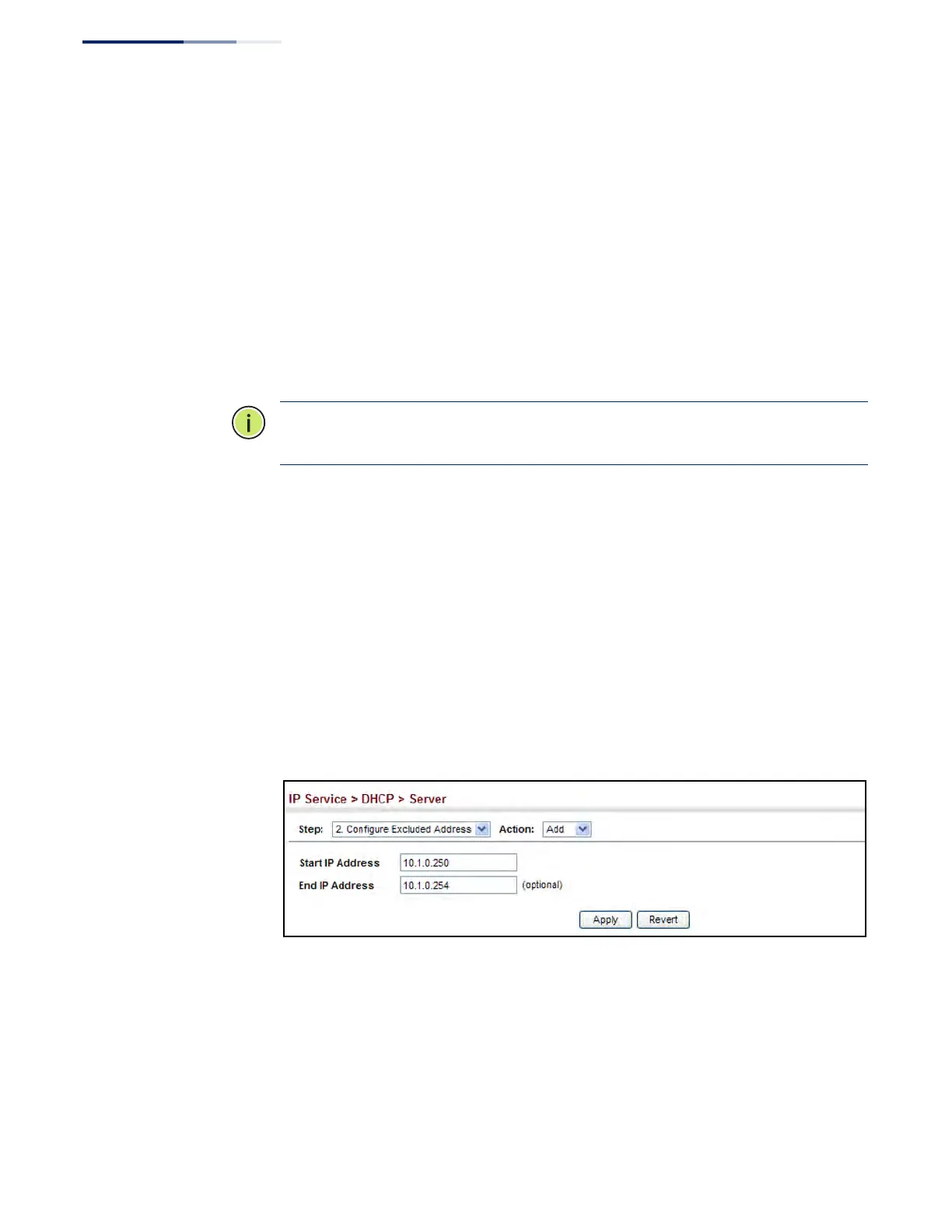
Use the IP Service > DHCP > Server (Configure Excluded Addresses – Add) page to
specify the IP addresses that should not be assigned to clients.
Parameters
These parameters are displayed:
◆ Start IP Address – Specifies a single IP address or the first address in a range
that the DHCP server should not assign to DHCP clients.
◆ End IP Address – The last address in a range that the DHCP server should not
assign to DHCP clients.
Note:
Be sure you exclude the address for this switch and other key network
devices.
Web Interface
To configure IP addresses excluded for DHCP clients:
1. Click IP Service, DHCP, Server.
2. Select Configure Excluded Addresses from the Step list.
3. Select Add from the Action list.
4. Enter a single address or an address range.
5. Click Apply.
Figure 426: Configuring Excluded Addresses on the DHCP Server
To show the IP addresses excluded for DHCP clients:
1. Click IP Service, DHCP, Server.
2. Select Configure Excluded Addresses from the Step list.
3. Select Show from the Action list.











 To Next Page