Chapter 5
| VLAN Configuration
Configuring MAC-based VLANs
– 192 –
◆ When MAC-based, IP subnet-based, and protocol-based VLANs are supported
concurrently, priority is applied in this sequence, and then port-based VLANs
last.
Parameters
These parameters are displayed:
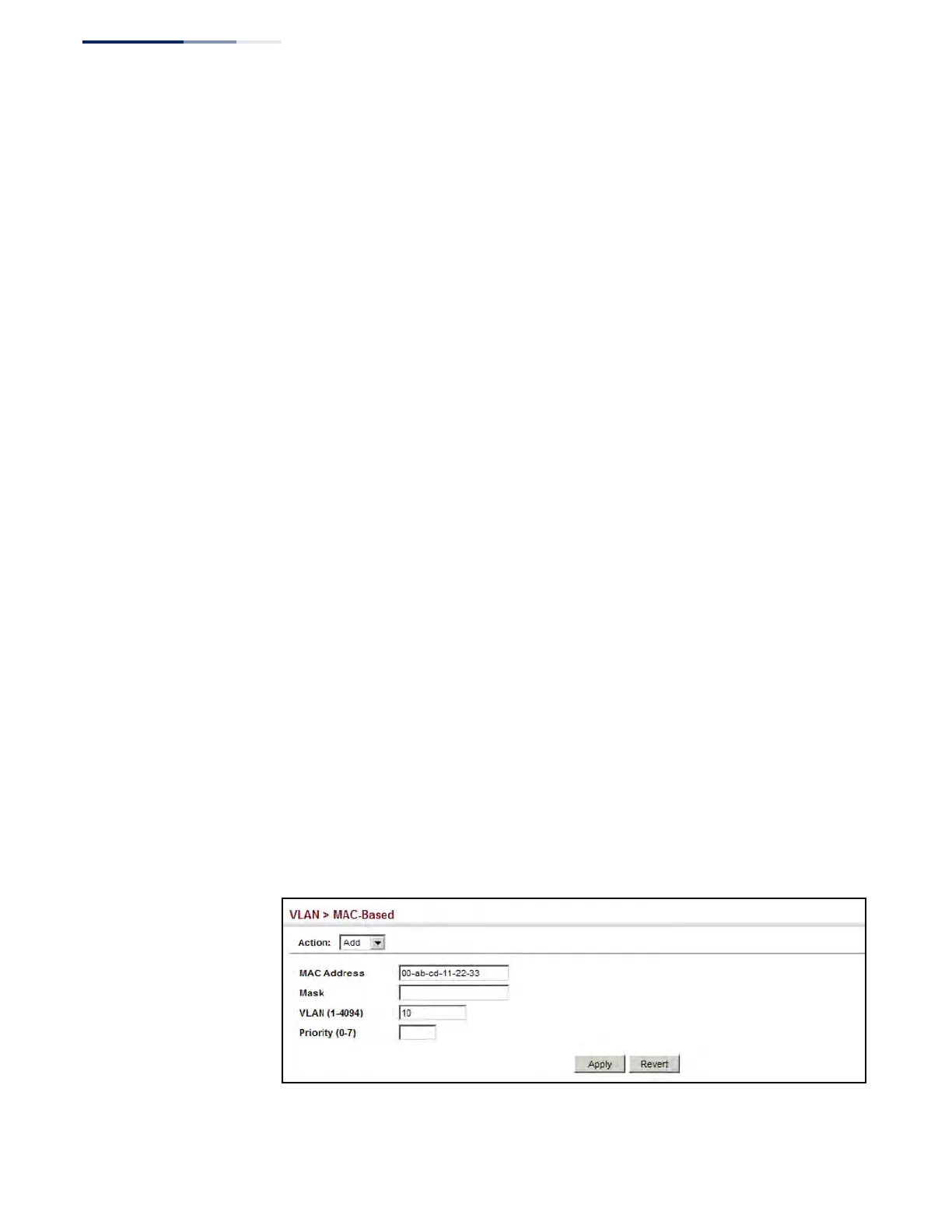
◆ MAC Address – A source MAC address which is to be mapped to a specific
VLAN. The MAC address must be specified in the format xx-xx-xx-xx-xx-xx.
◆ Mask – Identifies a range of MAC addresses. The mask can be specified in the
format xx-xx-xx-xx-xx-xx or xxxxxxxxxxxx, where an equivalent binary value “1”
means relevant and “0” means ignore. (The default mask is ff-ff-ff-ff-ff-ff.)
◆ VLAN – VLAN to which ingress traffic matching the specified source MAC
address is forwarded. (Range: 1-4094)
◆ Priority – The priority assigned to untagged ingress traffic. (Range: 0-7, where
7 is the highest priority; Default: 0)
Web Interface
To map a MAC address to a VLAN:
1. Click VLAN, MAC-Based.
2. Select Add from the Action list.
3. Enter an address in the MAC Address field, and a mask if required.
4. Enter an identifier in the VLAN field. Note that the specified VLAN need not
already be configured.
5. Enter a value to assign to untagged frames in the Priority field.
6. Click Apply.
Figure 92: Configuring MAC-Based VLANs











 To Next Page