Chapter 20
| Multicast Routing
Configuring PIM for IPv4
– 772 –
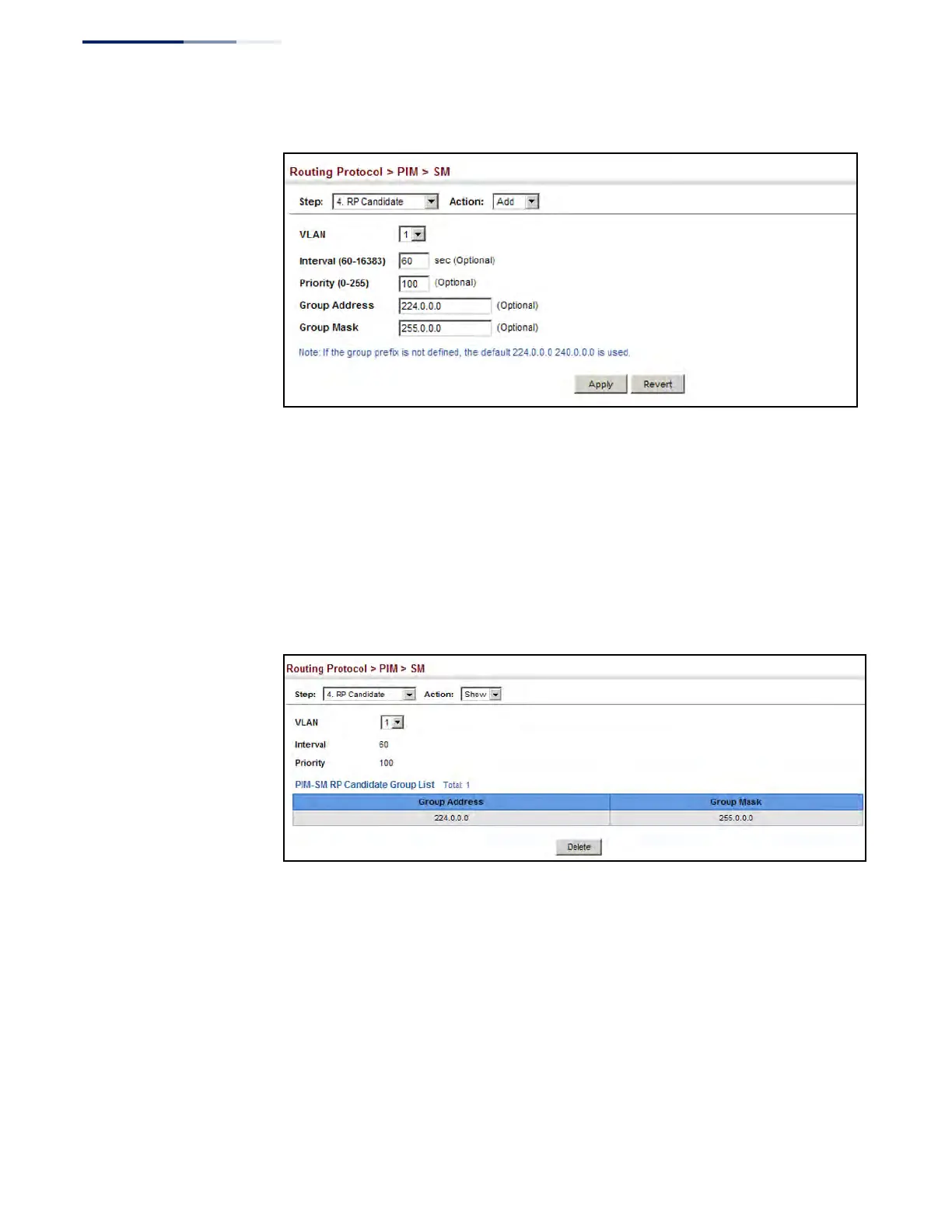
Figure 530: Configuring a PIM RP Candidate
To display settings for an RP candidate:
1. Click Routing Protocol, PIM, SM.
2. Select RP Candidate from the Step list.
3. Select Show from the Action list.
4. Select an interface from the VLAN list.
Figure 531: Showing Settings for a PIM RP Candidate
Displaying the
PIM BSR Router
Use the Routing Protocol > PIM > SM (Show Information – Show BSR Router) page
to display Information about the bootstrap router (BSR).
Parameters
These parameters are displayed:
◆ IP Address – IP address of interface configured as the BSR.
◆ Uptime – The time this BSR has been up and running.
◆ Priority – Priority value used by this BSR candidate.











 To Next Page