Chapter 20
| Multicast Routing
Configuring PIM for IPv4
– 765 –
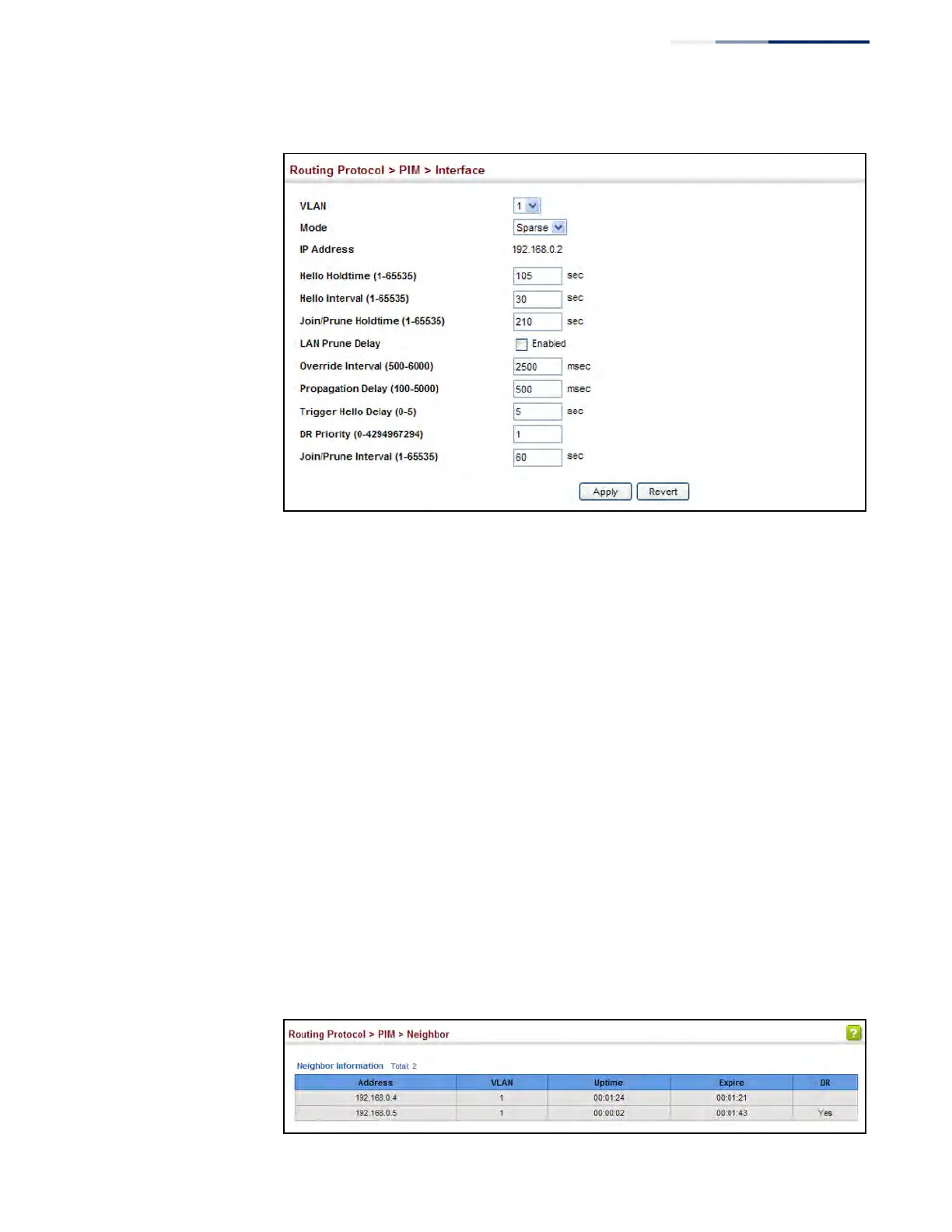
Figure 524: Configuring PIM Interface Settings (Sparse Mode)
Displaying PIM
Neighbor Information
Use the Routing Protocol > PIM > Neighbor page to display all neighboring PIM
routers.
Parameters
These parameters are displayed:
◆ Address – IP address of the next-hop router.
◆ VLAN – VLAN that is attached to this neighbor.
◆ Uptime – The duration this entry has been active.
◆ Expire – The time before this entry will be removed.
◆ DR – Indicates if a neighbor is the designated router.
Web Interface
To display neighboring PIM routers:
1. Click Routing Protocol, PIM, Neighbor.
Figure 525: Showing PIM Neighbors











 To Next Page