Chapter 14
| Multicast Filtering
MLD Snooping (Snooping and Query for IPv6)
– 568 –
receiving query packets) to have expired. (Range: 300-500 seconds;
Default: 300 seconds)
◆ MLD Snooping Version – The protocol version used for compatibility with
other devices on the network. This is the MLD version the switch uses to send
snooping reports. (Range: 1-2; Default: 2)
◆ Unknown Multicast Mode – The action for dealing with unknown multicast
packets. Options include:
■
Flood – Floods any received IPv6 multicast packets that have not been
requested by a host to all ports in the VLAN.
■
To Router Port – Forwards any received IPv6 multicast packets that have
not been requested by a host to ports that are connected to a detected
multicast router. (This is the default action.)
Web Interface
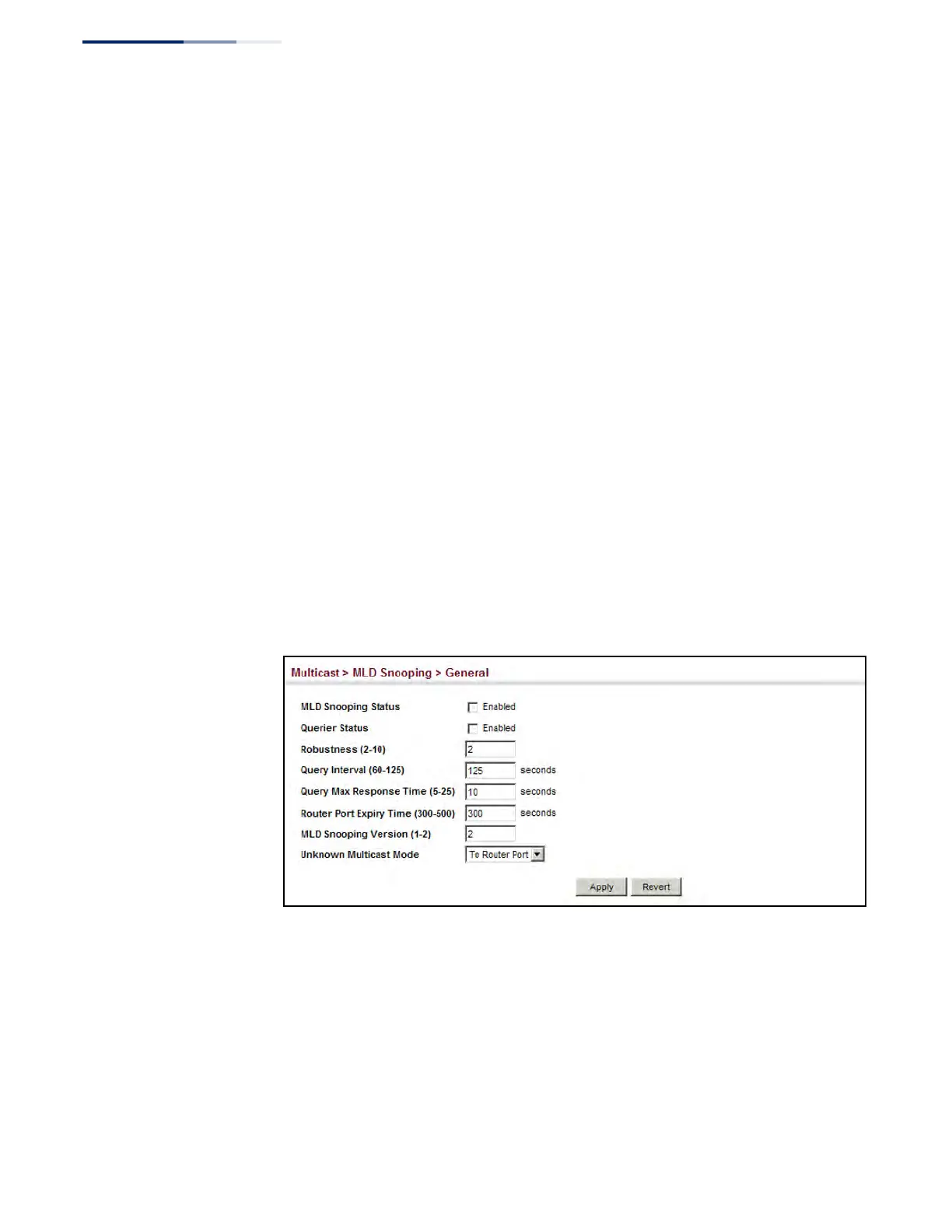
To configure general settings for MLD Snooping:
1. Click Multicast, MLD Snooping, General.
2. Adjust the settings as required.
3. Click Apply.
Figure 356: Configuring General Settings for MLD Snooping
Setting Immediate
Leave Status for
MLD Snooping
per Interface
Use the Multicast > MLD Snooping > Interface page to configure Immediate Leave
status for a VLAN.
Parameters
These parameters are displayed:
◆ VLAN – A VLAN identification number. (Range: 1-4094)











 To Next Page