Chapter 7
| Spanning Tree Algorithm
Displaying Interface Settings for STA
– 223 –
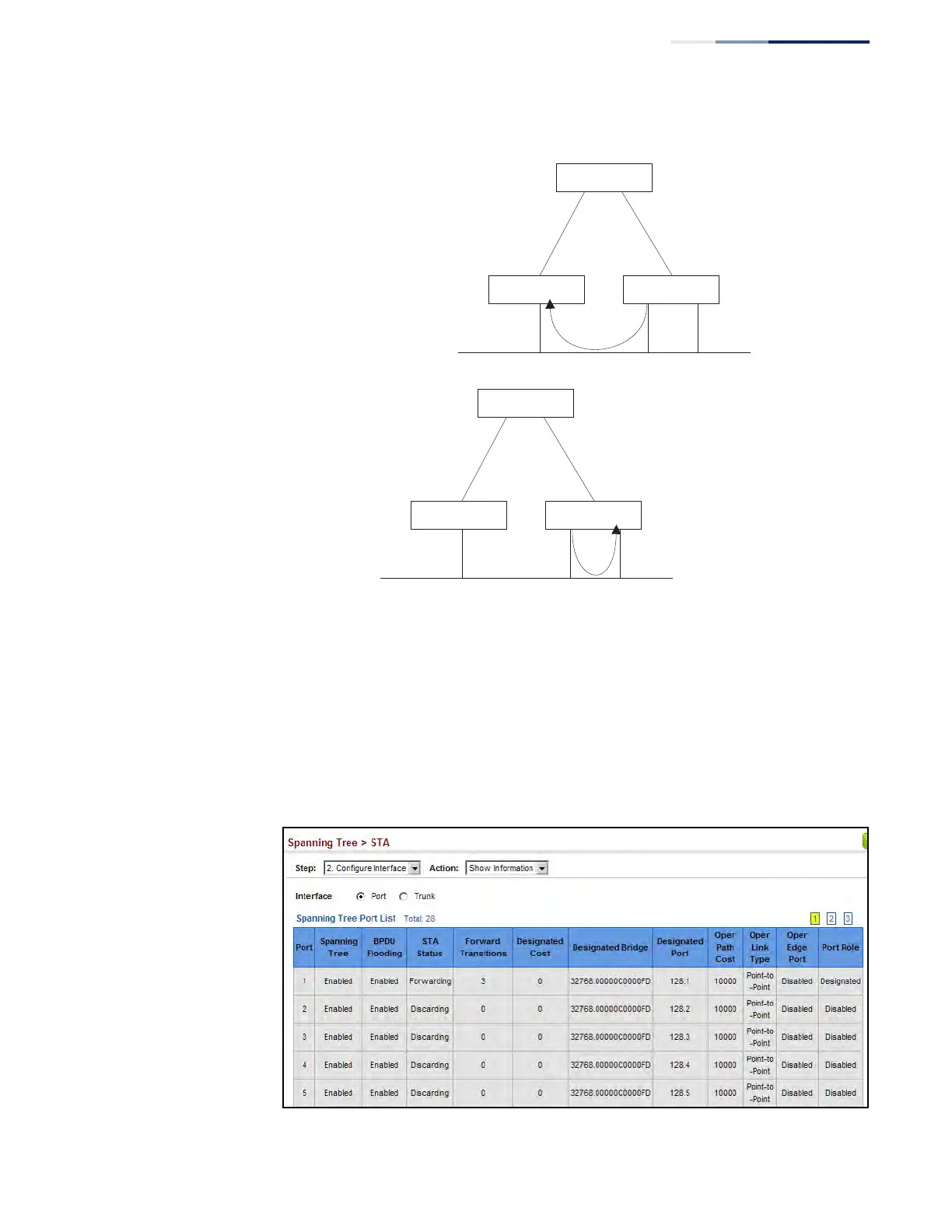
Figure 118: STA Port Roles
Web Interface
To display interface settings for STA:
1. Click Spanning Tree, STA.
2. Select Configure Interface from the Step list.
3. Select Show Information from the Action list.
Figure 119: Displaying Interface Settings for STA
Alternate port receives more
useful BPDUs from another
bridge and is therefore not
selected as the designated
port.
x
R: Root Port
A: Alternate Port
D: Designated Port
B: Backup Port
RR
ADB
Backup port receives more
useful BPDUs from the same
bridge and is therefore not
selected as the designated
port.
x
RR
ADB











 To Next Page