Chapter 14
| Multicast Filtering
Multicast VLAN Registration for IPv6
– 607 –
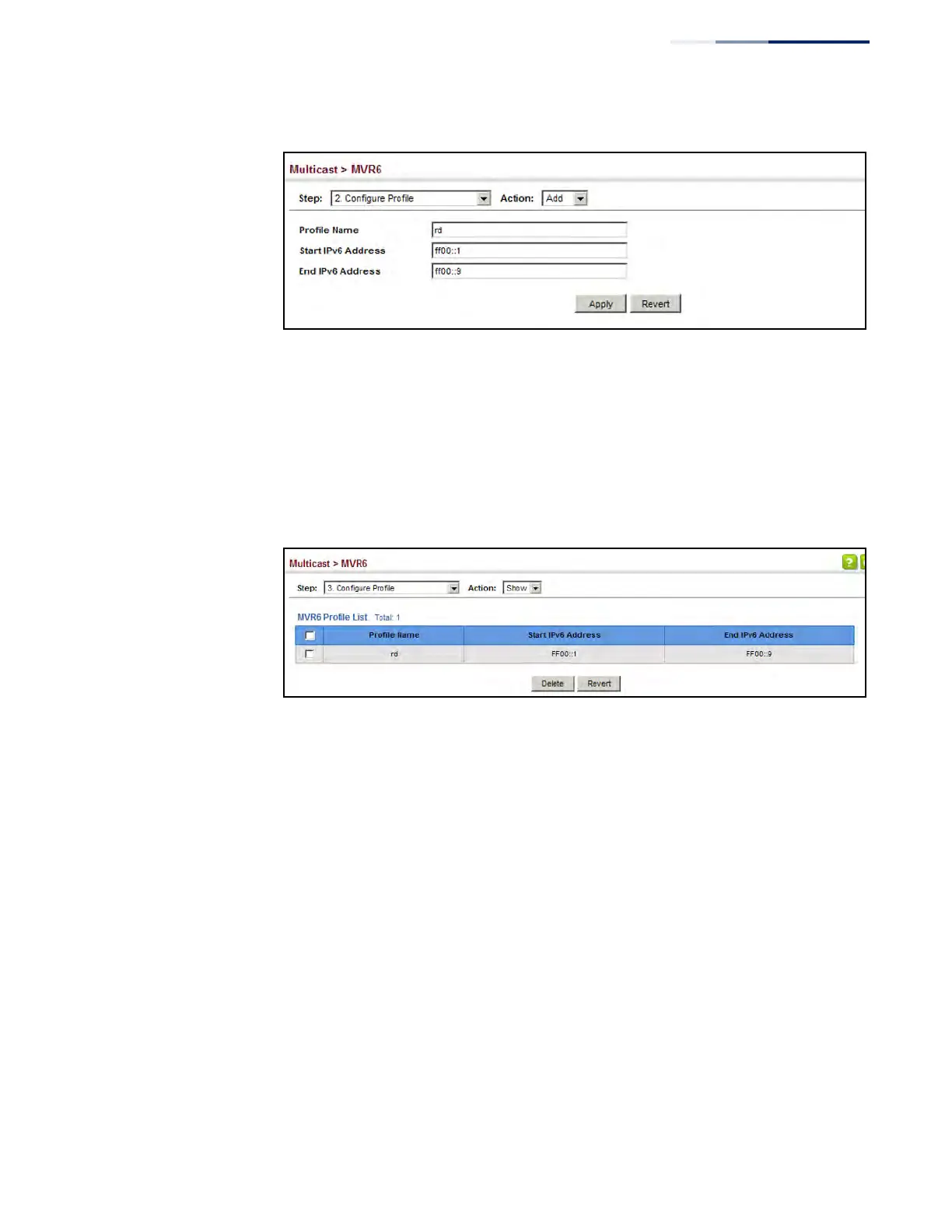
Figure 388: Configuring an MVR6 Group Address Profile
To show the configured MVR6 group address profiles:
1. Click Multicast, MVR6.
2. Select Configure Profile from the Step list.
3. Select Show from the Action list.
Figure 389: Displaying MVR6 Group Address Profiles
To assign an MVR6 group address profile to a domain:
1. Click Multicast, MVR6.
2. Select Associate Profile from the Step list.
3. Select Add from the Action list.
4. Select a domain from the scroll-down list, and enter the name of a group
profile.
5. Click Apply.











 To Next Page