Chapter 19
| Unicast Routing
Configuring the Open Shortest Path First Protocol (Version 2)
– 748 –
◆ Sequence – Sequence number of LSA (used to detect older duplicate LSAs).
◆ Checksum – Checksum of the complete contents of the LSA.
Web Interface
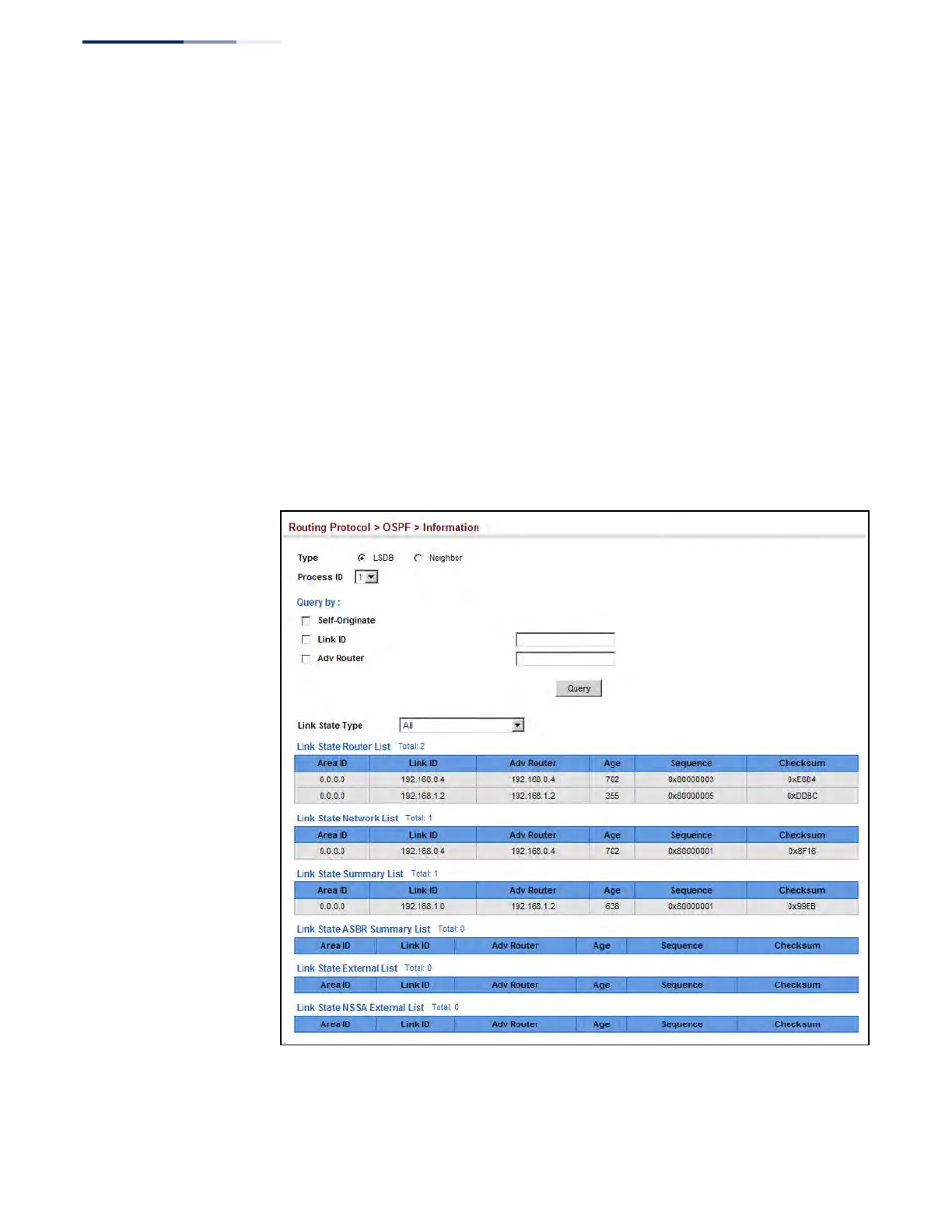
To display information in the link state database:
1. Click Routing Protocol, OSPF, Information.
2. Click LSDB.
3. Select the process identifier.
4. Specify required search criteria, such as self-originated LSAs, LSAs with a
specific link ID, or LSAs advertised by a specific router.
5. Then select the database entries to display based on LSA type.
Figure 514: Displaying Information in the Link State Database











 To Next Page