Chapter 13
| Basic Administration Protocols
Connectivity Fault Management
– 522 –
■
HIT – Target located on this device.
Web Interface
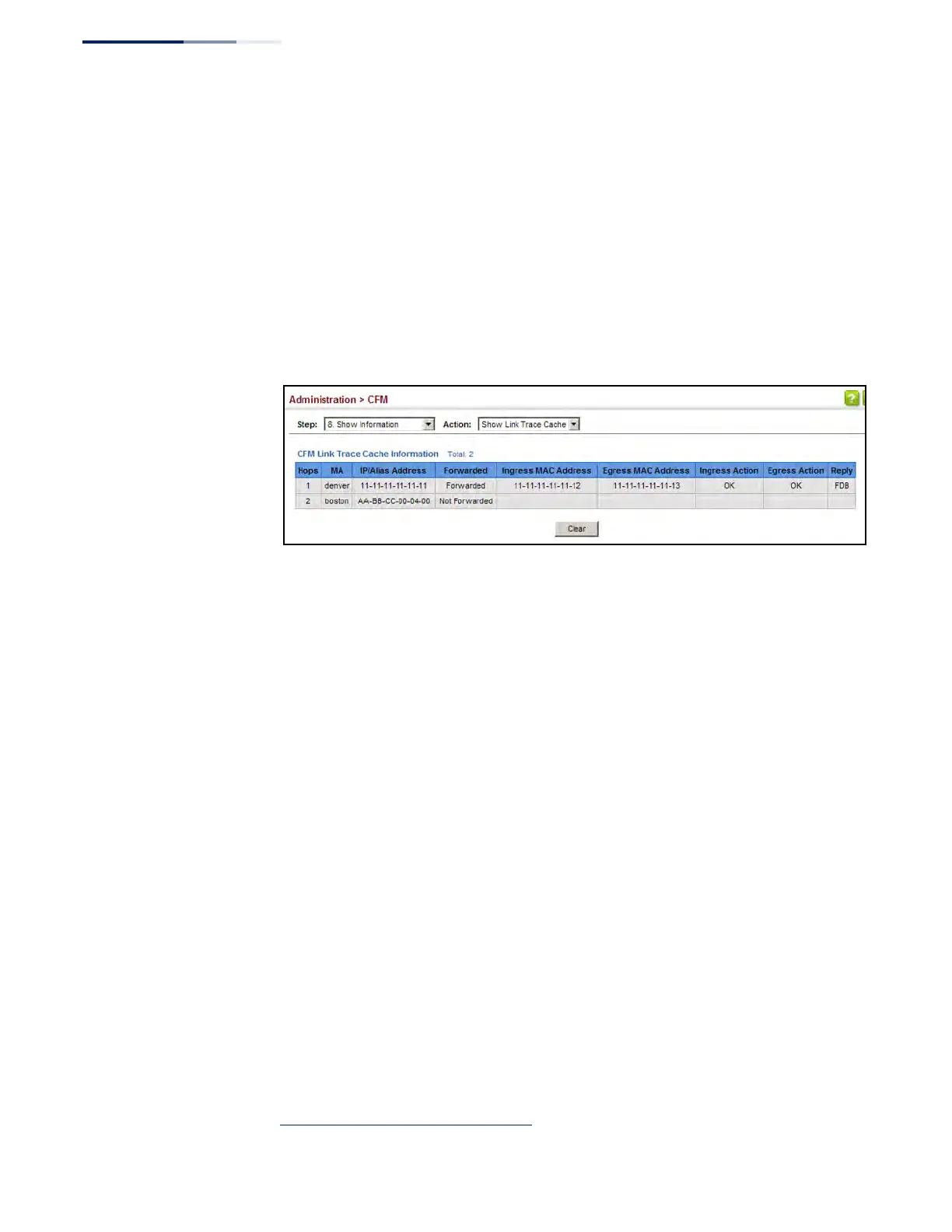
To show information about link trace operations launched from this device:
1. Click Administration, CFM.
2. Select Show Information from the Step list.
3. Select Show Link Trace Cache from the Action list.
Figure 324: Showing the Link Trace Cache
Displaying Fault
Notification Settings
Use the Administration > CFM > Show Information (Show Fault Notification
Generator) page to display configuration settings for the fault notification
generator.
Parameters
These parameters are displayed:
◆ MEP ID – Maintenance end point identifier.
◆ MD Name – Maintenance domain name.
◆ MA Name – Maintenance association name.
◆ Highest Defect – The highest defect that will generate a fault alarm.
(This is disabled by default.)
◆ Lowest Alarm – The lowest defect that will generate a fault alarm
19
.
◆ Alarm Time – The time a defect must exist before a fault alarm is issued
19
.
◆ Reset Time – The time after a fault alarm has been issued, and no defect exists,
before another fault alarm can be issued
19
.
19. See “Configuring CFM Maintenance Domains” on page 495.











 To Next Page