Chapter 13
| Basic Administration Protocols
UDLD Configuration
– 537 –
Web Interface
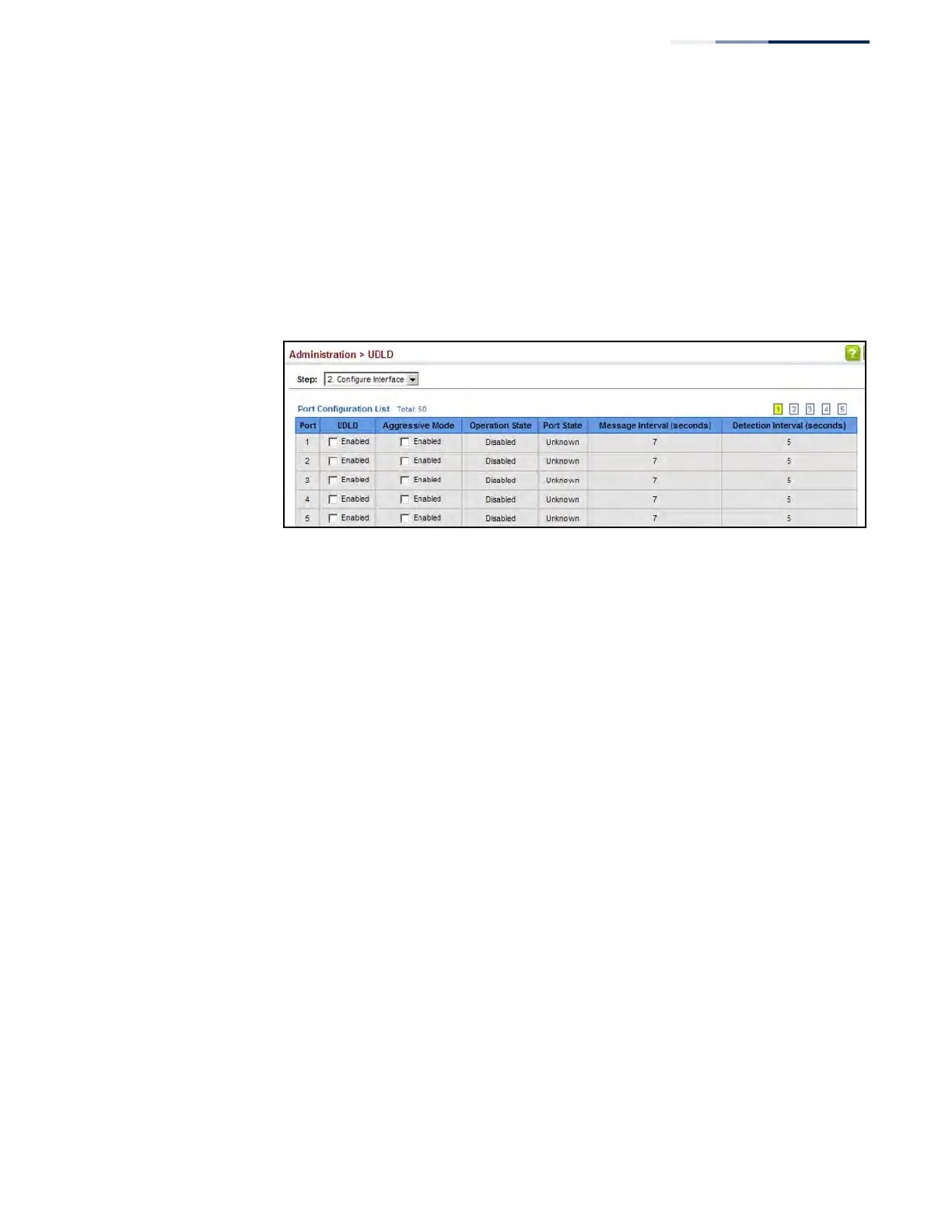
To enable UDLD and aggressive mode:
1. Click Administration, UDLD, Configure Interface.
2. Enable UDLD and aggressive mode on the required ports.
3. Click Apply.
Figure 334: Configuring UDLD Interface Settings
Displaying
UDLD Neighbor
Information
Use the Administration > UDLD (Show Information) page to show UDLD neighbor
information, including neighbor state, expiration time, and protocol intervals.
Parameters
These parameters are displayed:
◆ Port – Port identifier. (Range: 1-28/52)
◆ Entry – Table entry number uniquely identifying the neighbor device
discovered by UDLD on a port interface.
◆ Device ID – Device identifier of neighbor sending the UDLD packet.
◆ Port ID – The physical port the UDLD packet is sent from.
◆ Device Name – The device name of this neighbor.
◆ Neighbor State – Link status of neighbor device (Values: unknown,
neighborsEchoIsEmpty, bidirectional, mismatchWithneighborStateReported,
unidirectional).
◆ Expire – The amount of time remaining before this entry will expire.
◆ Message Interval – The interval between UDLD probe messages for ports in
advertisement phase.
◆ Detection Interval – The period the switch remains in detection state after
discovering a neighbor.











 To Next Page