Chapter 14
| Multicast Filtering
Multicast VLAN Registration for IPv4
– 590 –
◆ End IP Address – Ending IP address for an MVR multicast group.
(Range: 224.0.1.0 - 239.255.255.255)
Associate Profile
◆ Domain ID – An independent multicast domain. (Range: 1-5)
◆ Profile Name – The name of a profile to be assigned to this domain.
(Range: 1-21 characters)
Web Interface
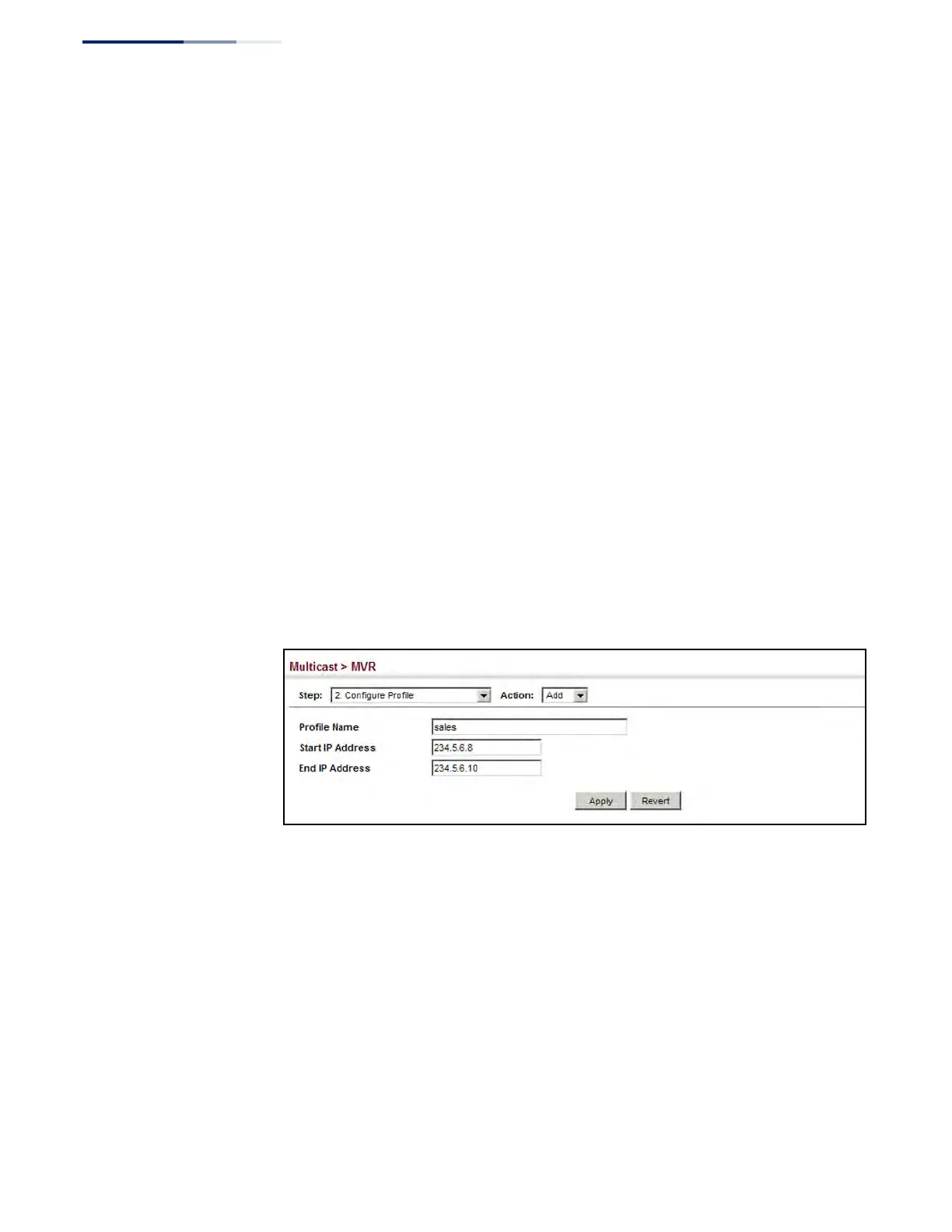
To configure an MVR group address profile:
1. Click Multicast, MVR.
2. Select Configure Profile from the Step list.
3. Select Add from the Action list.
4. Enter the name of a group profile to be assigned to one or more domains, and
specify a multicast group that will stream traffic to participating hosts.
5. Click Apply.
Figure 375: Configuring an MVR Group Address Profile











 To Next Page