FOR RESTRICTED USE only Fargo Electronics, Inc.
DTC550 Direct to Card Printer/Encoder User Guide (Rev. 2.8)
3-7
Loading the Print Ribbon (continued)
Step Procedure
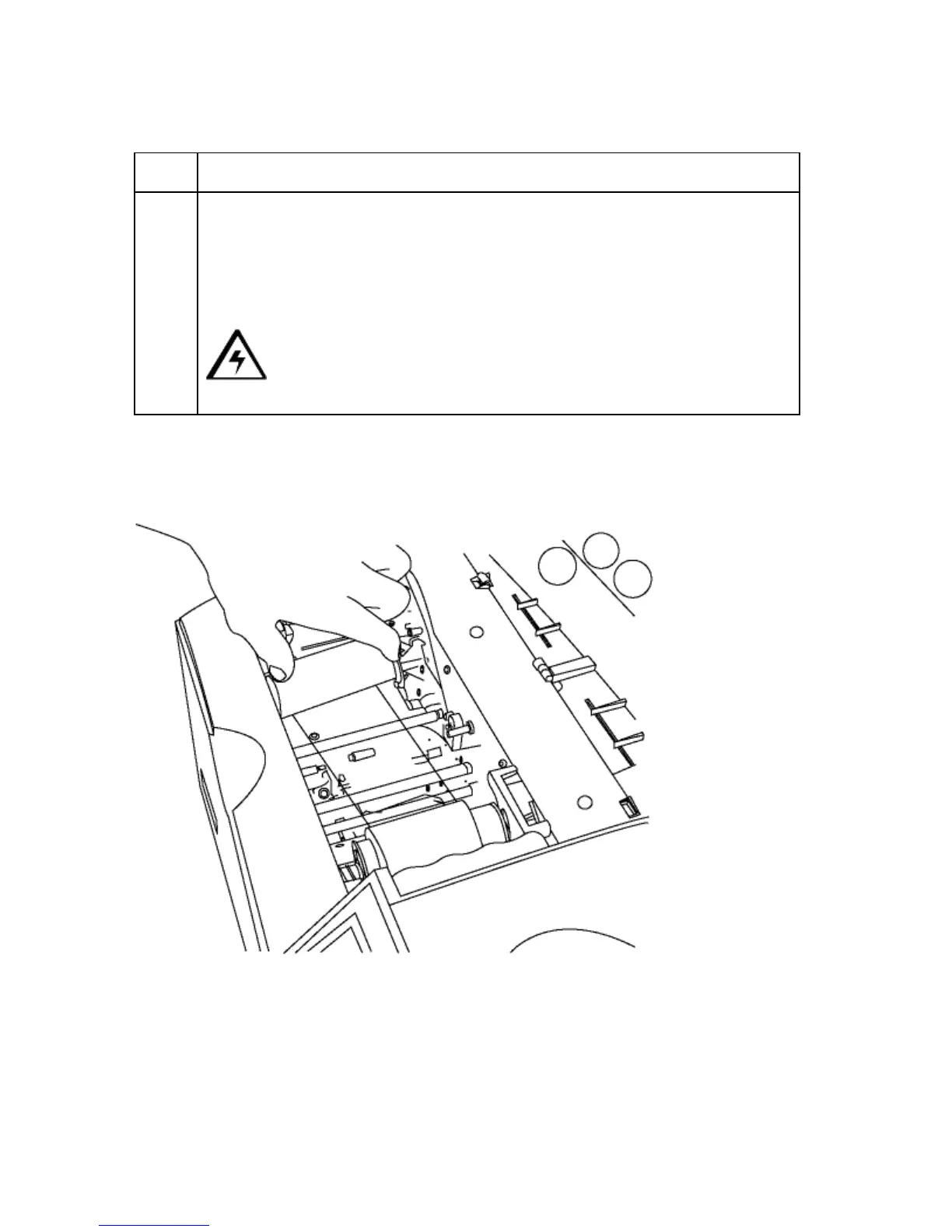
4 Load the Print Ribbon (take-up spool) as follows:
a. Insert the take-up end of the Ribbon by depressing the Spring Hub and
lowering it into place. (Note: Make certain the Ribbon is fed from
beneath the roll, as shown below in Displays A and B.)
b. Lower the Roll until it aligns with the Hubs.
Caution: Be careful to insert the Ribbon away from the Printhead
Arm Assembly to avoid damaging the Printhead.
Display A - Loading the Print Ribbon (take-up spool)



 To Next Page