332 D90
PLUS
LINE DISTANCE PROTECTION SYSTEM – INSTRUCTION MANUAL
CONTROL ELEMENTS CHAPTER 7: PROTECTION
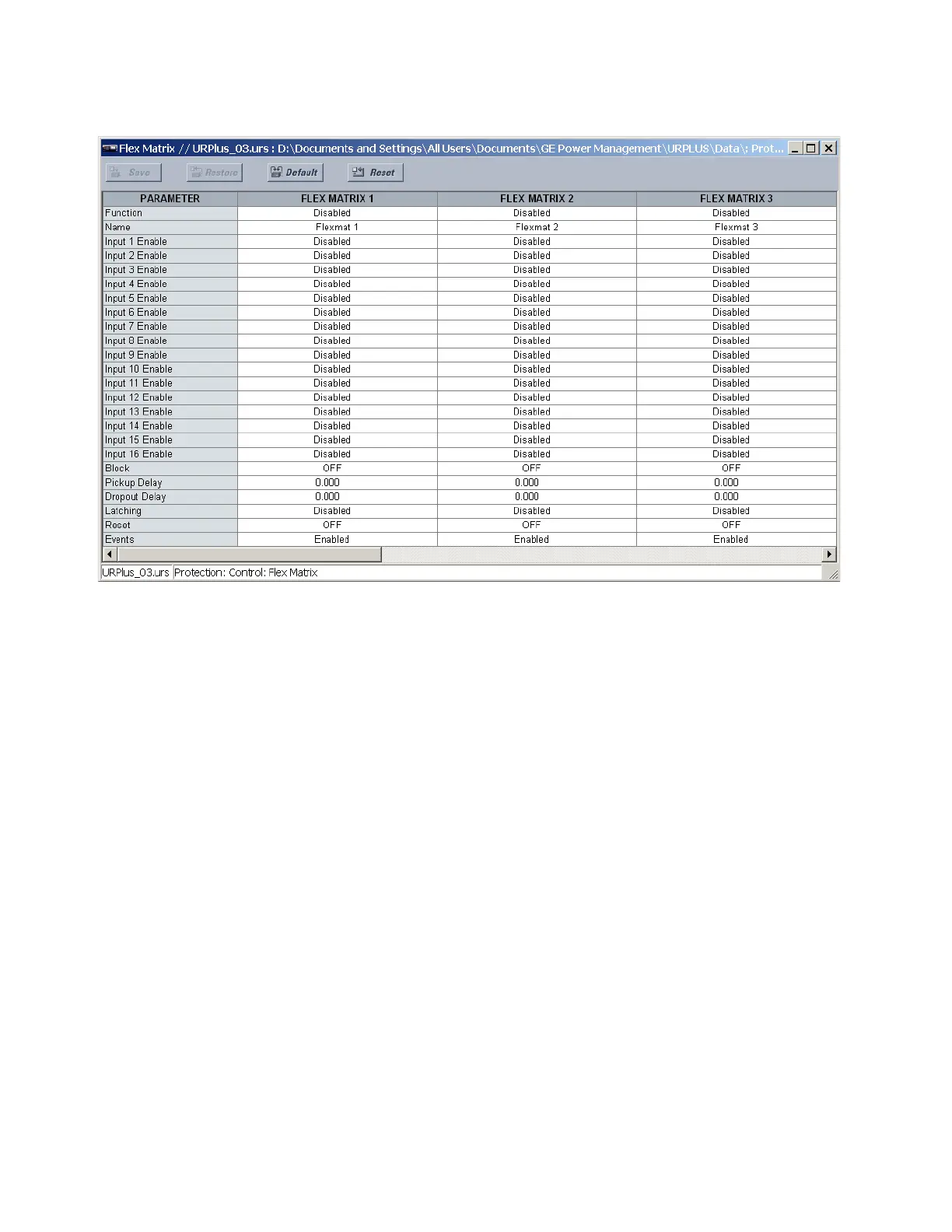
Figure 271: FlexMatrix configuration settings
The following settings are available for each of the eight FlexMatrix elements.
Function
Range: Enabled, Disabled
Default: Disabled
This setting enables or disables the FlexMatrix element.
Name
Range: 12 alphanumeric characters
Default: Flexmat 1
This setting specifies the name associated with a particular FlexMatrix element.
Input 1 Enable, Input 2 Enable,..., Input 16 Enable
Range: Enabled, Disabled
Default: Disabled
These settings enable and disable the 16 FlexMatrix inputs for each FlexMatrix. These
inputs can be assigned FlexLogic operands or shared operands, which can then be
assigned to any or all of the FlexMatrix outputs.
Block
Range: any FlexLogic operand or shared operand
Default: OFF
Assertion of the operand assigned to this setting blocks operation of the FlexMatrix
element.
Pickup Delay
Range: 0.000 to 60.000 seconds in steps of 0.001
Default: 0.000 seconds
This setting specifies the delay by which to extend the FlexMatrix pickup.



 To Next Page