CHAPTER 8: AUTOMATION AUTOMATION INPUTS AND OUTPUTS
D90
PLUS
LINE DISTANCE PROTECTION SYSTEM – INSTRUCTION MANUAL 467
When the input detects a voltage decrease, the input circuitry draws 10 mA of current. If
the voltage decrease is due to a state change then the voltage quickly decreases,
speeding up the recognition of the reset of the field contact by quickly discharging any
input capacitance.
NOTE:
The contact input update time is 1 ms. However, depending on where the contact input
status change is triggered within a 1 ms window, the worst-case contact input recognition
time is 2 ms.
Contact input settings
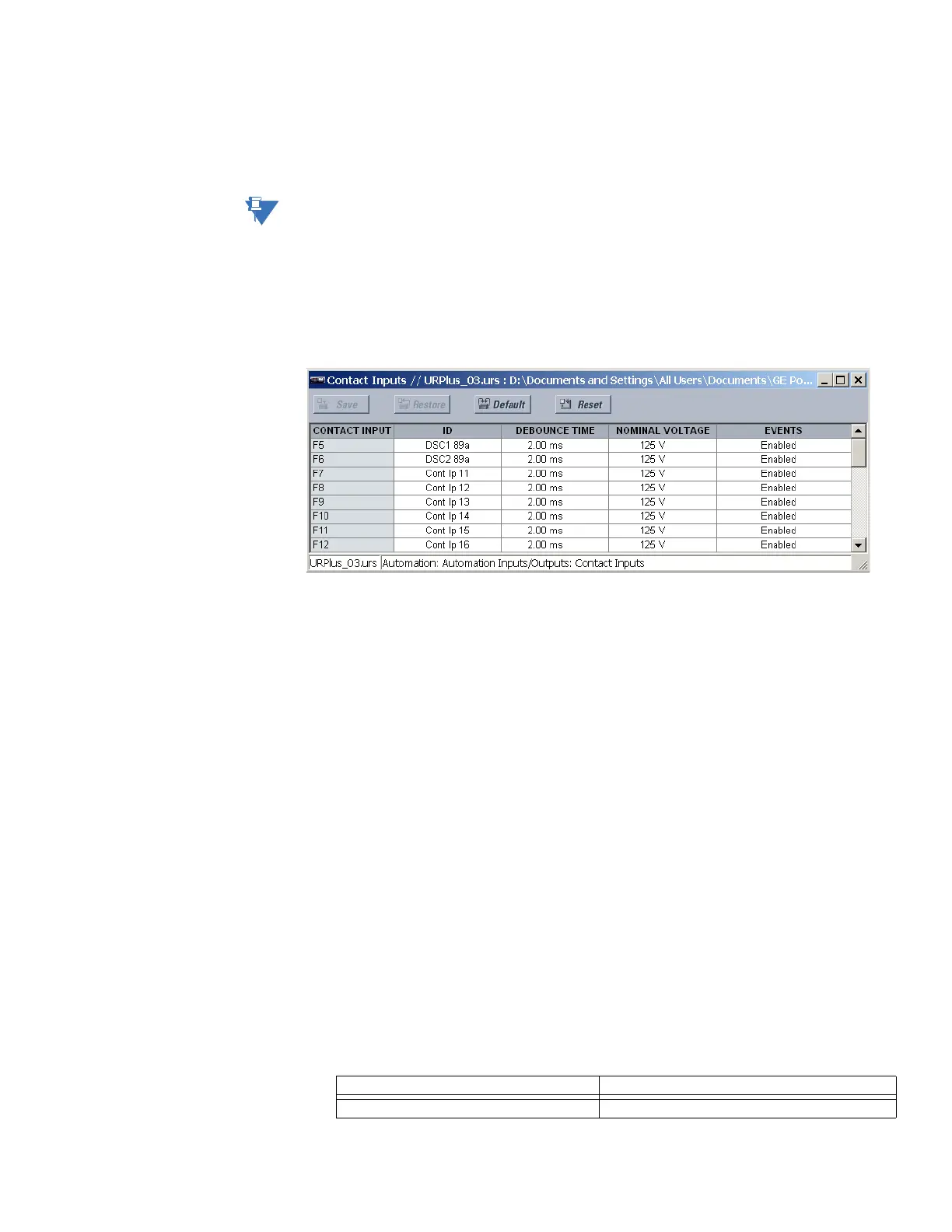
Select the Settings > Automation > Automation Inputs/Outputs > Contact Inputs >
Contact Inputs menu to access the automation contact input configuration settings.
Figure 396: Automation contact input configuration settings
The contact inputs menu contains configuration settings for each input. Upon startup, the
relay processor determines (from an assessment of the installed modules) which contact
inputs are available and then displays settings for only those inputs. The following settings
are available for each contact input.
ID
Range: up to 12 alphanumeric characters
Default: Cont Ip 1
An alphanumeric identifier can be assigned to a contact input for diagnostic, setting,
and event recording purposes. The “CONTACT IP 1” text in event records and automation
logic operands are replaced by the text programmed in this setting.
Debounce Time
Range: 1.50 to 16.00 ms in steps of 0.25
Default: 2.00 ms
This setting defines the time required for the contact to overcome contact bouncing
conditions. As this time differs for different contact types and manufacturers, program it
as a maximum contact debounce time (per manufacturer specifications) plus additional
margin to ensure proper operation.
Nominal Voltage
Range: 24 to 250 volts in steps of 1
Default: 125 volts
This setting specifies the range required to validate a closed contact input. This range is
fixed at 70 to 130% of this setting value, with an absolute minimum of 20 volts and an
absolute maximum of 285 volts.
Table 29: Nominal voltage setting for typical battery voltages
Nominal voltage Validation threshold
24 V 20 V



 To Next Page