468 D90
PLUS
LINE DISTANCE PROTECTION SYSTEM – INSTRUCTION MANUAL
AUTOMATION INPUTS AND OUTPUTS CHAPTER 8: AUTOMATION
Events
Range: Enabled, Disabled
Default: Enabled
If this setting is “Enabled,” every change in the contact input state triggers an event in
the event recorder.
Contact input chatter detection
The D90
Plus
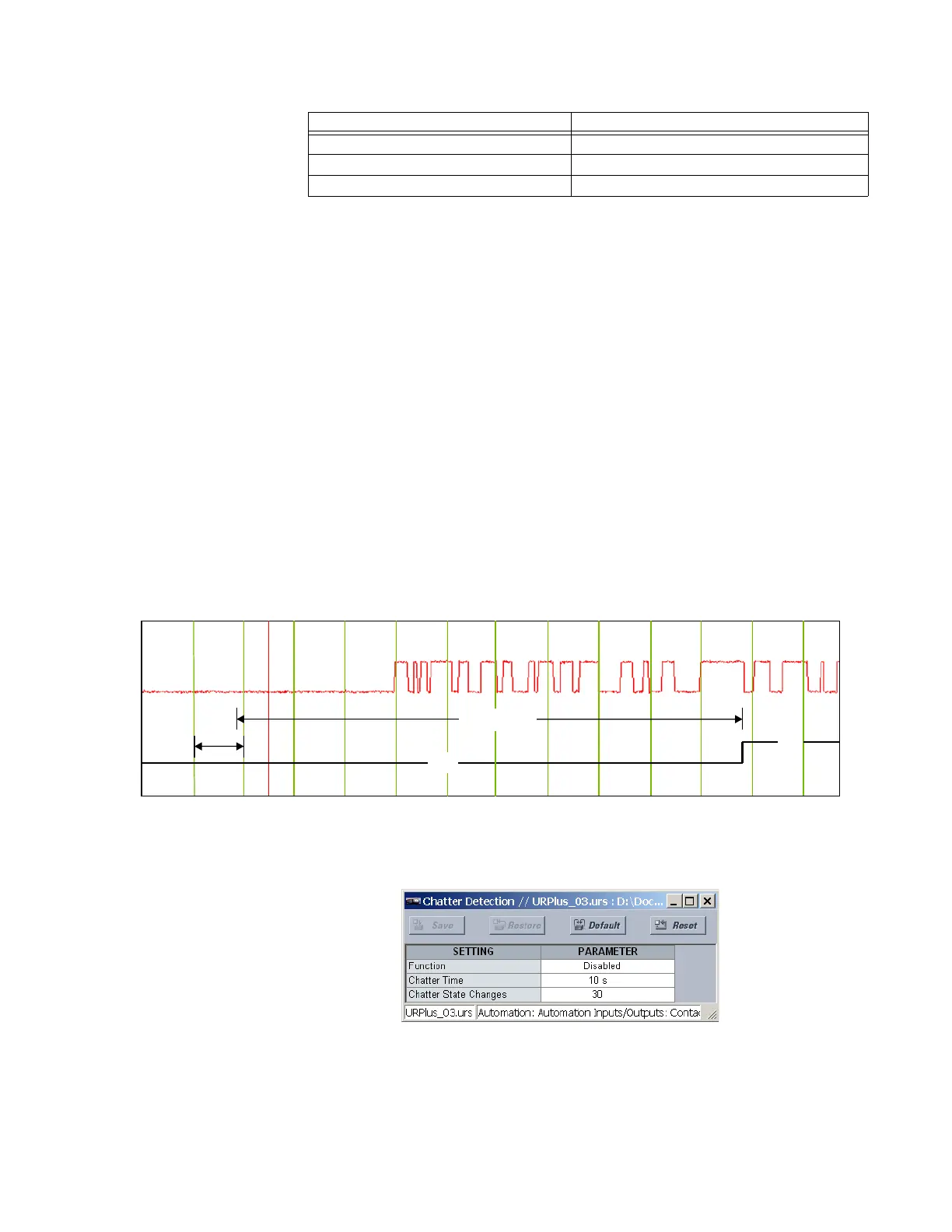
has a chatter detection feature. When enabled, the IED monitors the number
of state changes that occur within a set duration. If this value exceeds a set value, then a
trouble condition is declared for the input and the CONTACT INPUT TROUBLE operand asserts.
The input trouble alarm impacts relay functionality as follows:
• Automation logic operands — Operand state is blocked
• DNP 3.0 communications — Reporting of the input is blocked
• IEC 60870-5-104 communications — Reporting of the input is blocked
• IEC 61850 GSSE and IEC 61850 GOOSE — Reporting of the input is blocked
• Sequence of events recorder — Reporting of the input is blocked
The trouble condition resets if the input undergoes no state changes for a duration equal
to twice the chatter time setting.
Figure 397: Chatter detection example
Select the Settings > Automation > Automation Inputs/Outputs > Contact Inputs >
Chatter Detection menu to access the contact input chatter detection settings.
Figure 398: Contact input chatter detection configuration
The following settings are applied to all available protection and automation contact
inputs.
48 V 33.6 V
125 V 87.5 V
250 V 175 V
Nominal voltage Validation threshold
2))
21
V
&KDWWHU7LPH
,QSXW
YROWDJH
,QSXW
WURXEOH
$&'5



 To Next Page