586 D90
PLUS
LINE DISTANCE PROTECTION SYSTEM – INSTRUCTION MANUAL
ANNUNCIATOR PANEL CHAPTER 12: LOCAL INTERFACE
programmable pushbutton or selector switch button being activated, a new fault report
being triggered, selection of the autorecloser in the single line diagram, or toggling of the
local/remote status.
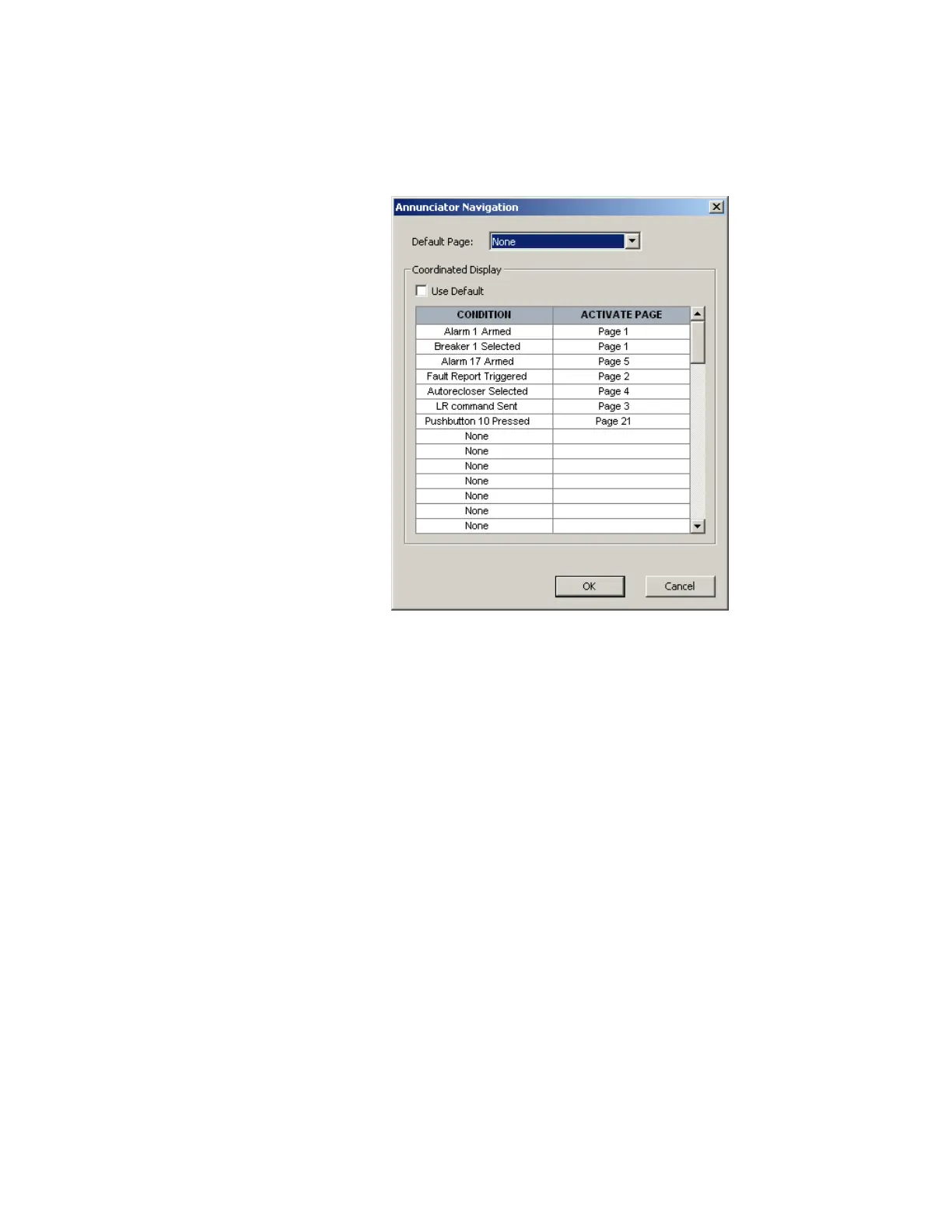
Figure 512: Annunciator navigation window
If the Use Default check box is selected and the
Default Page is set to “None,” selection of
the alarm page to display follows the following sequence:
• In the event of a new alarm, the page containing the alarm is promoted to the active
page. If there are multiple pages with alarms, the lowest numbered page is promoted.
• If there are alarms on multiple pages, and alarms on some pages have already been
acknowledged but not reset by the user, then the lowest numbered page with an
alarm is promoted above any page that has an acknowledged alarm.
The
Default Page field selects the page that is displayed after the user-specified period of
inactivity has elapsed.
The D90
Plus
is shipped with a complete range of default annunciator settings. These can be
modified according to the specific applications.
Configuring metering values
The following window displays when the Configure button is clicked for metered value
indicators. This window allows the user to configure metering values.



 To Next Page