64 D90
PLUS
LINE DISTANCE PROTECTION SYSTEM – INSTRUCTION MANUAL
INSTALL SOFTWARE CHAPTER 3: INSTALLATION
(slot C communications module).
2. On the computer, select the “UR
Plus
” device from the EnerVista Launchpad to start
EnerVista UR
Plus
Setup.
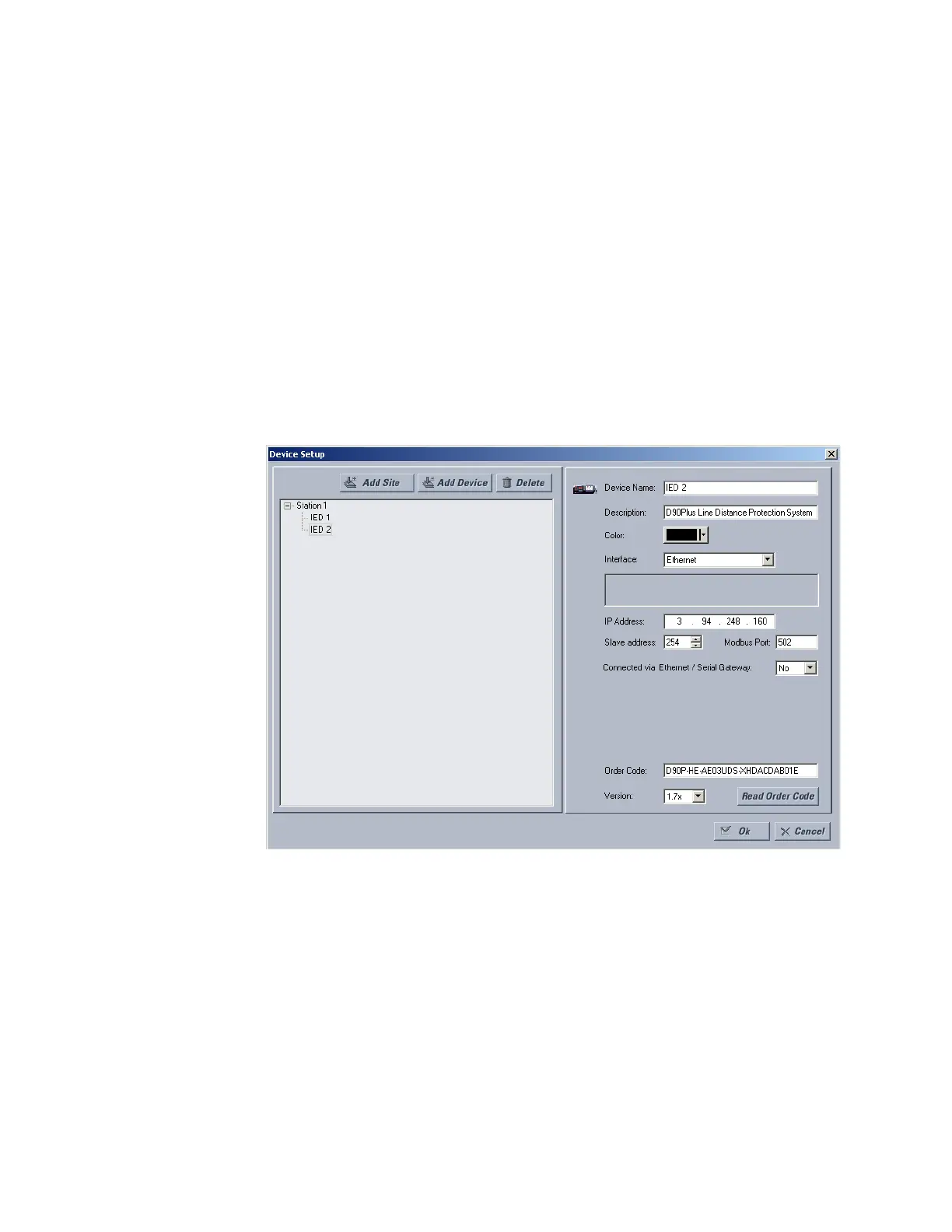
3. Click the Device Setup button to open the Device Setup window, then click the Add
Site button to define a new site.
4. Enter a site name in the “Site Name” field.
If required, a short description of site can also be entered along with the display order
of devices defined for the site.
5. Click the OK button when complete.
The new site appears in the upper-left list in the EnerVista UR
Plus
Setup window.
6. Click the Device Setup button then select the new site to re-open the Device Setup
window.
7. Click the Add Device button to define the new device.
8. Enter a name in the “Device Name” field and a description (optional) of the site.
9. Select “Ethernet” from the Interface drop-down list.
This displays a number of interface parameters that must be entered for proper
Ethernet functionality.
10. Enter the device IP address specified in the Settings > Communications > Network >
Addressing menu in the “IP Address” field.
11. Enter the relay slave address and Modbus port address values from the respective
settings in the Settings > Communications > Modbus > Protocol menu.
12. Click the Read Order Code button to connect to the D90
Plus
device and upload the
order code. If an communications error occurs, ensure that the three EnerVista UR
Plus
Setup values entered in the previous steps correspond to the relay setting values.
13. Click OK when the relay order code has been received. The new device is added to the
Site List window (or Online window) located in the top left corner of the main EnerVista
UR
Plus
Setup window.



 To Next Page