Configuration
User Manual corpuls
3
138 ENG - Version 2.1 – P/N 04130.2
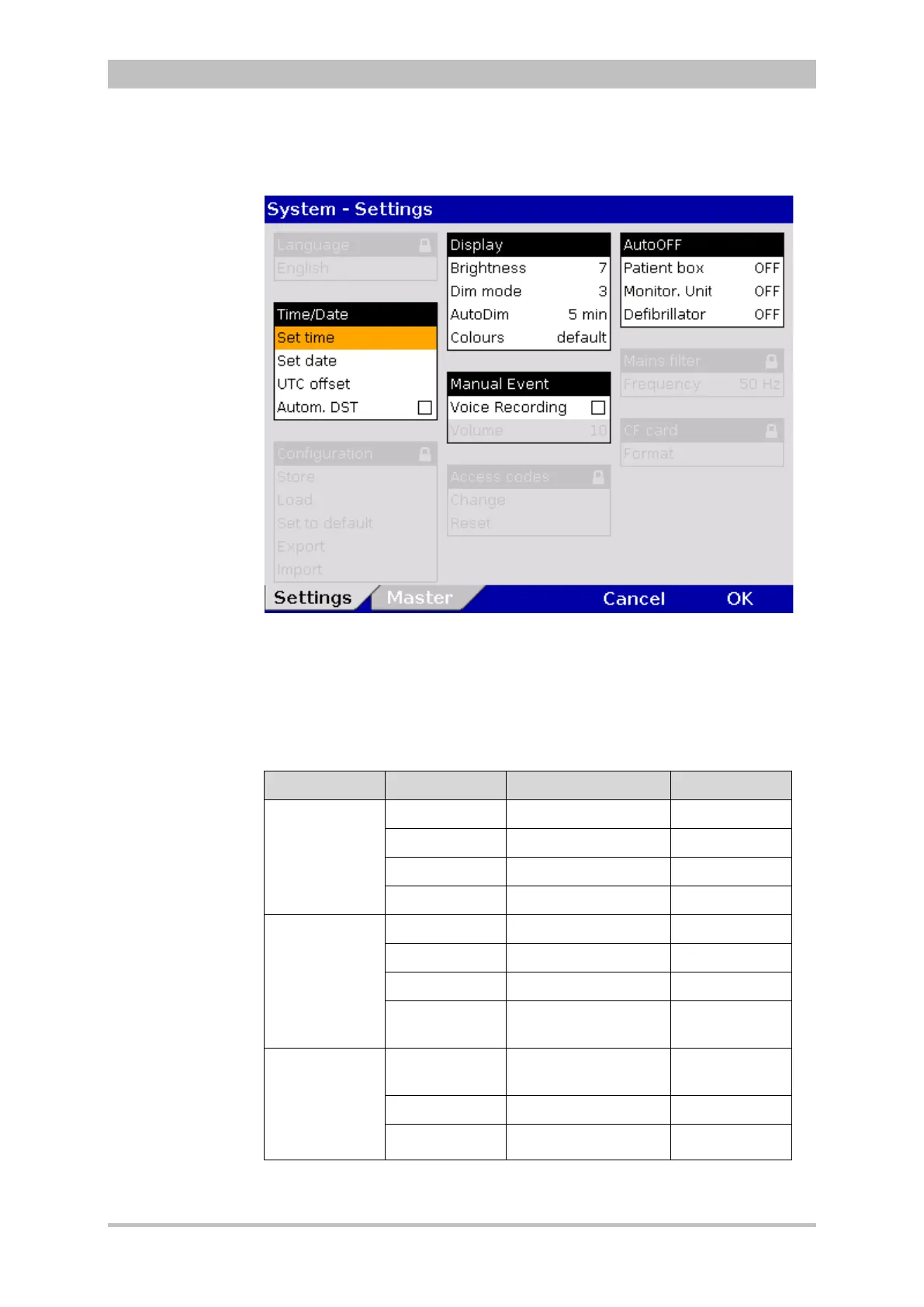
1. Select the menu items "System" ► “Settings” in the main menu.
The configuration dialogue opens.
Fig. 7-1 System settings, default user level
2. Select the required setting with the jog dial.
Table 7-1 shows the possible values
Some configuration fields can only be edited if the user has the necessary
authorisation. They are greyed out for the default user.
Field Setting Values Increment
Time/Date
Set time Hours:minutes 0-23:00-59
Set date DD.MM.YY from 2000
UTC offset Hours:minutes 0±12:00-59
Autom. DST Enabled,disabled -
Display
Brightness 0 (dark) to 10 1
DIM mode 0 (dark) to 10 1
AutoDIM after Off, 1 min to 15 min 1
Colours default/Night/
inverted
–
Manual Event Voice
Recording
Enabled,disabled -
Volume 3 to 10
Screenshot Enabled,disabled -
7-1 Values for system settings



 To Next Page