Configuration
User Manual corpuls
3
144 ENG - Version 2.1 – P/N 04130.2
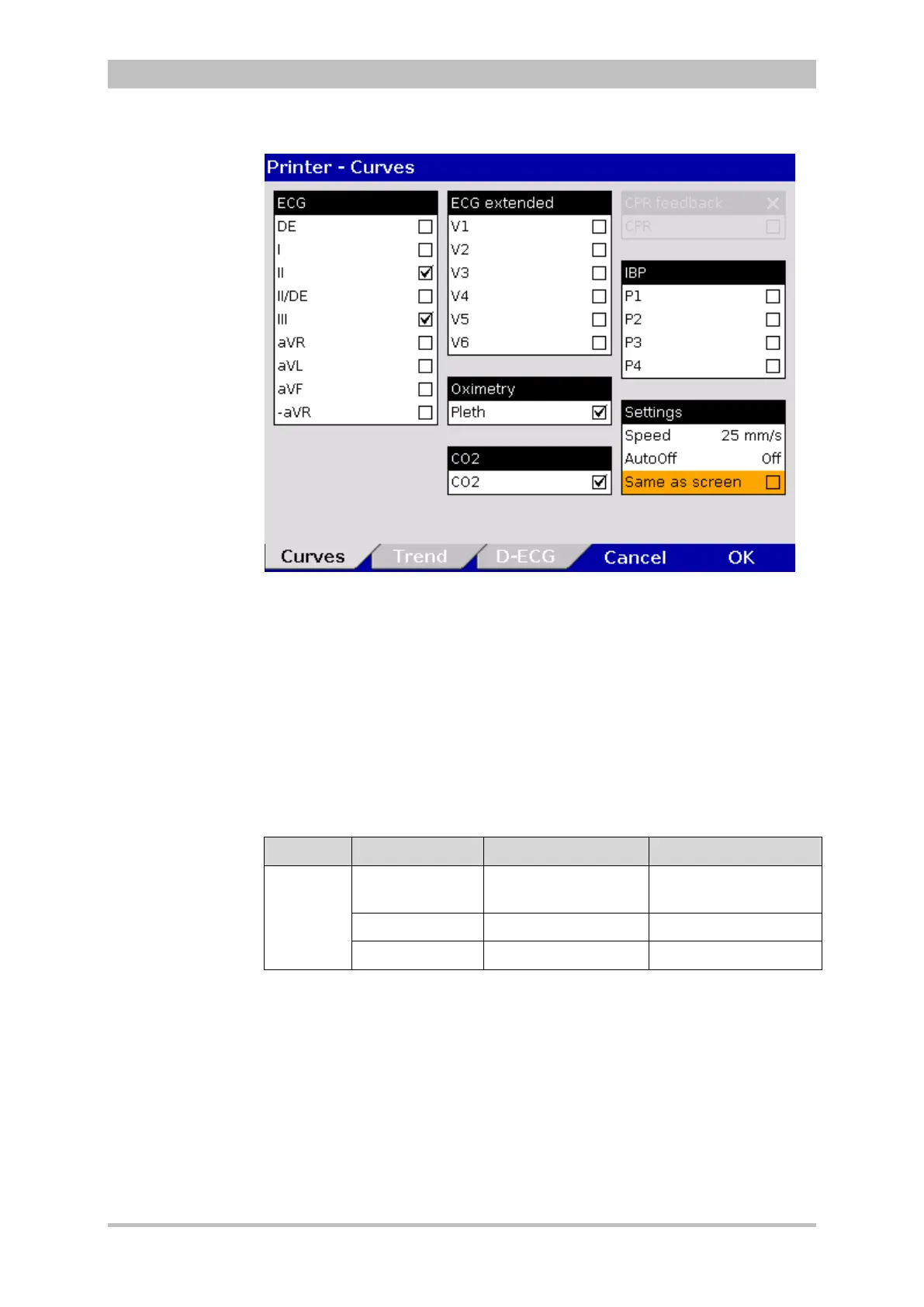
Fig. 7-6 Selecting printer curves
In real-time printing, up to six curves can be printed simultaneously one below
the other.
Preceding every real-time printout is the designation “REAL-TIME PRINTOUT”
on the first page.
5. In the field “Speed” in the group "Settings", select the sweep speed and the
time interval after which the printer should stop printing automatically (see
Table 7-2 for the values).
Field Setting Values Increment
Settings
Speed
6.25 mm/s to
50 mm/s
6.25/12.5/25/50 mm/s
AutoOFF OFF, 10 to 300 s 10 s
Same as screen Enabled,disabled -
7-2 Values for printer settings
To configure the settings for the trend and the printer protocol:



 To Next Page