User Manual corpuls
3
Configuration
ENG - Version 2.1 – P/N 04130.2 145
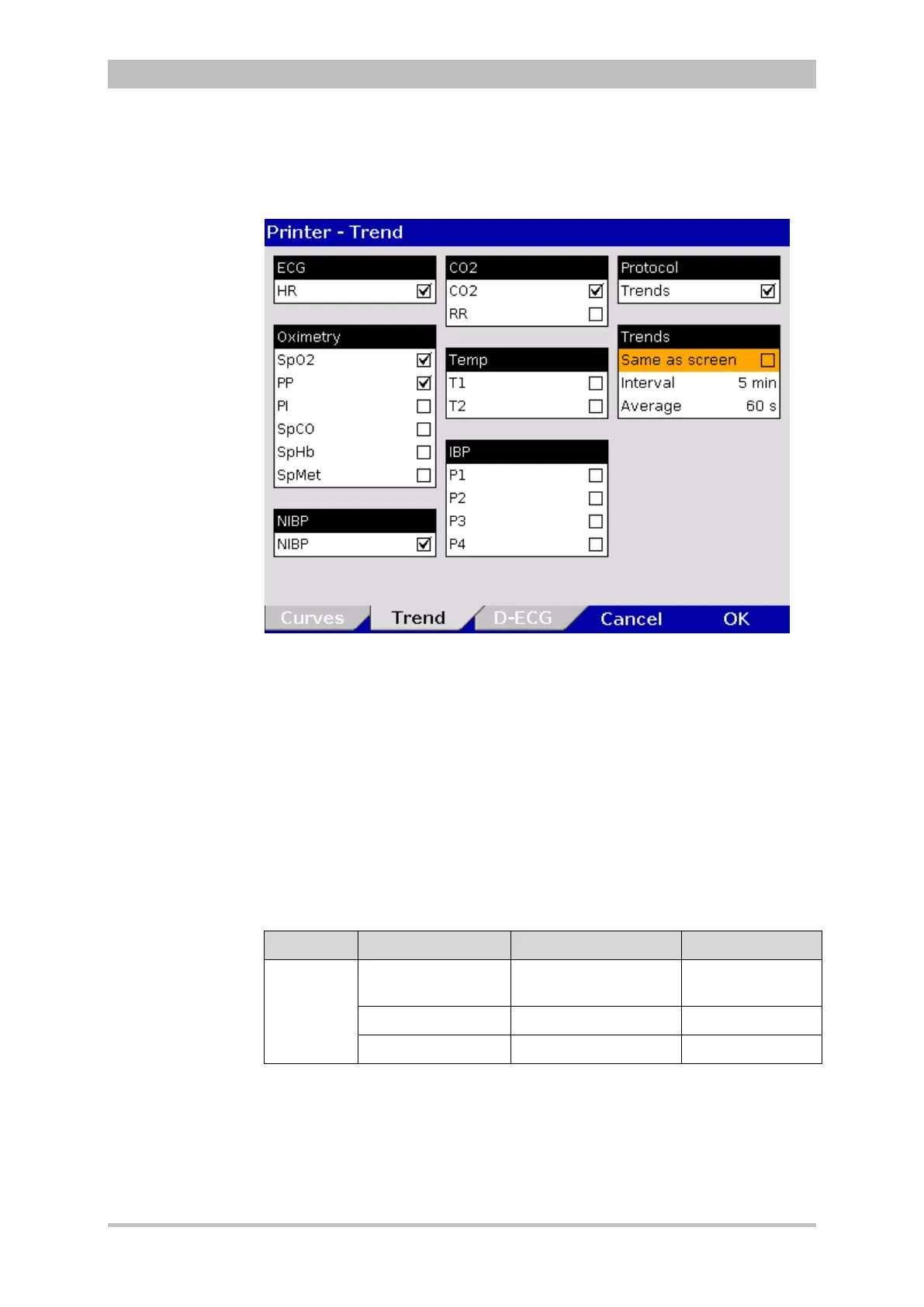
1. In the main menu, select "Printer" ► "Trend".
The configuration dialogue opens.
Fig. 7-7 Printer Protocol
2. To obtain in the protocol a chronological list of minute mean values of vital
parameters in table form, tick the checkbox “Trends” in the group “Protocol”.
3. If the checkbox “Same as screen” in the group “Trends” is ticked, the vital
parameters currently displayed on the screen are printed in the trend table
of the protocol. If this checkbox is not ticked, the parameters included in the
trend table can be selected manually.
4. Use the field “Interval” to select the intervals at which the minute mean
values are logged.
5. Use the field “Average” to set the minute mean value. The minute mean
value indicates, how often the average of a vital parameter is determined
within an interval (arithmetic mean value).
Group Setting Values Increments
Trends
Same as screen
Enabled,
disabled
Interval 1/min to 60/min 1, 5 and 30 min
Average 10 s to 60 s 5, 15 and 30 s
7-3 Values for trend settings
6. To confirm the settings and close the configuration dialogue, press the
softkey [OK].
To retain the previous settings and close the configuration dialogue, press
the softkey [Cancel].
Trends and
Printer protocol



 To Next Page