User Manual corpuls
3
Configuration
ENG - Version 2.1 – P/N 04130.2 177
7.4.9 Bluetooth
®
data interface (Persons Responsible
for the Device)
Persons responsible for the device can set the following configurations:
• Activation of the Bluetooth® data interface (option)
• Configuration of the device PIN (option)
The corpuls
3
can wirelessly import and export data via the optional
Bluetooth
®
data interface (P/N. 04211). For example, process data of a
corpuls
3
mission can be transferred to external documentation systems with
the radio module in the patient box.
To establish a wireless radio connection with external devices, the PIN has to
be configured and the Bluetooth
®
data interface has to be activated.
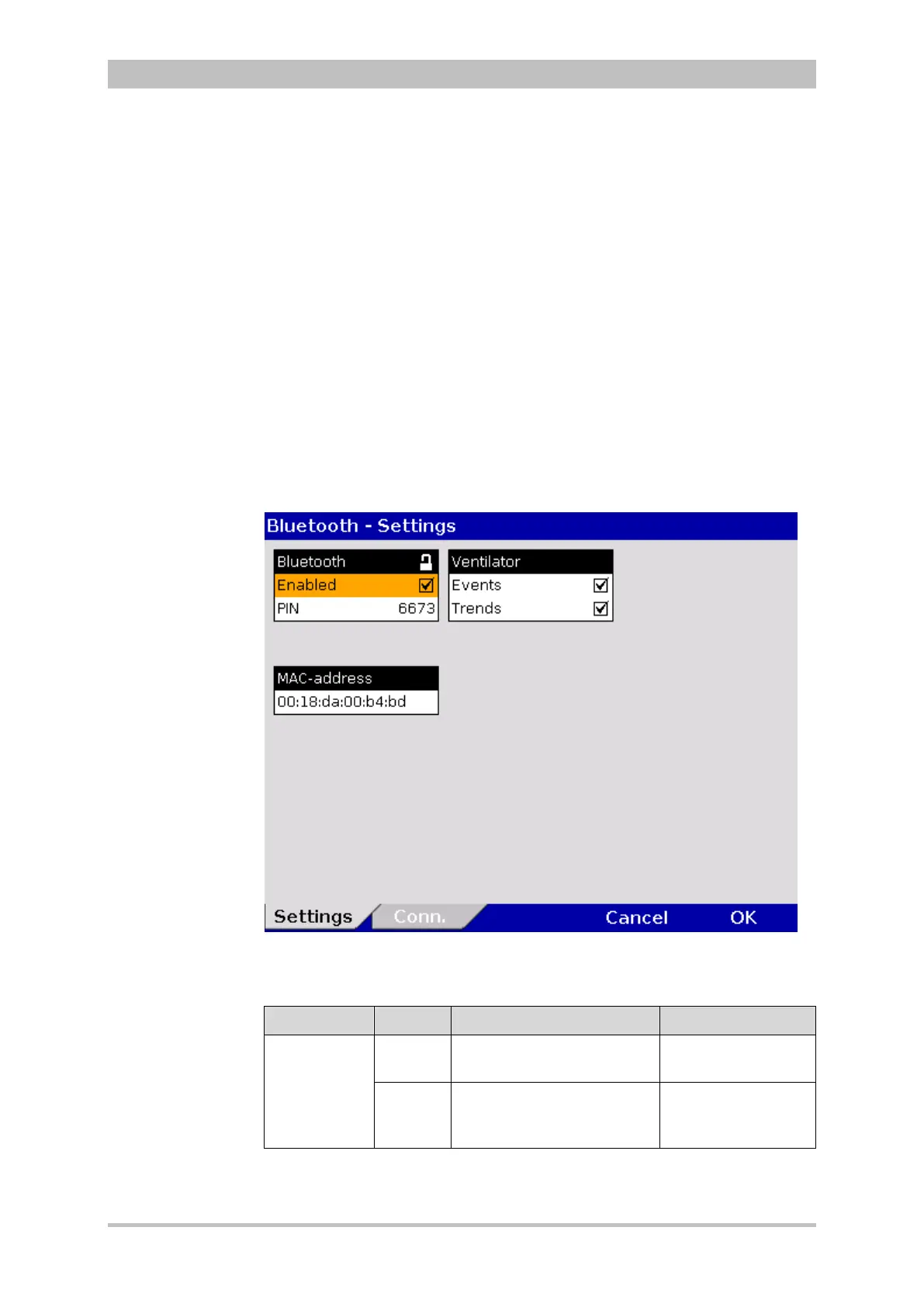
1. In the main menu, select "Bluetooth" ► "Settings".
The configuration dialogue opens.
Fig. 7-26 Bluetooth settings (Persons Responsible for the Device)
Table 7-18 shows the possible values.
Group Field Setting Values
Bluetooth
Enabled
Enabling or disabling
Bluetooth
®
data interface
Enabled,
disabled
PIN
Device PIN for connections
with other Bluetooth
®
devices.
Numbers from 0-9
7-18 Values for Bluetooth
®
configuration
Activating the data
interface
Bluetooth
®
Data
interface
(Option)
Setting



 To Next Page