User Manual corpuls
3
General Operating Instructions
ENG - Version 2.1 – P/N 04130.2 37
If the device is in defibrillator or pacer mode, the parameters of the respective
operating mode are displayed in the bottom half of the display.
In case of a diagnostic ECG, all 12 leads are displayed simultaneously as
curves.
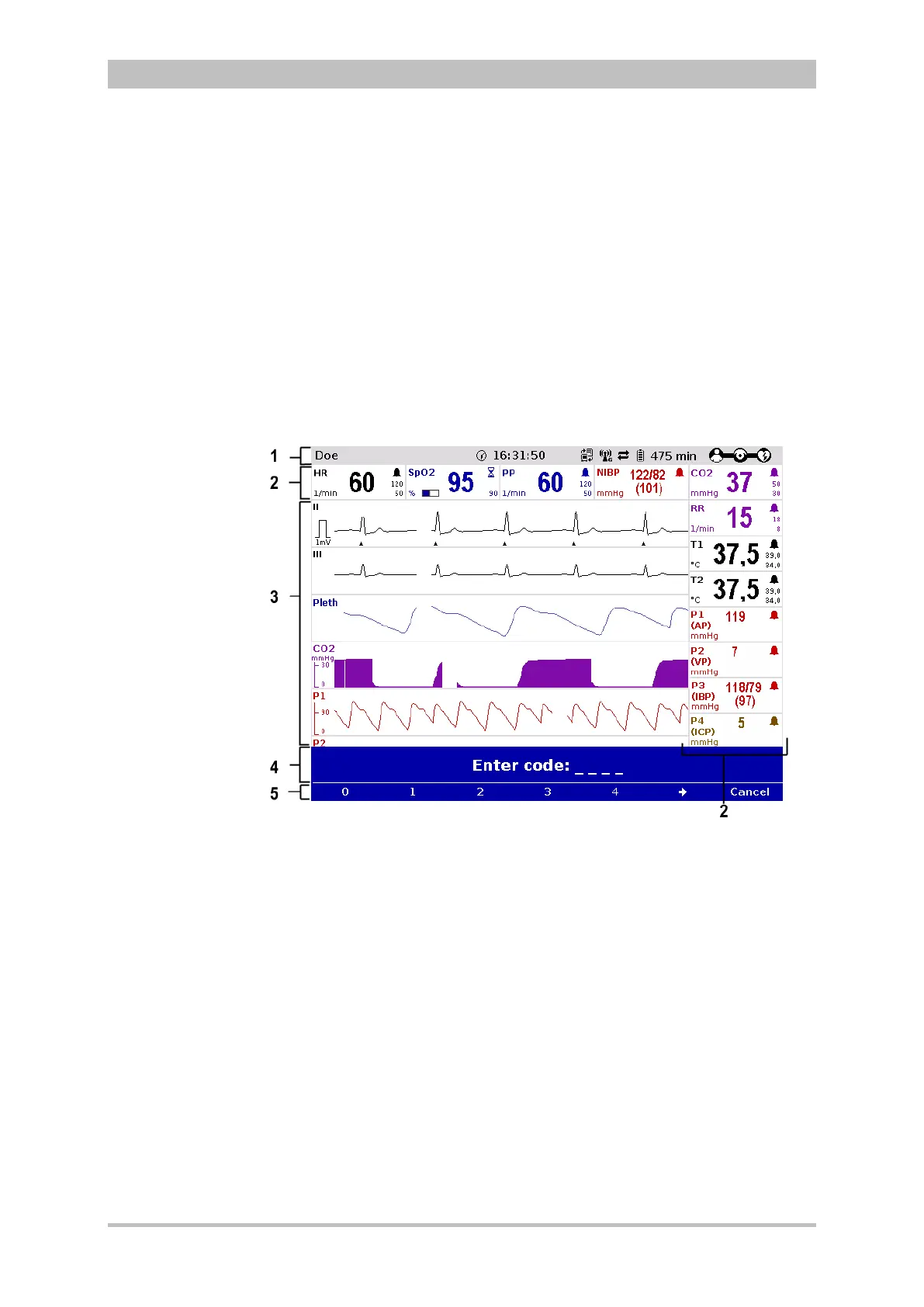
In the message line (Fig. 4-2, item 4) of the screen, additional interactions with
the user interface are displayed, e.g. to enter the PIN code for the OPERATOR
user level or to enter patient data).
The current function assignment of the softkeys is displayed in the softkey line
(Fig. 4-2, item 5).
Further options of the structure of the screen page can be configured (see
chapter 7.1.2 Display Configuration, p. 140).
Fig. 4-3 Screen page, example with horizontal and vertical parameter area
1 Status line
2 Parameter areas
3 Curve and display area
4 Message line
5- Softkey line



 To Next Page