EasyManua.ls Logo

GW Instek MFG-2000 Series - Modulating Wave Shape

GW Instek MFG-2000 Series
409 pages
Print Icon
To Next Page IconTo Next Page
To Previous Page IconTo Previous Page
Loading...
MFG-2000 Series User Manual
122
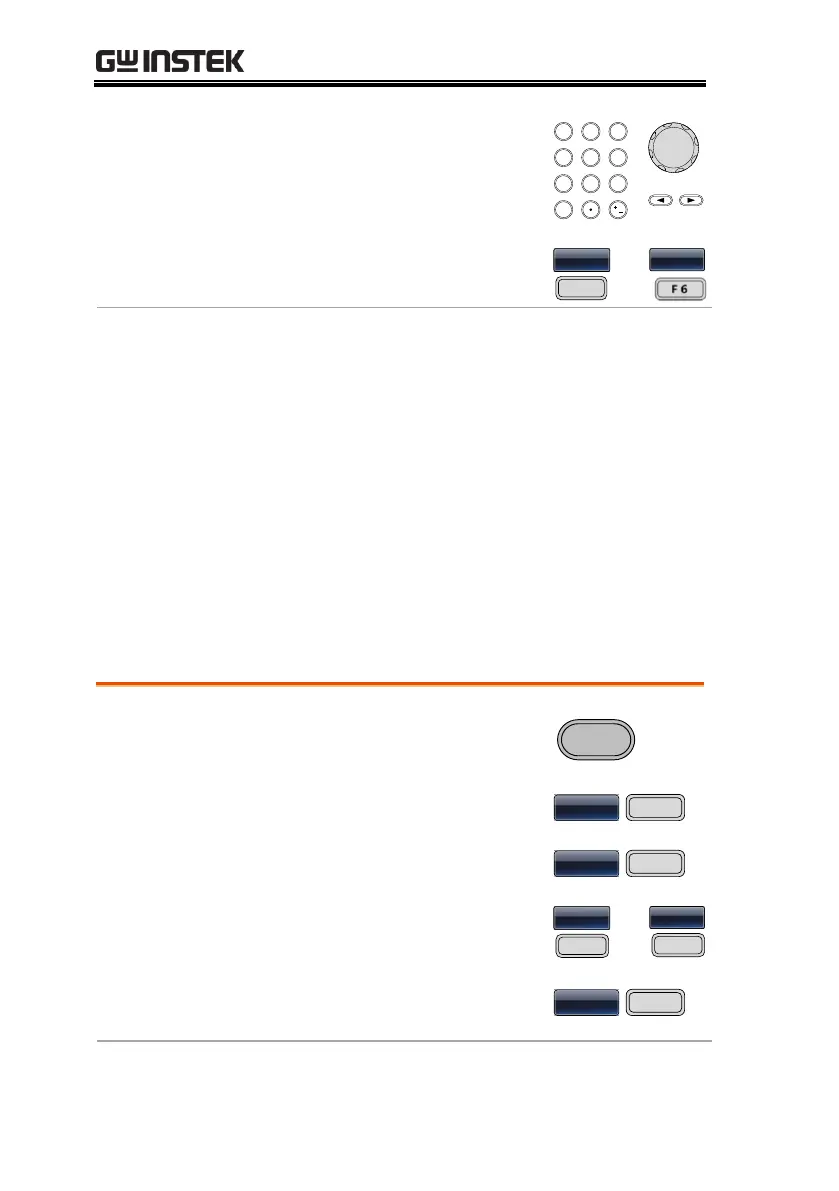
3. Use the arrow keys and scroll
wheel or number pad to enter
the carrier frequency.
/
4. Press F2~F6 to select the
frequency range.
z

~
z
Range
Carrier Shape
Carrier Frequency
Sine wave
1μHz~ 60MHz(max)
Square wave
1μHz~25MHz(max)
Triangle wave
1μHz~1MHz
Ramp wave
1μHz~1MHz
Default frequency
1 kHz
Modulating Wave Shape
The function generator can accept internal as well as external
sources. The MFG-2000 has sine, square, triangle, up ramp and
down ramp modulating waveform shapes. Sine waves are the
default wave shape.
Panel Operation
1. Press the MOD key.

2. Press F1 (AM).


3. Press F4 (Shape).
ha

4. Press F1 ~ F5 to select the
waveform shape.


~
Da

5. Press F6 (Return) to return
to the previous menu.



Note
Square wave
50% Duty cycle

Table of Contents

Other manuals for GW Instek MFG-2000 Series

Related product manuals