131
Favorites
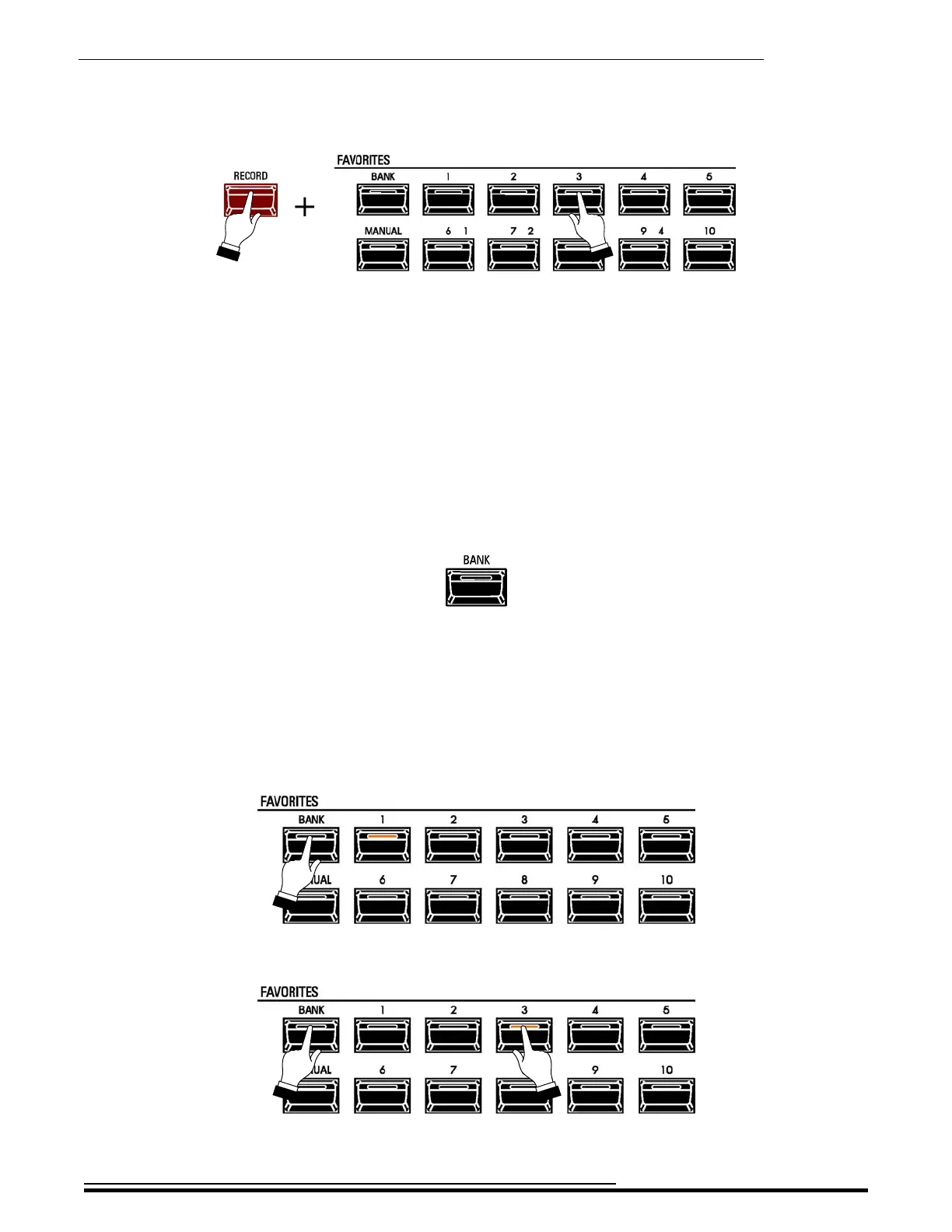
4. While continuing to hold the red RECORD button, press the numbered FAVORITE button you
want to use to recall the Combination you have selected.
The orange LED of the FAVORITE button you pressed will flash rapidly several times. When
it stops flashing, you will be able to recall your Combination from that FAVORITE button.
t FAVORITE BANKS
Your SKX PRO contains 10 Banks of Combinations with 10 Favorites per Bank. This gives you a total of
100 Combinations you can access using the FAVORITE buttons.
You can load the FAVORITE buttons with up to ten (10) Banks of Favorites, so that you can have up to 100
Combinations available through the FAVORITE buttons.
BANK button
Use this button in conjunction with the numbered FAVORITE buttons to select Favorite Banks.
TRY THIS:
1. Press and Hold the BANK button. A FAVORITE button will light showing which Favorite Bank
is currently active. The yellow “FAV” box at the top of the display will also show the currently
selected Favorite Bank and the currently selected Favorite number.
2. While holding the BANK button, press any one of the FAVORITE buttons.
HA<O> SKX PRO Reference Guide



 To Next Page