377
MONO SYNTH Voice Section
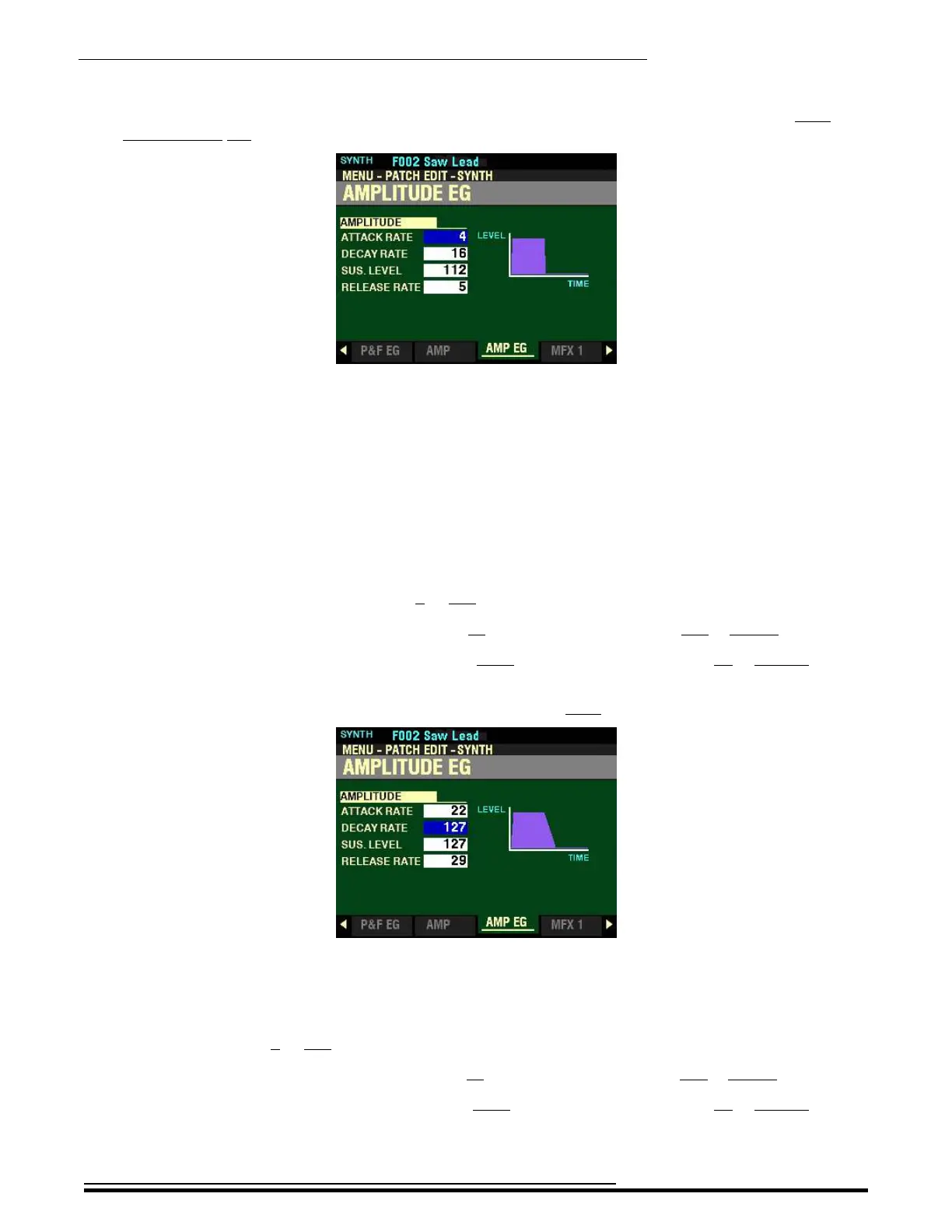
From the screen shown at the bottom of the previous page, press the PAGE “u” button once. The
AMPLITUDE EG Page should now display.
The box to the right of “ATTACK RATE” should be highlighted.
AMPLITUDE EG Parameters
These allow you to control how the Amplitude changes over time.
NOTE: You can Use the DIRECTION “p” and “q” buttons to highlight each of these Parameters. When a
Parameter is highlighted, you can use the VALUE knob to change the highlighted value. However, the sliders
can be used to change the value of each Parameter whether or not the Parameter is highlighted.
ATTACK RATE
This Parameter allows you to adjust the time for the sound to increase to its peak value beginning when
a key is depressed. You can select from 0 to 127. A higher value will result in a slower Attack Rate.
Move the AMPLITUDE ENVELOPE ATTACK slider up or turn the VALUE knob to the right to increase the Attack Rate.
Move the AMPLITUDE ENVELOPE ATTACK slider down or turn the VALUE knob to the left to decrease the Attack
Rate.
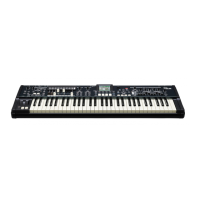
From the above screen, press the DIRECTION “q” button once.
The box to the right of “DECAY RATE” should be highlighted.
DECAY RATE
This Parameter allows you to adjust the time from the peak amount to the Sustain Level (explained below).
You can select from 0 to 127. A higher value will result in a longer Decay Rate.
Move the AMPLITUDE ENVELOPE DECAY slider up or turn the VALUE knob to the right to increase the Attack Rate.
Move the AMPLITUDE ENVELOPE DECAY slider down or turn the VALUE knob to the left to decrease the Attack
Rate.
HA<O> SKX PRO Reference Guide



 To Next Page