300
PIANO / ENSEMBLE Voice Sections
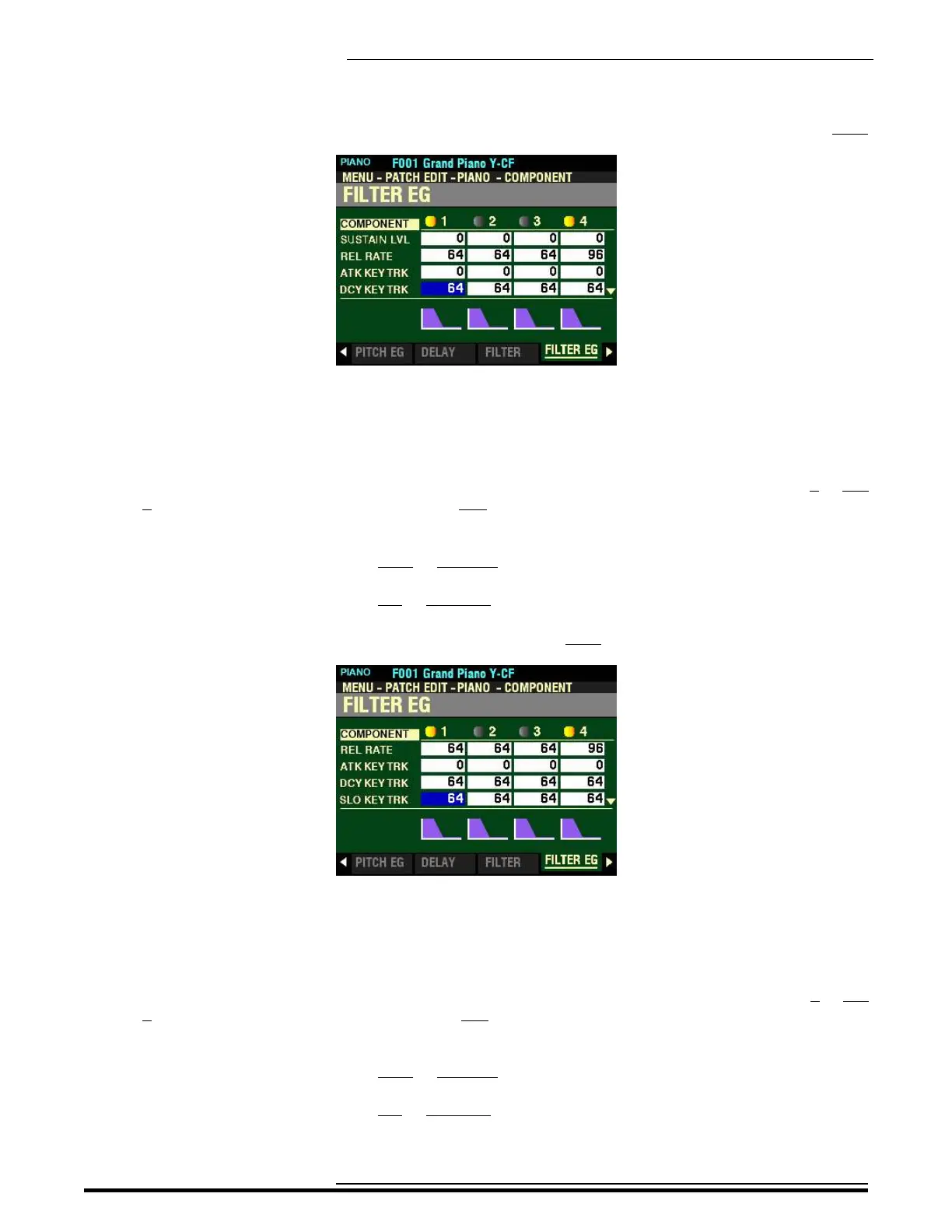
From the screen shown at the bottom of the previous page, press the DIRECTION “q” button once.
The box to the right of “DCY KEY TRACK” should be highlighted.
DCY KEY TRK
This Parameter allows you to adjust the Decay Rate of the Filter EG by note. You can select from 0 to 127.
At 0 each note will sound the same Filter EG. 127 will cause the envelope to respond by the maximum
amount.
Turn the VALUE knob to the right to increase the Decay Rate.
Turn the VALUE knob to the left to decrease the Decay Rate.
From the above screen, press the DIRECTION “q” button once.
The box to the right of “SLO KEY TRACK” should be highlighted.
SLO KEY TRK
This Parameter allows you to adjust the Slope Rate of the Filter EG by note. You can select from 0 to 127.
At 0 each note will sound the same Filter EG. 127 will cause the envelope to respond by the maximum
amount.
Turn the VALUE knob to the right to increase the Slope Rate.
Turn the VALUE knob to the left to decrease the Slope Rate.
HA<O> SKX PRO Reference Guide



 To Next Page