632
MIDI
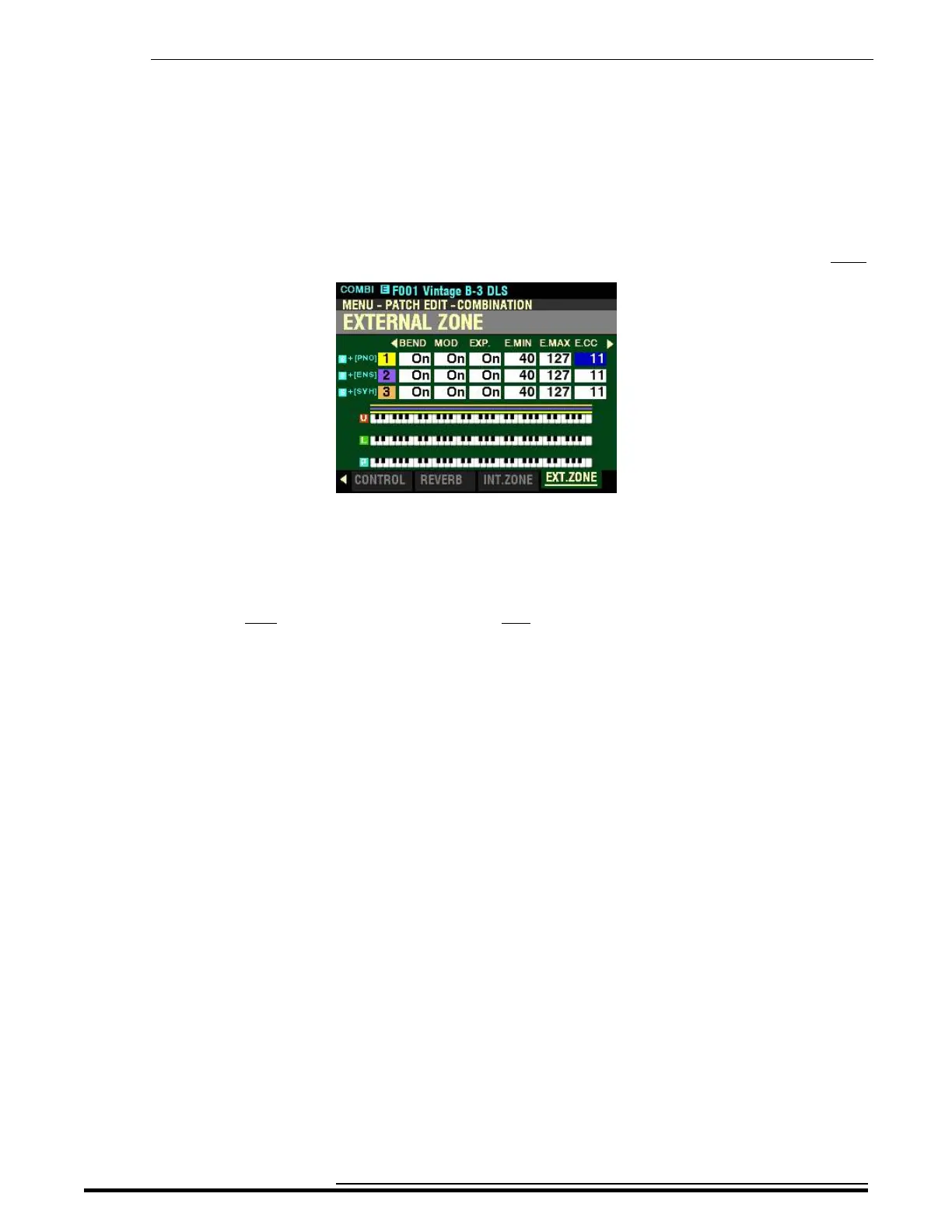
From the screen shown at the bottom of the previous page, press the DIRECTION “u” button once.
The box underneath “E.CC” should be highlighted.
E.CC - External Zone Expression Control Number
This Parameter allows you to select how you want to control the level of the selected External Zone. You
can select either VOL (Volume or Controller #7) or EXP (Expression or Controller #11).
Use the DIRECTION “p” and “q” buttons to move up and down among the three External Zones,
“1” “2" and “3.”
Turn the VALUE knob to make your selection.
What Is the Difference Between “Volume” and “Expression?”
In purely technical terms, Volume and Expression are identical - both control loudness or sound level.
The difference lies with how they are customarily used in MIDI applications, particularly in creating and
playing back MIDI sequences.
The generally accepted protocol is to use Controller #7 (Volume) to set the overall or absolute level of
a voice or sound, and use Controller #11 (Expression) to make variations (such as crescendi or
diminuendi) against the overall level set by Controller #7. This is recommended particularly if you want
to use your SKX PRO as a MIDI input device to record a sequence.
NOTE: In order for the External Zone Volume feature to work, the Expression Control Number must be set to
“7:VOL.” If this parameter is set to “11:EXP,” changing the External Zone Volume setting will have no effect.
HA<O> SKX PRO Reference Guide



 To Next Page