27
Information Center Display
u FUNCTION Modes
The FUNCTION Modes are the Pages within each MENU Mode which allow you to adjust specific
Parameters within each Menu. The following pages will explain how to access the FUNCTION Modes to
make the changes you wish.
t Using the DIRECTION and PAGE buttons
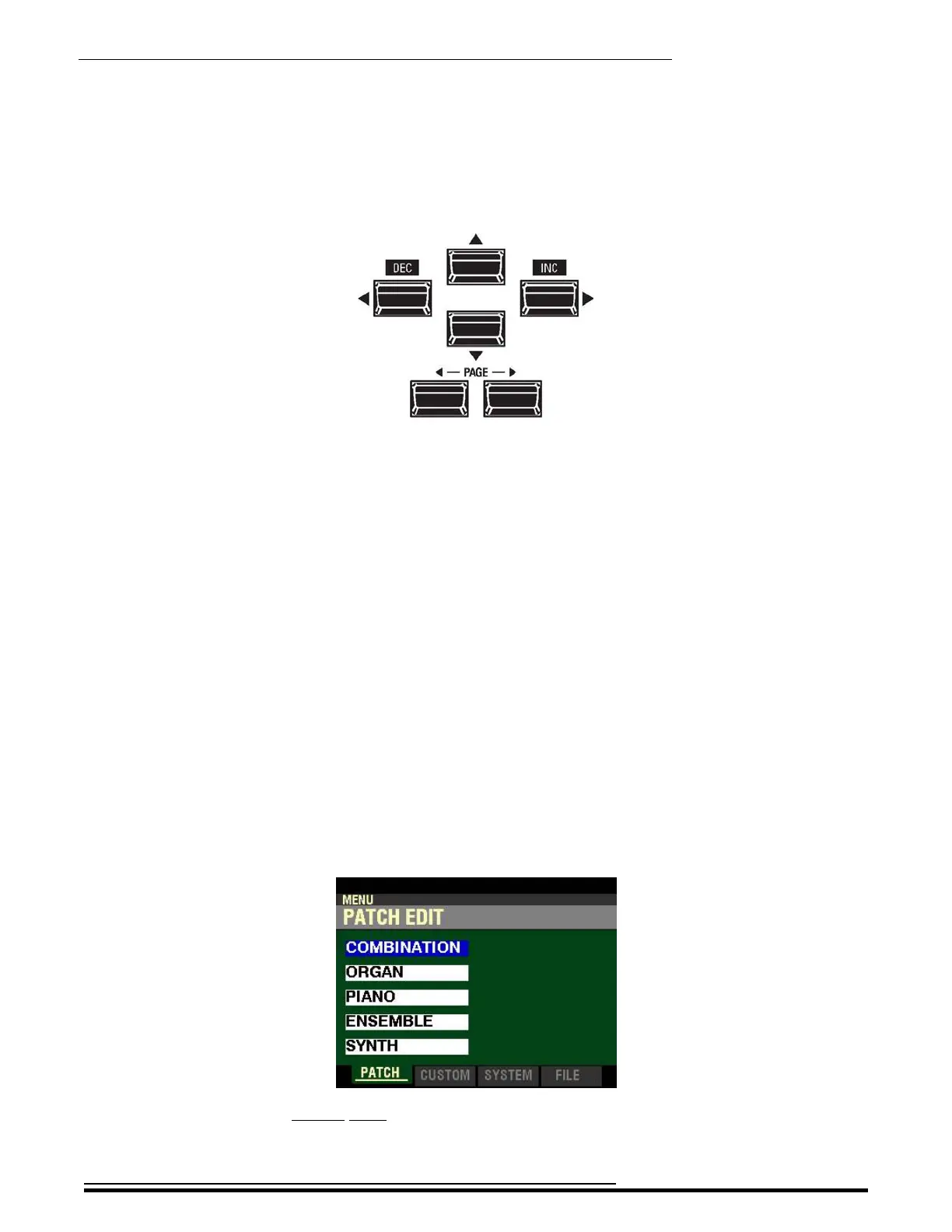
As stated earlier, the buttons marked with arrows - UP (“p”), DOWN (“q”), LEFT (“t”) RIGHT (“u”),
PAGE LEFT (“t”) and PAGE RIGHT (“u”) allow you to find the FUNCTION Mode Pages and Parameters
within each Page quickly.
The four top buttons UP (“p”), DOWN (“q”), LEFT (“t”) and RIGHT (“u”) are the DIRECTION buttons.
They allow you to navigate among the main MENU Pages as well as the Parameters within each FUNCTION
Mode Page.
The two PAGE buttons LEFT (“t”) and RIGHT (“u”) allow you to select Pages within each FUNCTION
Mode.
The following example is designed to help you get used to using the DIRECTION and PAGE buttons to
find your way to the FUNCTION Mode Page you want to edit.
Selecting FUNCTION Mode Pages
IMPORTANT NOTE: If you followed the instructions on pages 24 through 26, you will have seen all four of
the MENU Modes as well as descriptions of the FUNCTION Modes within each. You will also have noticed that
one of the Menu choices will be “highlighted” - shown with a blue background with white lettering. This is to let
you know which Menu choice will be selected when you press the ENTER button. The following pages explain
this more fully.
TRY THIS:
1. From any of the PLAY Mode Pages, press the MENU/EXIT button. The Information Center
Display should now look like this:
This is the PATCH EDIT Menu, which will be the first one displayed. The “COMBINATION”
box should be highlighted.
HA<O> SKX PRO Reference Guide



 To Next Page