636
Special Utility Features
SPECIAL UTILITY FEATURES
u SYSTEM -AUDIO FUNCTION Mode
This FUNCTION Mode allows you to see which audio connections are active
NOTE: The AUDIO connections are all on the Accessory Panel on the rear of the instrument and are explained
in the INTRODUCTION chapter of this Guide starting on page 6.
TRY THIS:
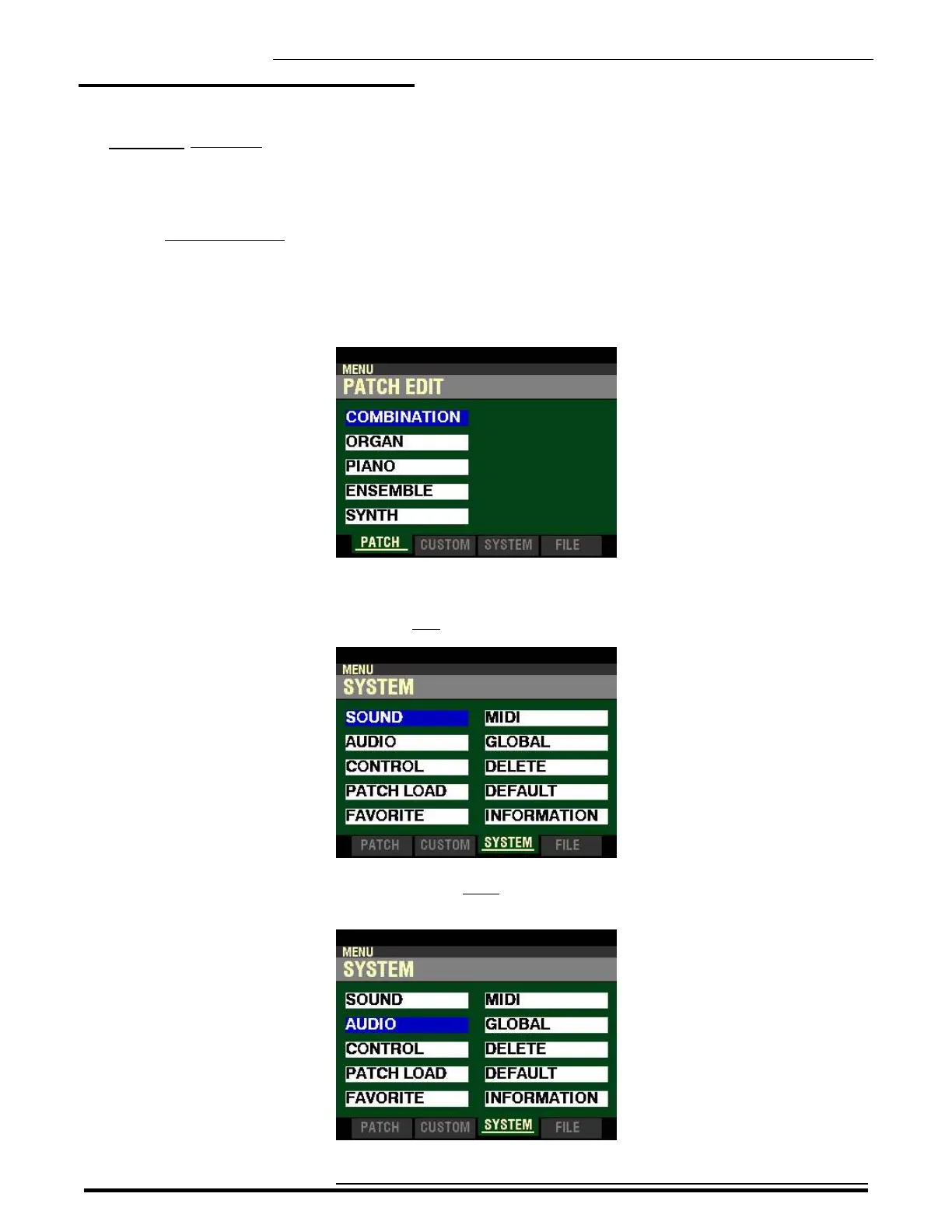
1. From any of the PLAY Mode Pages, press the MENU/EXIT button. The Information Center
Display should now look like this:
The “COMBINATION” box should be highlighted.
2. Press the PAGE “u” button two times to highlight the “SOUND” box.
3. Press the DIRECTION “q” button once. The Information Center Display should now look
like this:
HA<O> SKX PRO Reference Guide



 To Next Page