71
Combinations
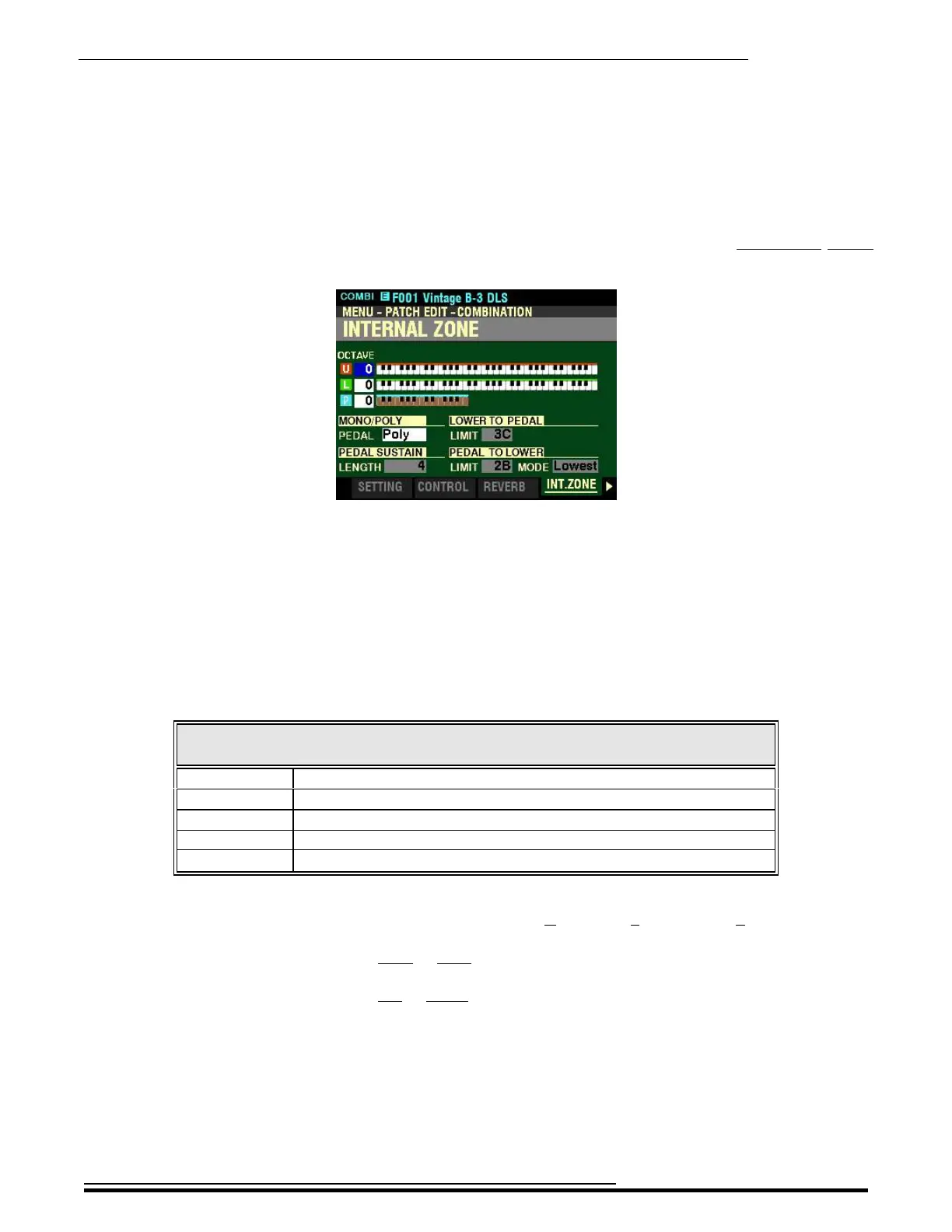
If you followed the instructions on the previous pages, you should now see the INTERNAL ZONE
FUNCTION Mode Page. The box to the right of “U” (red box) should be highlighted.
Notice the three Keyboard graphics. The top keyboard represents the UPPER Keyboard, the middle one
represents the LOWER Keyboard and the small one at the bottom represents either a connected MIDI
pedal clavier such as the Hammond XPK-130G or the lower two octaves of the LOWER Keyboard when
PEDAL TO LOWER is active.
OCTAVE - Octave Setting
This Parameter allows you to set the octave for the UPPER and LOWER Keyboards and PEDALs. The data
chart below shows the options you can select.
OCTAVE Options
Parameter Description
-2 The sound is two octaves below the regular pitch.
-1 The sound is one octave below the regular pitch.
0 The sound is at normal pitch.
+1 The sound is one octave above the regular pitch.
+2 The sound is two octaves above the regular pitch.
Use the DIRECTION “p” and “q” buttons to select U (UPPER), L (LOWER) or P (PEDAL).
Turn the VALUE knob to the right to raise the Octave.
Turn the VALUE knob to the left to lower the Octave.
HA<O> SKX PRO Reference Guide



 To Next Page