421
CUSTOM SETS - Leslie
t Recording a Custom Leslie Cabinet
IMPORTANT NOTE: If you change any of the Custom Leslie Parameters, you must save them in order
for them to be remembered. If the changes are not saved, they will be lost when the power to the
instrument is switched “OFF.”
TRY THIS:
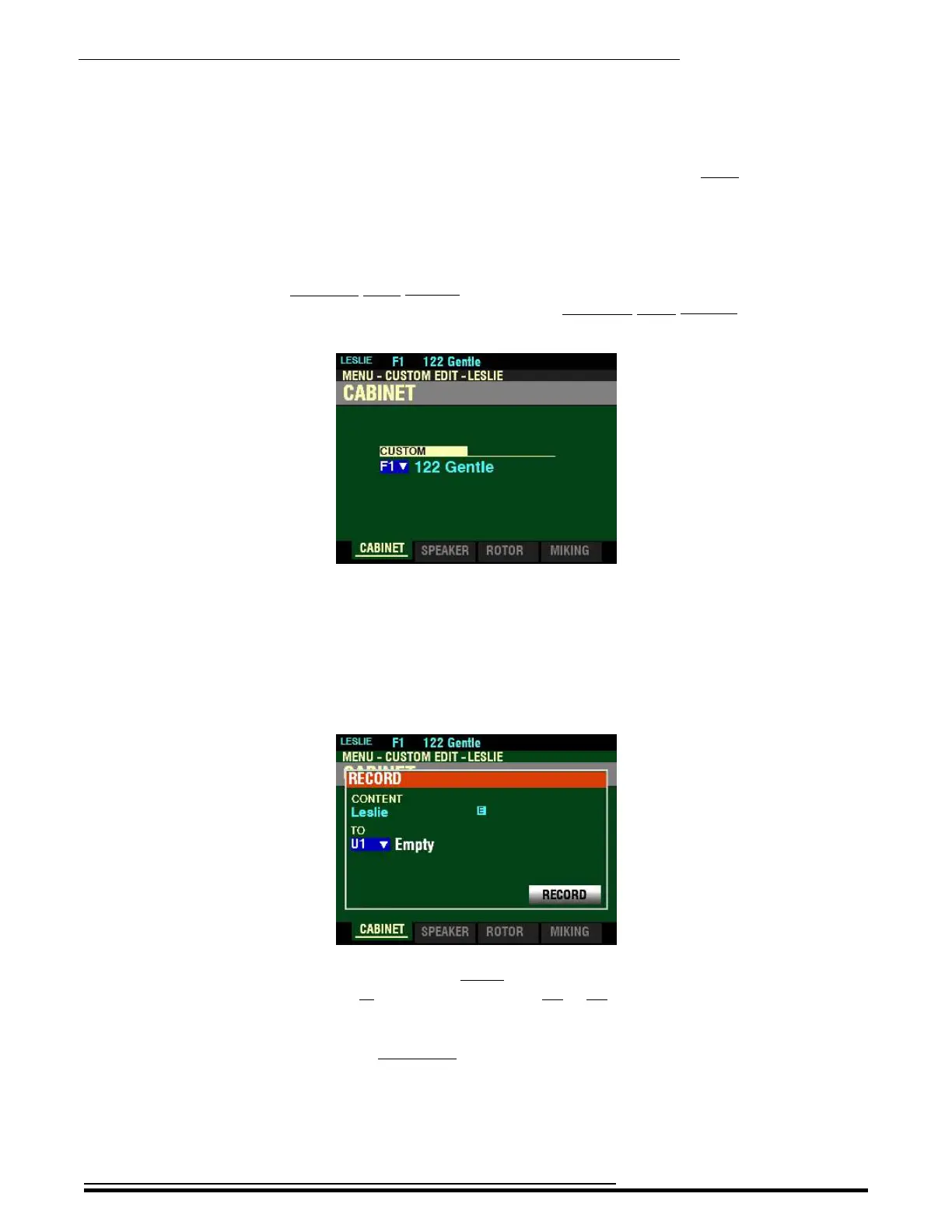
1. Access the CUSTOM EDIT -LESLIE FUNCTION Mode Page using the procedure described on
page 411. You should now see Screen 1 of the CUSTOM EDIT -LESLIE FUNCTION Mode
Page. The box underneath “CUSTOM” should be highlighted
2. Turn the VALUE knob to select the Custom Leslie Cabinet you want to edit.
3. Make whatever changes you want to the editable Parameters. The Custom Leslie Parameters
are covered on pages 413 through 420.
4. When you have completed your edits, press the red RECORD button. The Information Center
Display will look similar to this. The box underneath “TO” should be highlighted.
5. Use the VALUE knob to select the target Custom Leslie Cabinet (the Custom Leslie Cabinet
you want to Record to). You can select from U1 to U8.
NOTE: For a complete list of the Parameters that can be modified for a Custom Leslie Cabinet,
consult page 721 of the APPENDIX chapter of this Guide.
NOTE: If you have already made changes to a Custom Leslie Cabinet and you want to Record
your changes, you can skip Steps 1 through 3 and go directly to Step 4.
HA<O> SKX PRO Reference Guide



 To Next Page