347
MONO SYNTH Voice Section
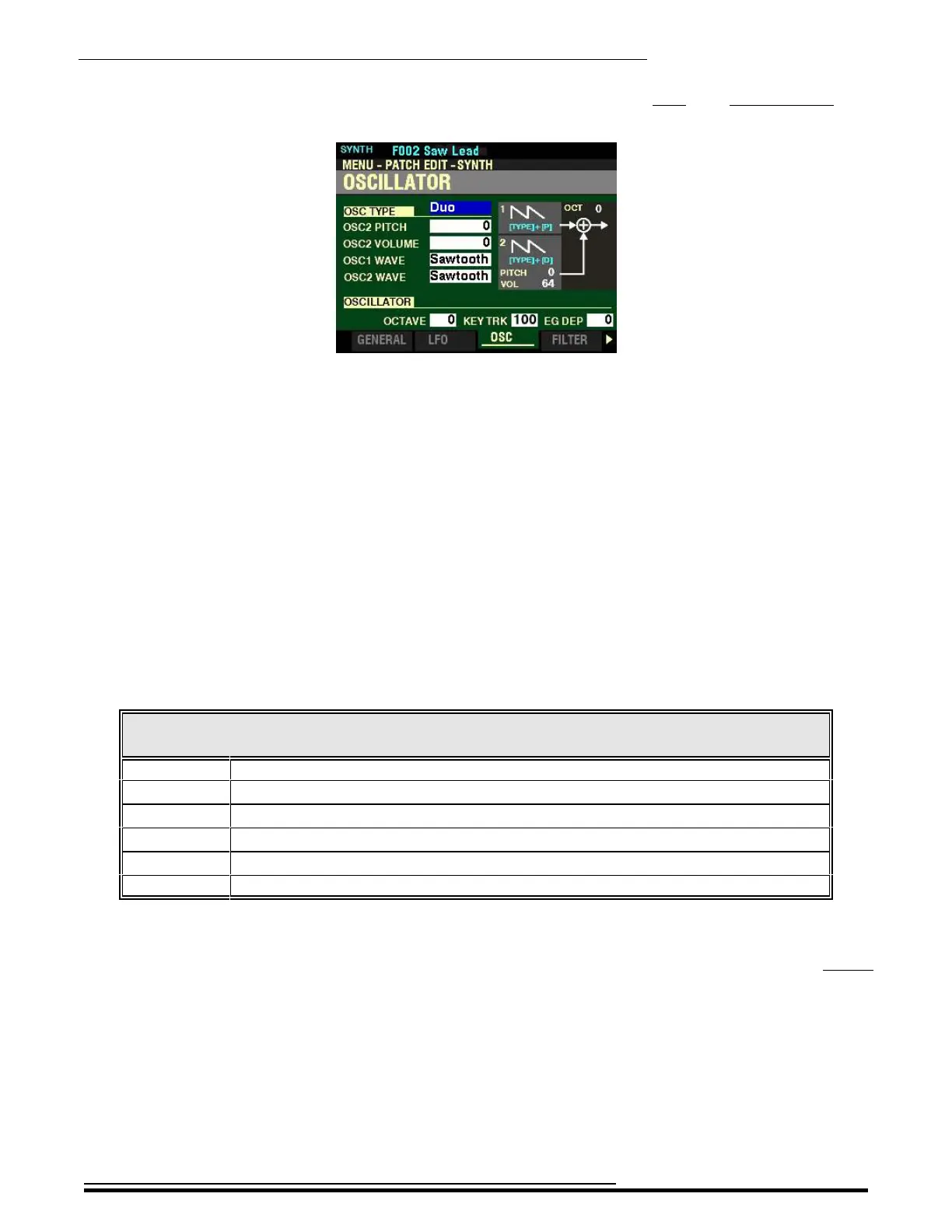
From the screen shown on the previous page, press the PAGE “u” button once. The OSCILLATOR Page
should now display.
The box to the right of “OSC TYPE” should be highlighted.
t OSCILLATOR Parameters
These allow you to adjust the oscillating method or pitch.
NOTE: You can also SHORTCUT into this Page by Pressing and Holding the SHIFT button and moving the
OSCILLATOR PITCH or DEPTH sliders.
OSC TYPE
This Parameter allows you to select the Oscillator to be modified.
NOTE: The data chart shown below gives a short description of the options you can select. For a complete
description of Oscillator Types and Characteristics, please consult page 323. To see the Parameters for each
Oscillator Type explained individually, please consult page ?.
The data chart below shows the options you can select.
OSCILLATOR TYPES
Type Description
Duo Two oscillators at different frequencies.
Unison Several oscillators sounding in unison which can be detuned.
Sync A single oscillator sounds synchronized with “out-of-tune” frequency.
Pulse A single oscillator sounds as a pulse wave
FM Using one waveform to change or modulate another waveform, resulting in different sounds.
Noise A single oscillator sounds various types of noise.
Turn the VALUE knob or press the TYPE button to make your selection.
NOTE: The function of this Parameter is duplicated by the OSCILLATOR TYPE Parameter in the SYNTH
PLAY Mode Page and the TYPE button in the MONO SYNTH Section of the Control Panel. For more
information consult pages ? and ?.
NOTE: If you select a TYPE, you will see the box to the right of “OSC TYPE” change each time the TYPE
button is pressed. You will also see the orange LEDs in the OSCILLATOR group change to indicate the
selected Oscillator. Each time a different Oscillator is selected you will see different Parameters displayed
according to which Parameters apply to that particular Oscillator
Because each Oscillator has different Parameters, each Oscillator will be detailed and its Parameters explained
starting on the next page.
HA<O> SKX PRO Reference Guide



 To Next Page