223
ORGAN Voice Section
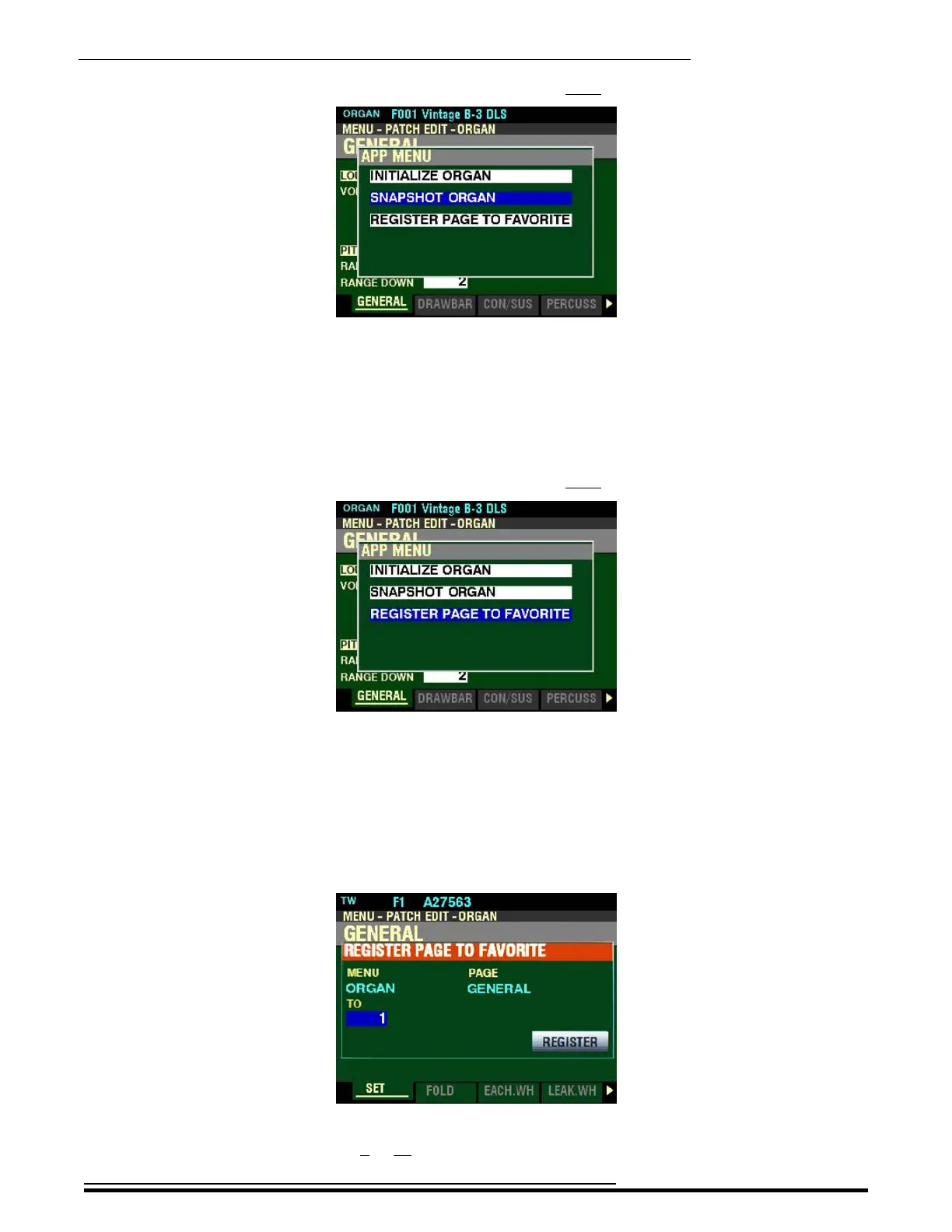
From the above screen, press the DIRECTION “q” button once.
The “SNAPSHOT ORGAN” box should be highlighted.
t SNAPSHOT ORGAN
This allows you to capture the current physical Drawbar registrations and Overdrive settings so you can
include them in your User ORGAN Patch.
Press the ENTER button to capture the current Drawbar registrations and Overdrive settings.
From the above screen, press the DIRECTION “q” button once.
The “REGISTER PAGE TO FAVORITE” box should be highlighted.
t REGISTER PAGE TO FAVORITE
This allows you to register the current Page to one of the FAVORITE buttons for quick access.
To register the current Page to a FAVORITE, do the following:
1. From the above screen, press the ENTER button. The Information Center Display should look
like this:
2. Use the VALUE knob to select which FAVORITE button you want to recall the selected Page.
You can select from 1 to 10.
HA<O> SKX PRO Reference Guide



 To Next Page