238
PIANO / ENSEMBLE Voice Sections
IMPORTANT: It is assumed that you have just turned the SKX PRO "ON" and have
not pressed either the PLAY or MENU/EXIT button.
u Selecting a Voice
t PIANO Voice Section
TRY THIS:
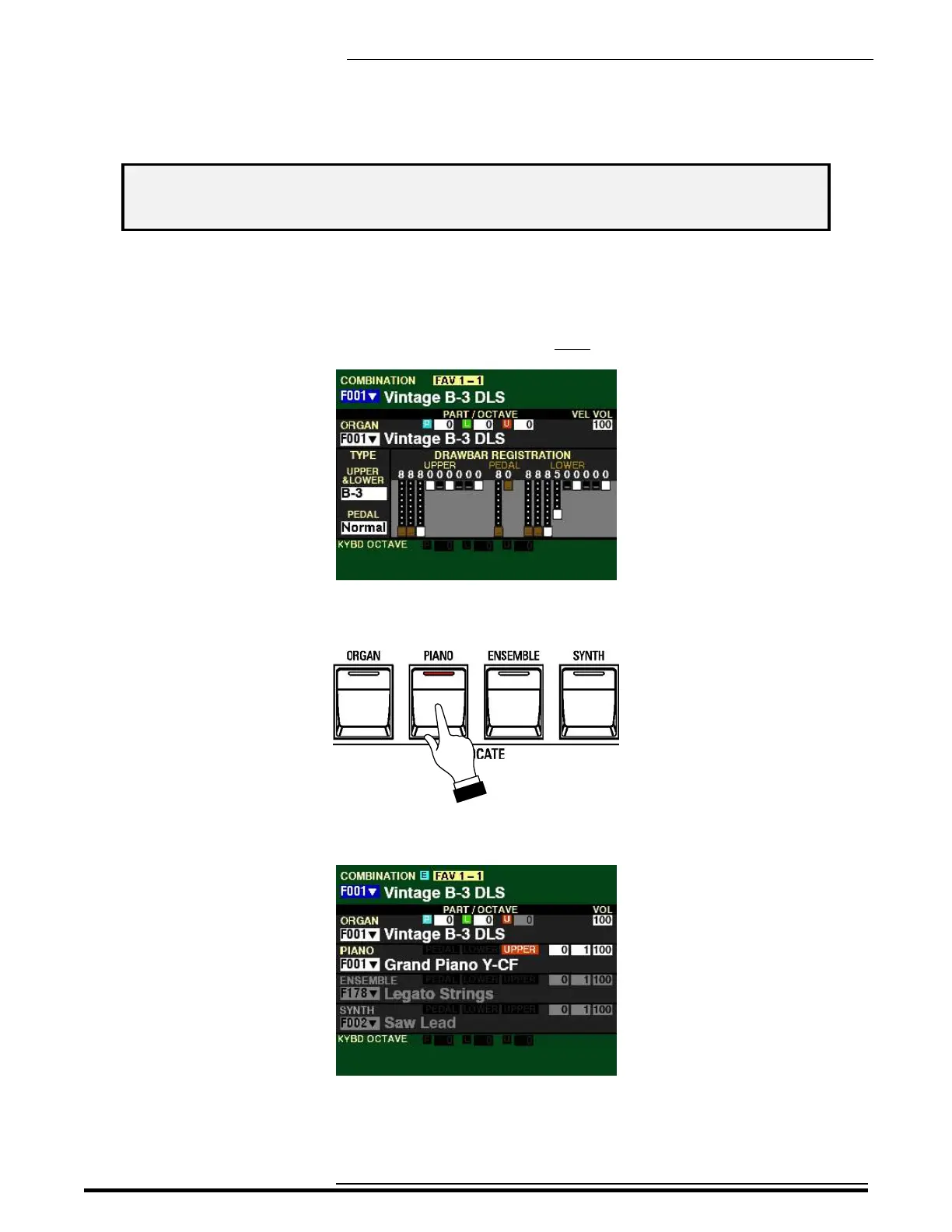
1. After turning the SKX PRO “ON,” Combination F001 should display (see below).
2. Press the PIANO button in the ALLOCATE Section. The LED will light red.
The Information Center Display should now look similar to this:
3. Play some notes. You will now hear the sound of a concert grand piano.
HA<O> SKX PRO Reference Guide



 To Next Page