63
Combinations
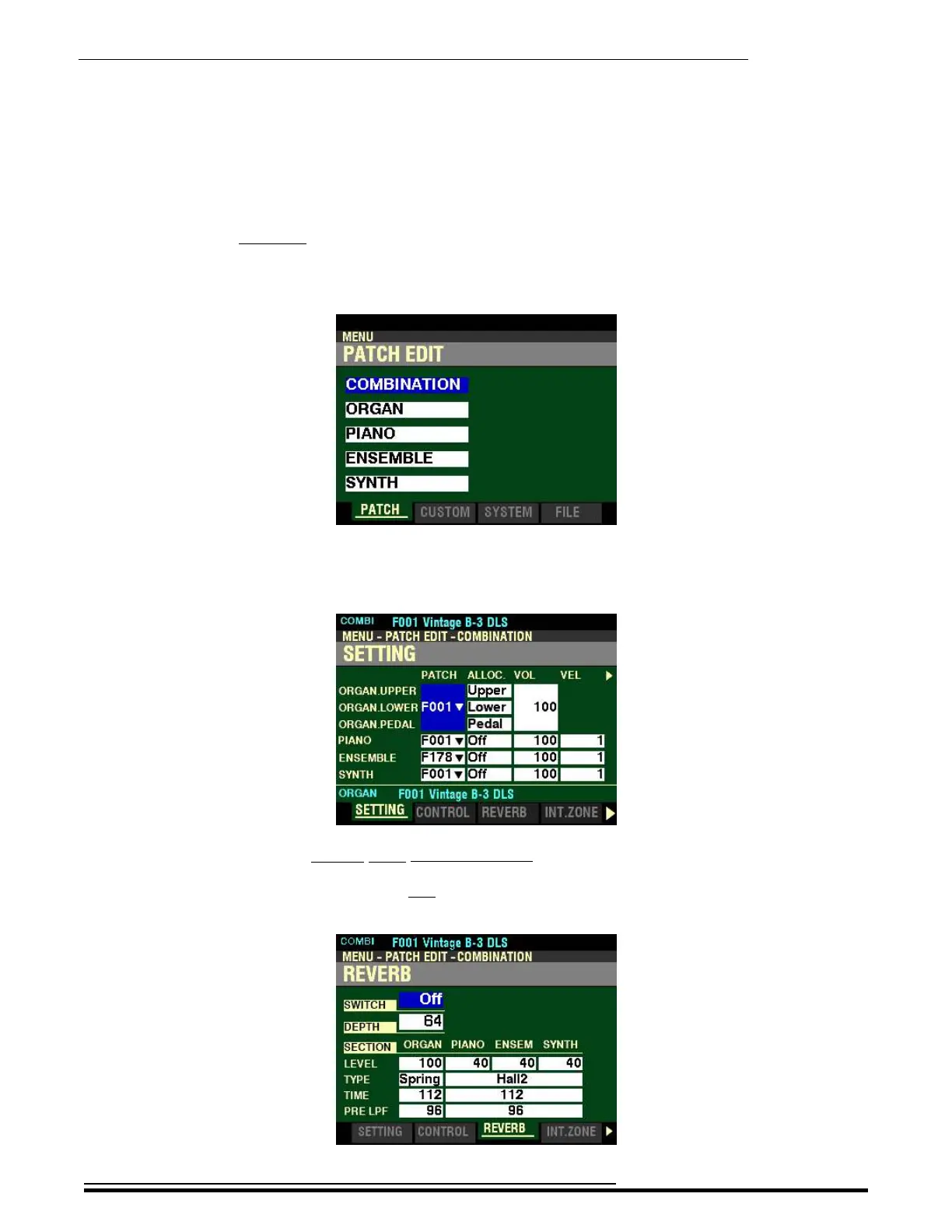
REVERB
This Page allows you to control the Reverb (reverberation) for each of the Voice Sections. All of these
Parameters can be Recorded to a Combination.
NOTE: There are two (2) independent Reverbs - one for the ORGAN Voice Section and the other for the
PIANO, ENSEMBLE and MONO SYNTH Voice Sections.
Accessing the REVERB FUNCTION Mode Page using the MENU/EXIT button:
1. From any of the PLAY Mode Pages, press the MENU/EXIT button. The Information Center
Display should now look like this:
The “COMBINATION” box should be highlighted.
2. Press the ENTER button. The Information Center Display should now look like this:
Page 1 of the PATCH EDIT -COMBINATION FUNCTION Mode should now display.
3. Press the PAGE “u” button two times. The Information Center Display should now look like
this:
HA<O> SKX PRO Reference Guide



 To Next Page