54
Combinations
t Accessing the COMBINATION FUNCTION Mode using the SHIFT button:
1. Press and Hold the SHIFT (MENU/EXIT) button.
2. While holding the SHIFT button, turn the VOLUME knob for any of the four Voice Sections.
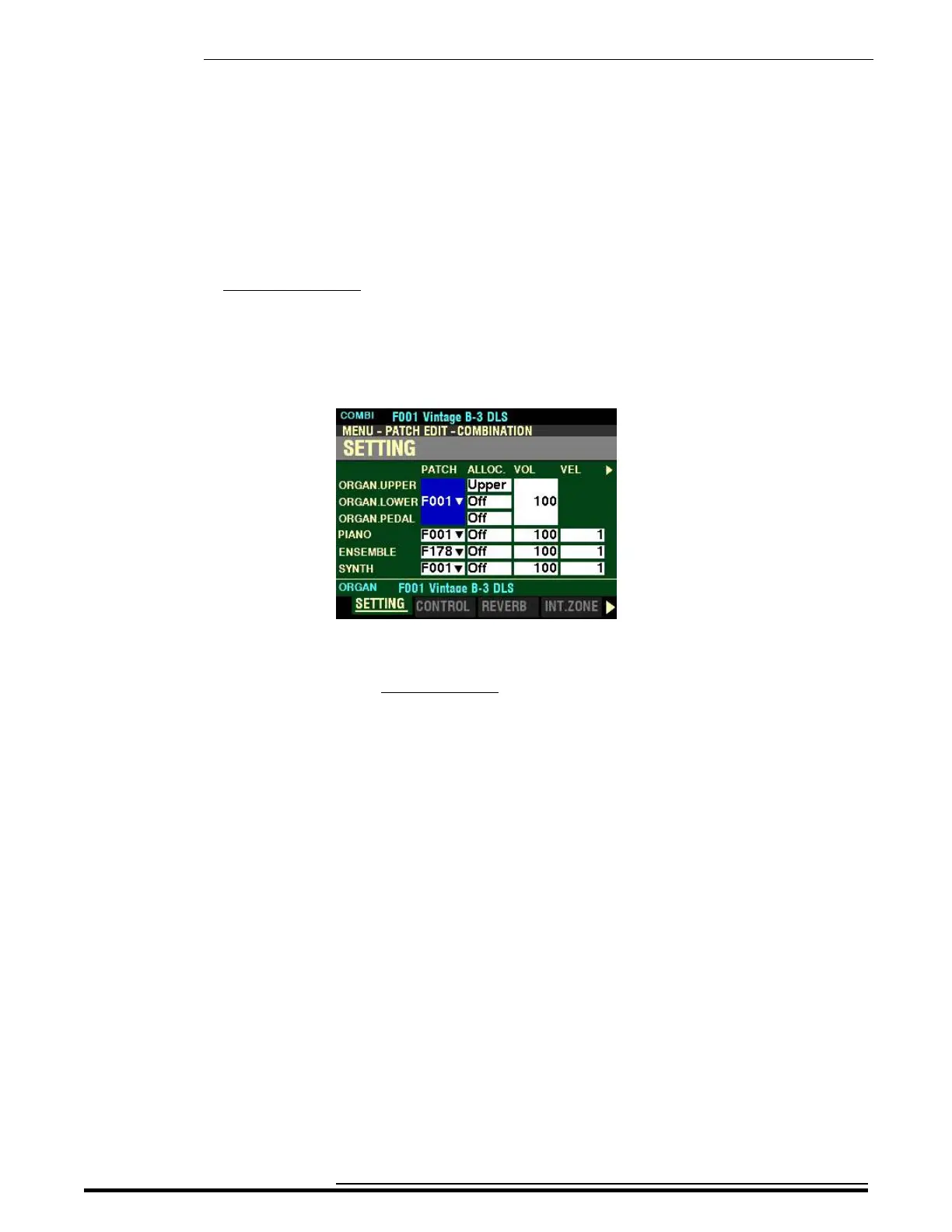
The Information Center Display will look similar to this:
3. Release the SHIFT button.
You are now in Page 1 of the COMBINATION FUNCTION Mode.
Notice the different Voice Sections for which you can adjust Parameters individually.
1. ORGAN (UPPER, LOWER and PEDAL Parts)
2. PIANO
3. ENSEMBLE
2. SYNTH
These Parameters are saved as part of a Combination, and are independent of the Parameters which
are specific to each Voice Section, although a few are duplicated in the FUNCTION Mode Pages for
each Voice Section.
You can now use the DIRECTION and PAGE buttons in conjunction with the VALUE knob to make
various changes to the Combinations. These changes are explained starting on the next page.
HA<O> SKX PRO Reference Guide



 To Next Page