563
Special Performance Features
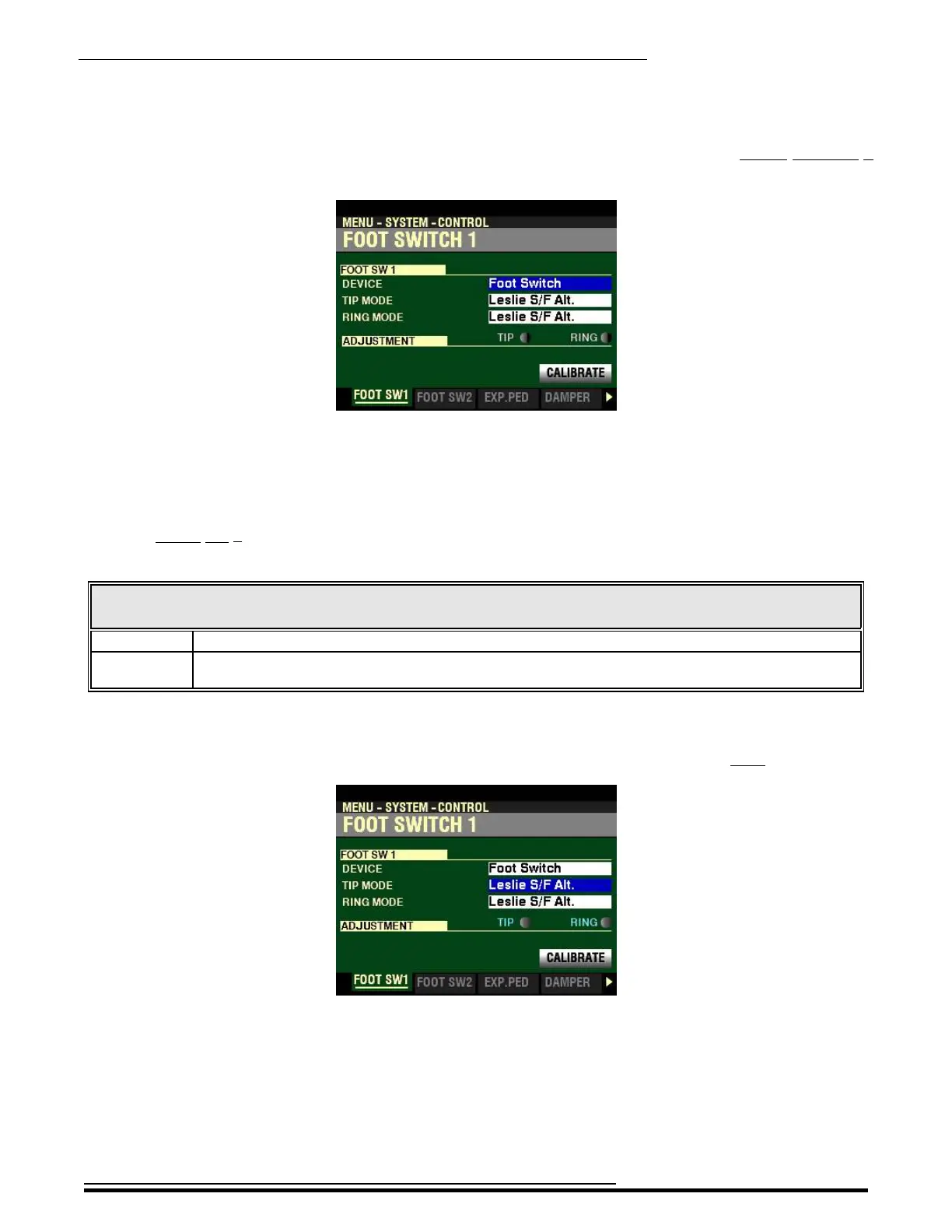
If you followed the instructions shown on the previous pages, you should see the FOOT SWITCH 1
FUNCTION Mode Page. The box to the right of “DEVICE” should be highlighted.
t FOOT SW 1
DEVICE
The FOOT SW 1 jack on the SKX PRO is set up to accept different types of devices. The data chart below
shows the options you can select.
FOOT SWITCH 1 DEVICE SELECT Options
Description Function
Foot Switch A conventional foot switch such as the Hammond FS-9H.
Leslie A “half-moon” style speed switch, available as an optional accessory, which allows you to select the
Leslie Speeds.
Turn the VALUE knob to make your selection.
From the screen shown on the previous page, press the DIRECTION “q” button once.
The box to the right of “TIP MODE”should be highlighted.
This Parameter allows you to select functions for a connected Foot Switch. This is explained in more detail
starting on the next page.
HA<O> SKX PRO Reference Guide



 To Next Page