57
Combinations
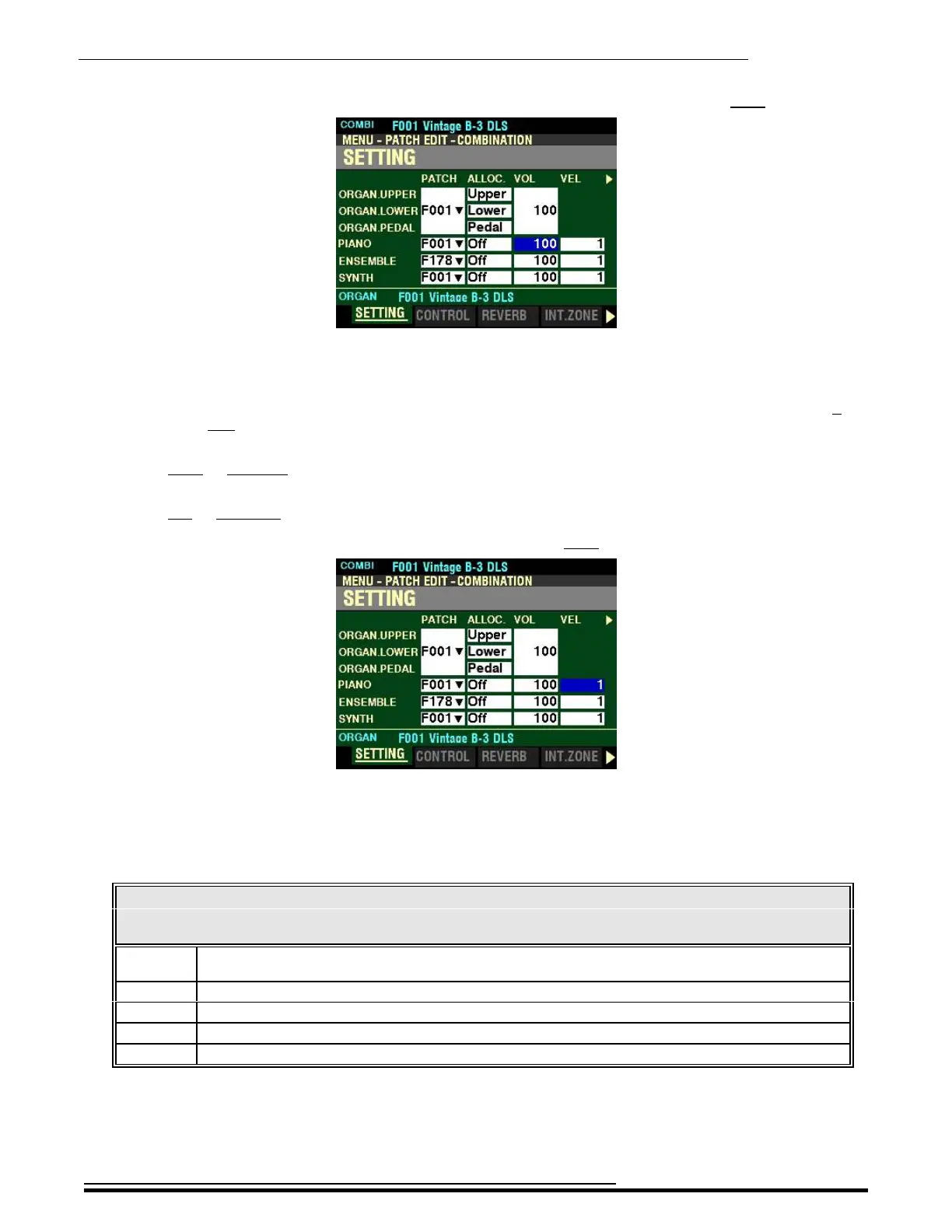
From the screen shown on the previous page, press the DIRECTION “u” button once.
The box underneath “VOL” should be highlighted.
VOL - Volume
This Parameter allows you to adjust the Volume of the selected Section. You can select from 0 (no
volume) to 127 (maximum volume).
Turn either the VALUE knob or the VOLUME knob associated with the selected Voice Section to the
right to increase the Volume.
Turn either the VALUE knob or the VOLUME knob associated with the selected Voice Section to the
left to decrease the Volume.
From the above screen, press the DIRECTION “u” button once.
The box underneath “VEL” should be highlighted.
VEL - Velocity Curve
This Parameter allows you to select how the selected Voice Section will respond to key velocity. The data
chart below shows the options you can select.
VELOCITY CURVE Options
Paramete
r
Description
Off Standard organ touch - the notes play at a fixed velocity (“100”) regardless of a light or heavy
keystroke.
1 This is the most exaggerated velocity curve, most like an acoustic piano
2 Less exaggerated than “1.”
3 Less exaggerated than “2.”
4 This is the smallest change of response to key velocity.
Turn the VALUE knob to make your selection.
NOTE: This Parameter is not available for the ORGAN Voice Section, because with Organ tones the
note or notes sound at the same volume regardless of key velocity.
HA<O> SKX PRO Reference Guide



 To Next Page