600
MIDI
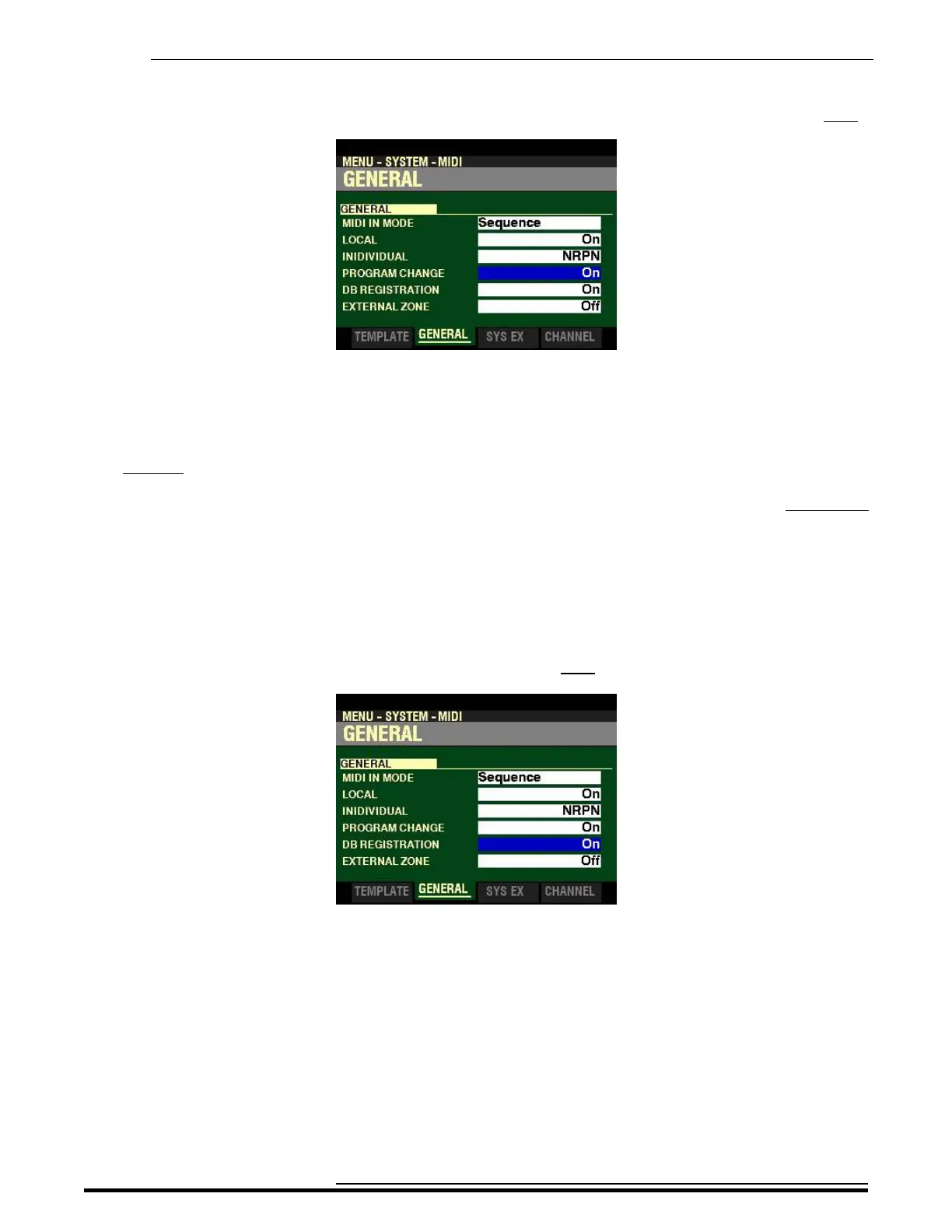
From the screen shown at the bottom of the previous page, press the DIRECTION “q” button once.
The box to the right of “PROGRAM CHANGE” should be highlighted.
PROGRAM CHANGE
Program is the MIDI term for a particular sound or effect, such as Piano, Trumpet, Thunder, etc. Each MIDI
program is assigned a number from 1 through 127, and these numbers are transmitted to a connected MIDI
device such as a sound module. In this way, changes in sound, or what organists refer to as registration,
can be made.
This Parameter allows you to turn Program Change "ON" or "OFF.” When Program Change is "ON,” the SKX
PRO will send and receive Program Changes out to or from a connected MIDI device. When Program
Change is "OFF,” Program Changes are not transmitted or received.
Turn the VALUE knob to turn PROGRAM CHANGE “ON” or “OFF.”
From the above screen, press the DIRECTION “q” button once.
The box to the right of “DB REGISTRATION” should be highlighted.
DB REGISTRATION
This Parameter allows you to decide whether you want to transmit the current Drawbar registration to a
connected MIDI device such as a sequencer, another Hammond Organ, etc. When this switch is is "ON,”
the SKX PRO will send Drawbar Data out to a connected MIDI device. When this switch is "OFF,” Drawbar
Data will not be transmitted.
Turn the VALUE knob to turn DB REGISTRATION “ON” or “OFF.”
HA<O> SKX PRO Reference Guide



 To Next Page