44
Allocating Voice Sections
u Allocating Voices - LOWER
TRY THIS:
1. Make sure the SKX PRO is in PLAY Mode. If in doubt, press the PLAY button.
Also make sure the second line from the top reads F001 Vintage B-3 DLS.
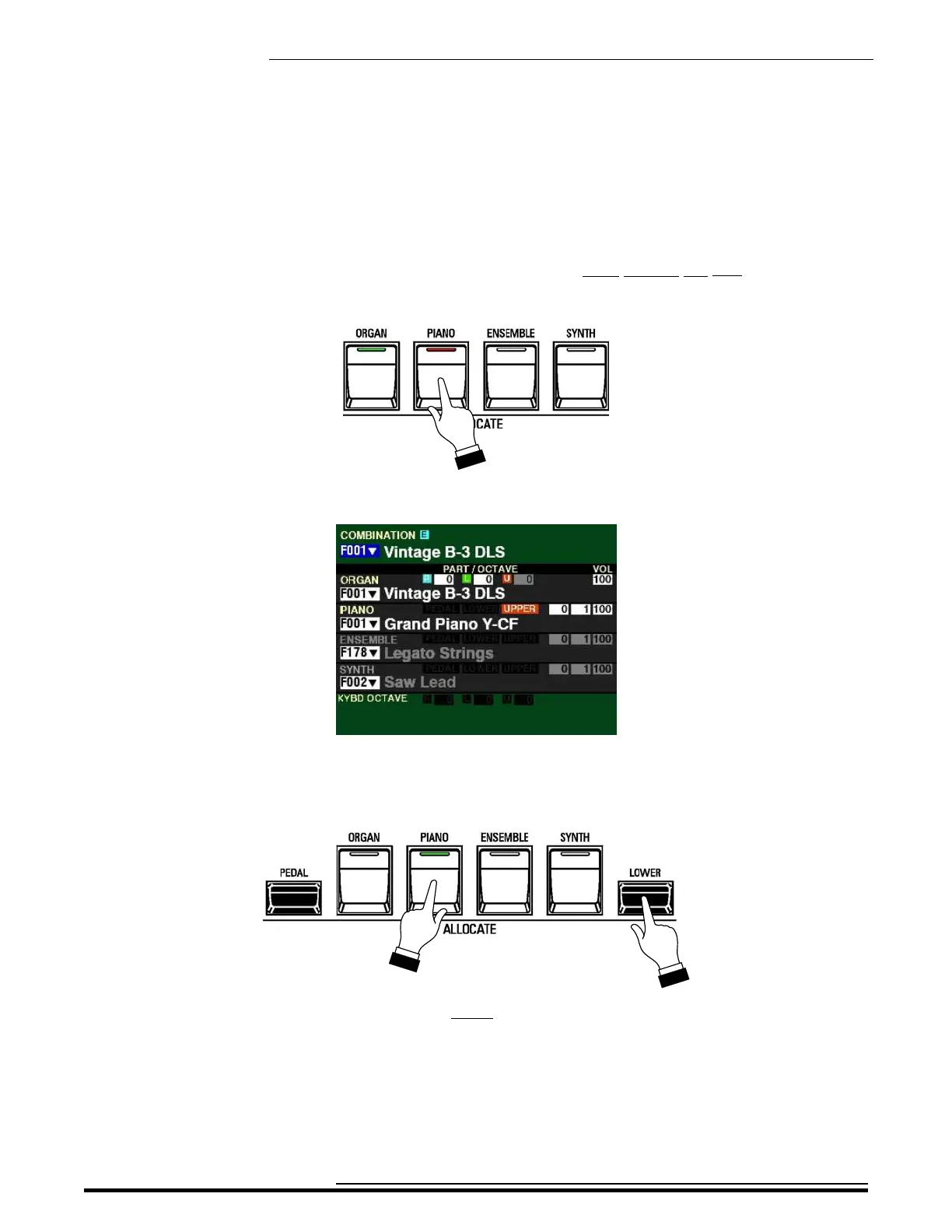
2. Press the PIANO button. A red LED will light.
The Information Center Display should now look similar to this:
3. Play some notes on the UPPER Keyboard. You will hear the sound of an acoustic grand piano.
4. Now Press and Hold the LOWER button and press the PIANO button.
Notice the LED of the PIANO button is green. This indicates the PIANO Section will play from the
LOWER Keyboard.
HA<O> SKX PRO Reference Guide



 To Next Page